
✉️ Avoid receiving emails in the same thread
Sometimes, notification emails from your form can arrive in the same email conversation/thread (for example, Gmail groups them together).
If you want each submission to appear as a separate email, follow the steps below.
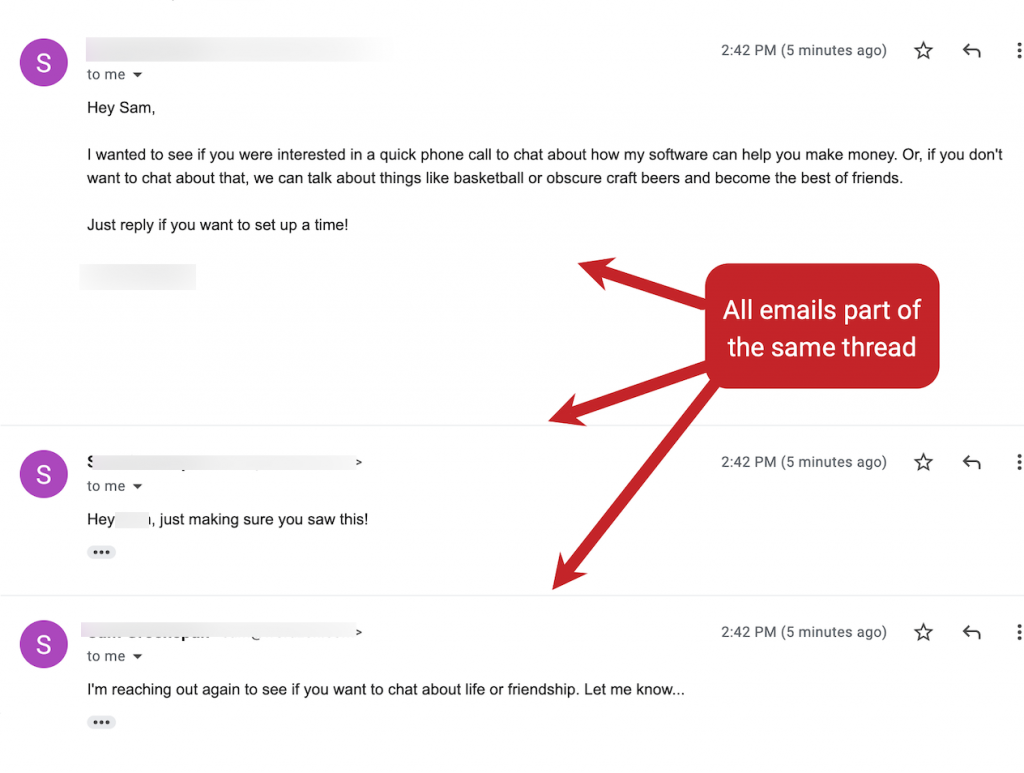
✅ Why emails go into the same thread
Email services (like Gmail) may group messages into one thread when the emails have similar values such as:
the same Subject
the same From name/email
the same recipient
repeated message headers (email identifiers)
So even if customers submit multiple times, your inbox may show them as a single conversation.
✅ Solution: Make the subject unique for every submission
The easiest way is to add a dynamic value to the email subject, such as:
submission time
customer name
customer email
✅ Example subjects
New Contact Form Submission - {{email}}New Submission from {{first_name}} - {{created_at}}Form submission #{{submission_id}}
When the subject changes, most email clients will stop grouping them into the same thread.
🛠️ Steps to update your email subject (in PowerfulForm)
Open the app > click Forms > open the form you want to edit
Click Mail icon on the left > click Admin
Click the Form inputs icon next to the email Subject field > select one variable to add it to the email subject. This will make the email subject different for each customer

Click Save to update the changes
✅ New submissions will now arrive as separate emails.

🧪 Test it
Submit the form twice using different test data
Check your inbox
Confirm each submission appears as a separate email.
Last updated