
Form with Shogun
This guide shows how to display a Powerful Form form on pages built with Shogun Page Builder by copying your form shortcode and pasting it into a Shogun HTML element.
🧾 Get the form shortcode
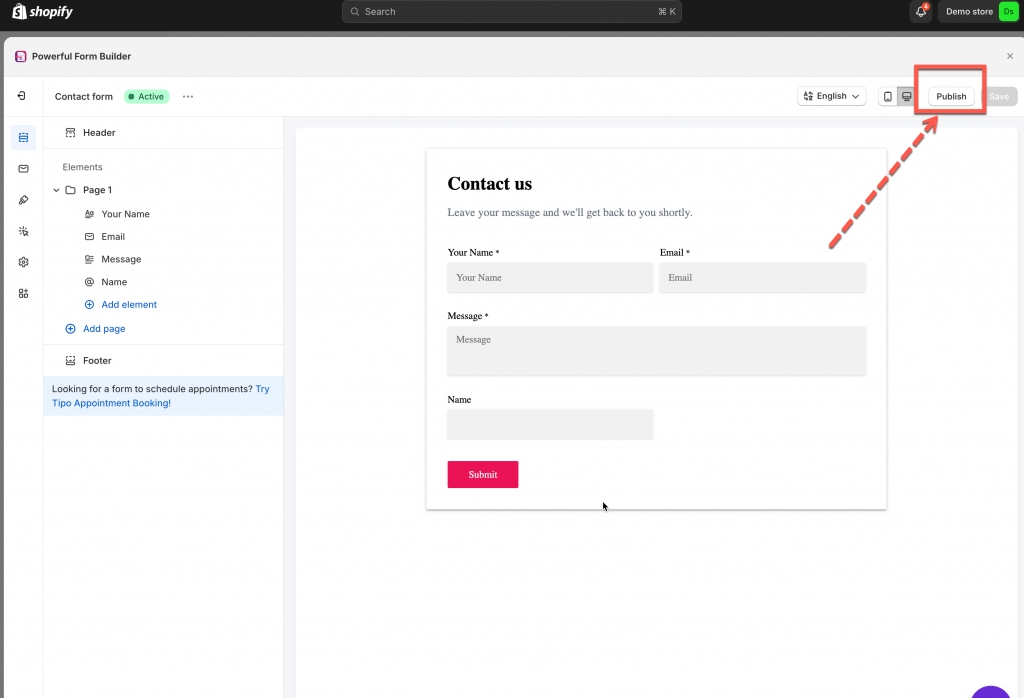
1. Open the app > click Forms > open a form you want
2. Click Publish button on the right corner
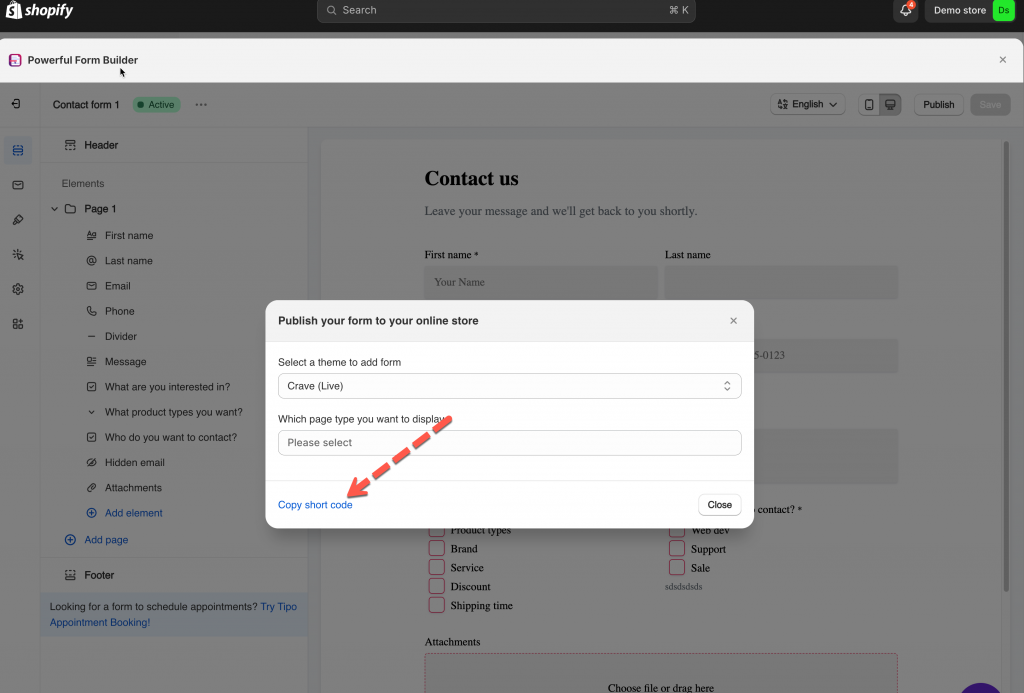
3. Click Copy short code
🧩 In Shogun app
1. In Shogun page builder app, go to page you would like to add form
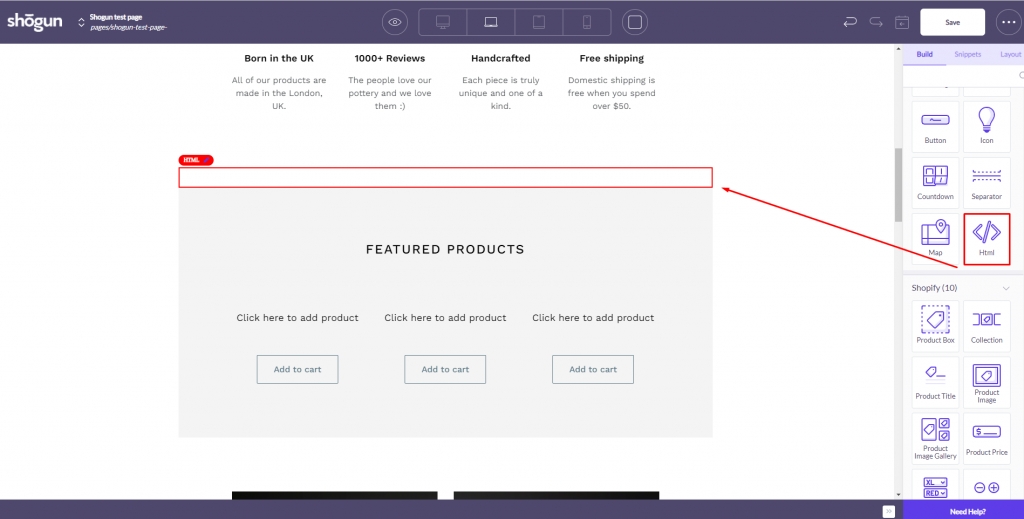
2. On right navigation bar > click Build tab, click HTML session and drag to the position you want on the page
3. In HTML session on the page, paste the shortcode of the form
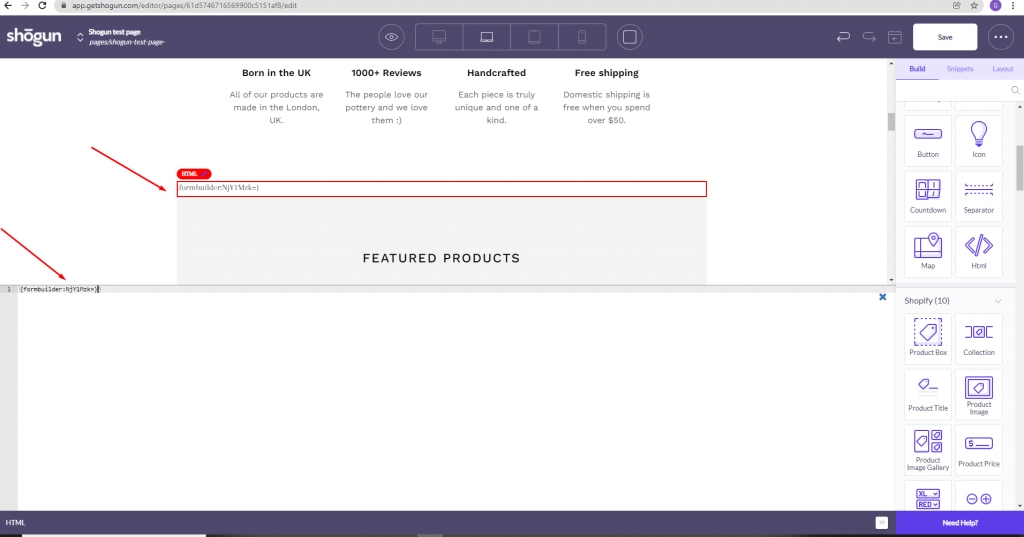
4. Click Save to update the changes
Preview the page to confirm the form displays correctly
Publish the page in Shogun so it appears on your storefront
Last updated