> For the complete documentation index, see [llms.txt](https://docs.powerfulform.com/llms.txt). Markdown versions of documentation pages are available by appending `.md` to page URLs; this page is available as [Markdown](https://docs.powerfulform.com/~/revisions/KRfi0fHdeAFeAhiPrH7G/trouble-shooting/avoid-receiving-emails-in-the-same-thread.md).
# ✉️ Avoid receiving emails in the same thread
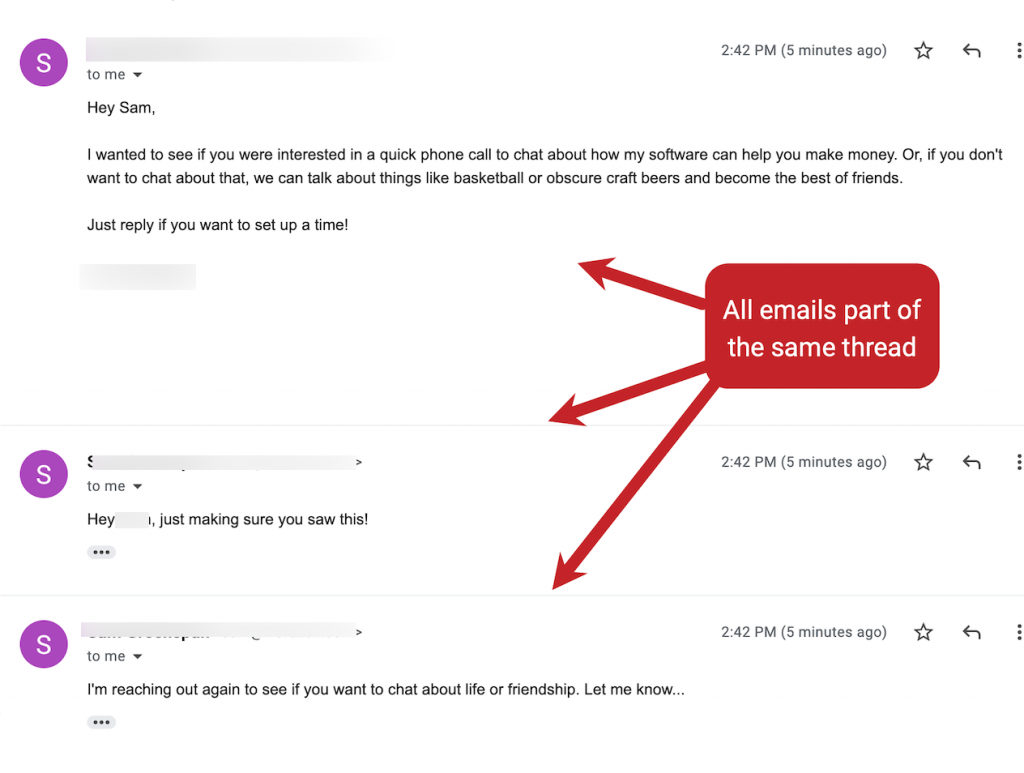
Sometimes, notification emails from your form can arrive in the same email conversation/thread (for example, Gmail groups them together).
If you want each submission to appear as a separate email, follow the steps below.
***
### ✅ Why emails go into the same thread
Email services (like **Gmail**) may group messages into one thread when the emails have similar values such as:
* the same **Subject**
* the same **From name/email**
* the same **recipient**
* repeated message headers (email identifiers)
So even if customers submit multiple times, your inbox may show them as a single conversation.
***
### ✅ Solution: Make the subject unique for every submission
The easiest way is to add a **dynamic value** to the email subject, such as:
* submission time
* customer name
* customer email
#### ✅ Example subjects
* `New Contact Form Submission - {{email}}`
* `New Submission from {{first_name}} - {{created_at}}`
* `Form submission #{{submission_id}}`
When the subject changes, most email clients will stop grouping them into the same thread.
***
### 🛠️ Steps to update your email subject (in PowerfulForm)
1. Open the app > click **Forms** > open the form you want to edit
2. Click **Mail icon on the left** > click **Admin**
3. Click the **Form inputs** icon next to the email **Subject** field > select one variable to add it to the email subject. This will make the email subject different for each customer
4. Click **Save** to update the changes
✅ New submissions will now arrive as separate emails.
***
### 🧪 Test it
1. Submit the form twice using different test data
2. Check your inbox
3. Confirm each submission appears as a separate email.