> For the complete documentation index, see [llms.txt](https://docs.powerfulform.com/llms.txt). Markdown versions of documentation pages are available by appending `.md` to page URLs; this page is available as [Markdown](https://docs.powerfulform.com/~/revisions/KRfi0fHdeAFeAhiPrH7G/form-setup/bulk-order-form.md).
# Bulk order form
Bulk order forms allow customers to quickly select multiple products and submit the form.
### ⚠️ Important Limitations
* Bulk Order Form only collects order data — it doesn’t create real Shopify orders automatically.
* Only one Bulk Order Form per store (on the paid plan).
### 🛠️ Steps to Create
Steps
1\. Open the app > click **Forms** > click **Create new form** button
2\. In the template list, select **Order** > choose **Bulk Order** **form**
3\. Add **products** to this form (see detailed guideline below)
4\. Set up other needed form elements
5\. Click **Save** to finish.
### **Add products to bulk order form**
1\. Click **Products for Bulk Order** element
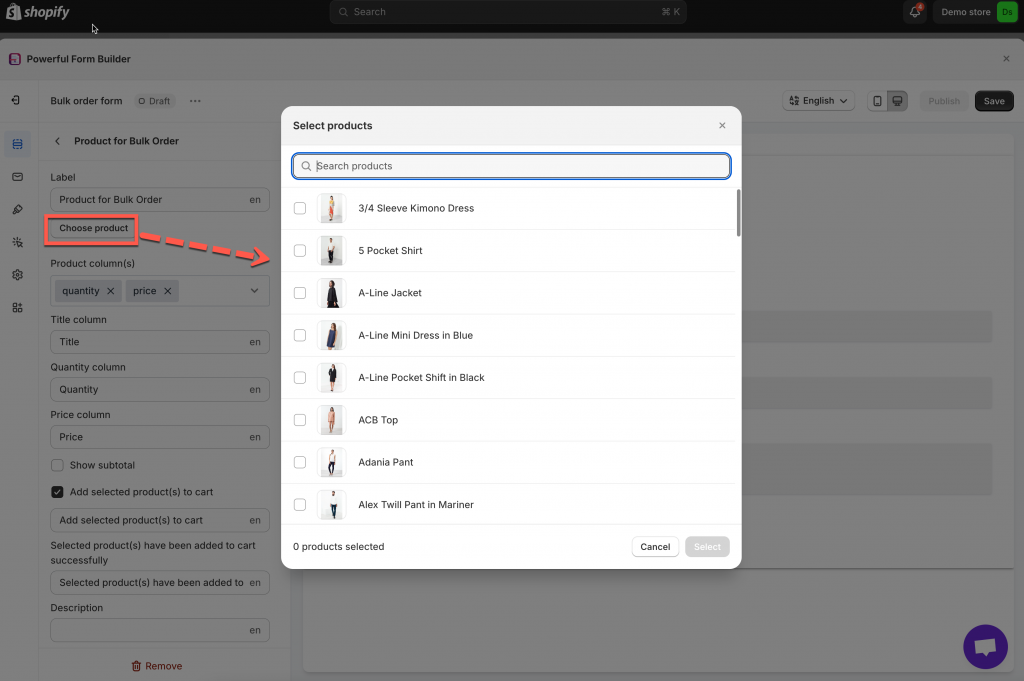
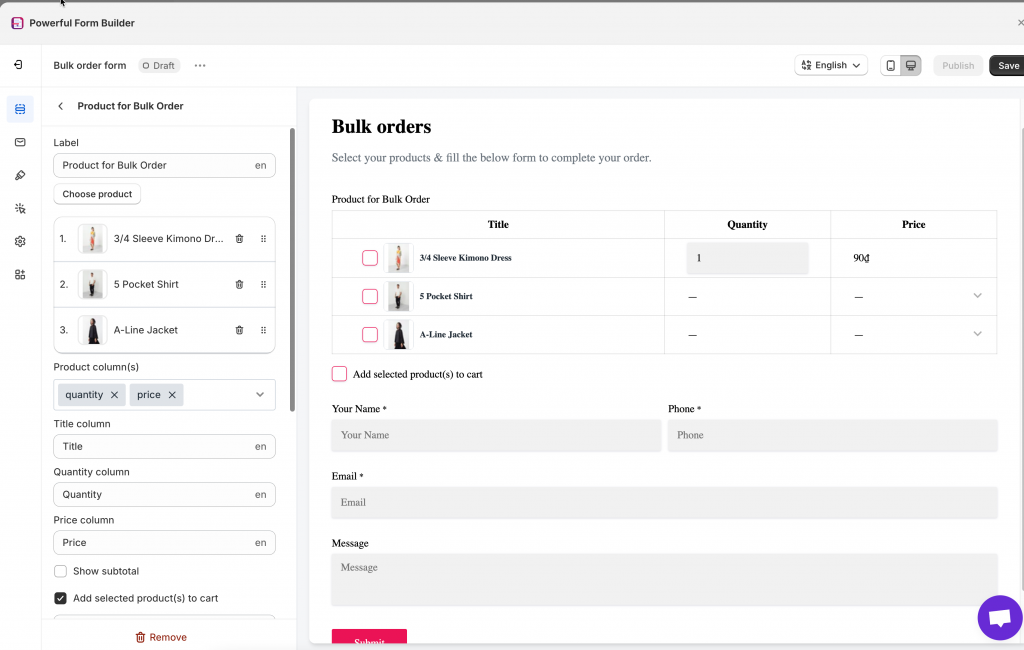
2\. Click **Choose product** button > tick on the corresponding checkbox to select any products to showcase on this form. The list of selected items will appear under the **Choose product** button. You can delete or change the position of each product.
3\. Select the product information in **Product column(s).** They are **quantity, price, and total**
4\. Enable **Add selected product(s) to cart** option if you want to allow customers adding selected items to the cart page
5\. Click **Save** to finish
To show the form on front store, please view this guide:
This form type is special so we recommend you contact the support team at to ask for further assistance.
Result on the front store:
### Tutorial video
{% embed url="" %}