> For the complete documentation index, see [llms.txt](https://docs.powerfulform.com/llms.txt). Markdown versions of documentation pages are available by appending `.md` to page URLs; this page is available as [Markdown](https://docs.powerfulform.com/~/revisions/KRfi0fHdeAFeAhiPrH7G/customer-fields/require-login-to-submit.md).
# Require login to submit
This article shows you how to change the settings to require customers to log into customer account before they want to fill in the form on your store.
This is perfect for member-only forms, wholesale requests, VIP services, or any form that should not be available to the public.
### 🛠️ How to Set It Up
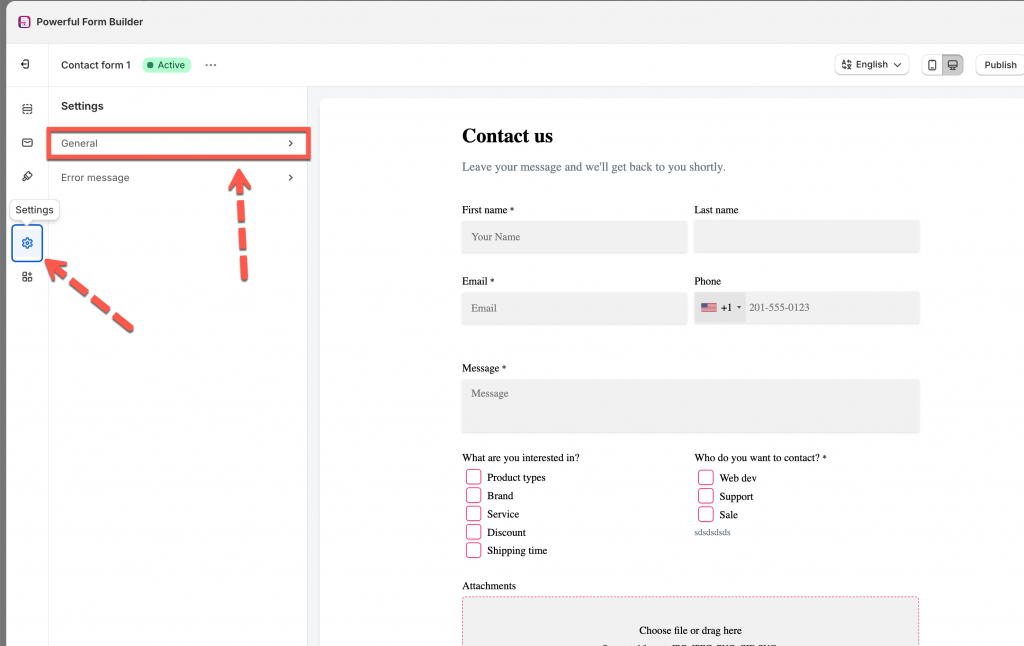
1\. Open the app > click **Forms** > open a form you want
2\. In the form configuration, click **Setting** icon on the left side > click **General**
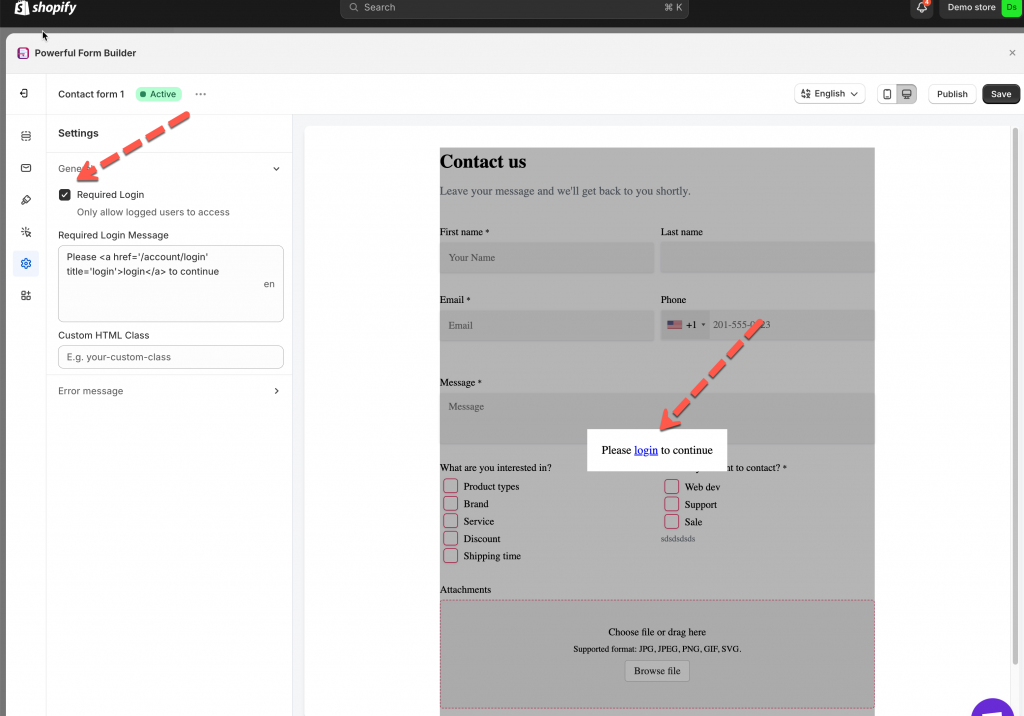
3\. Tick on the checkbox **Required login** to enable this feature
4\. Edit required login message
5\. Click **Save**
***
### ✅ How It Works
#### Once **Login to Submit** is enabled, visitors must be logged in before they can access or submit your form. **🧍♀️ 1. Customer Visits the Form Page**
When a customer opens the page **without being logged in**, the form becomes locked.
Instead of seeing the full form, they will see your login message, for example:
> “Please login to continue.”
Your store's login link is automatically included.
#### 🔑 2. Customer Clicks the Login Link
When the user clicks **login**, they are sent to your store’s Shopify login page: `/account/login`
After logging in successfully, Shopify redirects them straight back to your form page.
#### 📝 3. Form Unlocks After Login
Once the customer is logged in:
* The full form becomes visible
* All fields can be filled normally
* They can submit as usual