> For the complete documentation index, see [llms.txt](https://docs.powerfulform.com/llms.txt). Markdown versions of documentation pages are available by appending `.md` to page URLs; this page is available as [Markdown](https://docs.powerfulform.com/~/revisions/KRfi0fHdeAFeAhiPrH7G/customer-fields/edit-customer-account-page.md).
# Edit customer account page
This function allows your customers edit their own account information, like email or phone and other fields you’ve configured inside the app’s form builder after they log in customer account.
ℹ️ Note: This option is available only when your form uses the **Registration (Register)** form type.
### 🛠️ Steps to Enable “Edit Customer Account Page”
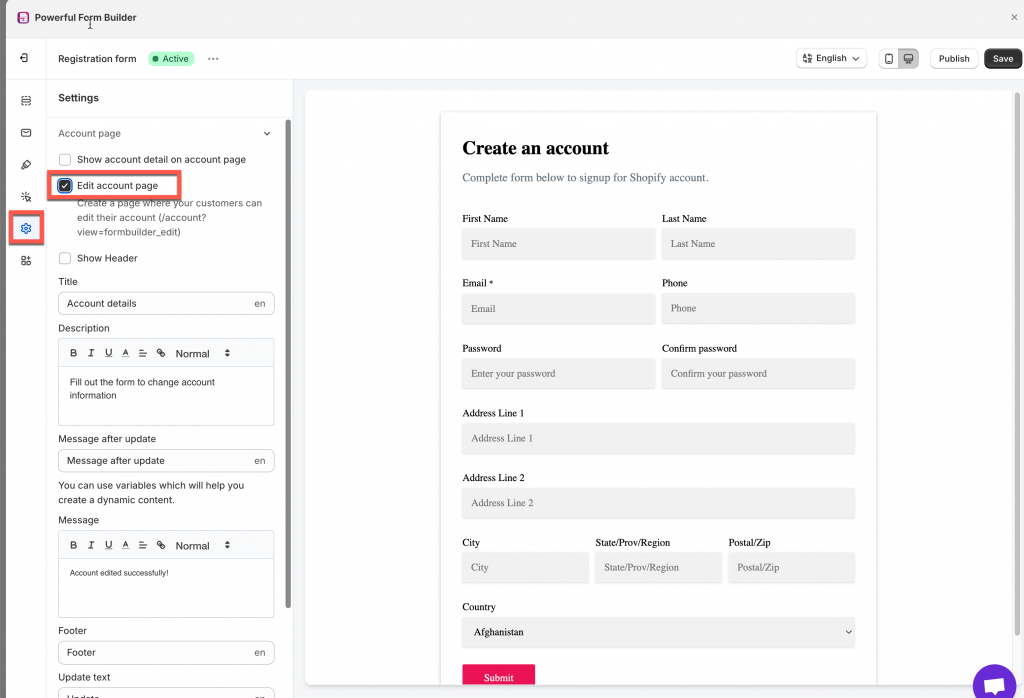
1- Open the app > click **Forms** > open a form that you want (the form type must be register type)
2- Go to the **Settings** icon on the left side > click **Account page** > tick checkbox **Edit account page**.
This create a page where your customers can edit their account (/account?view=formbuider\_edit) (optional)
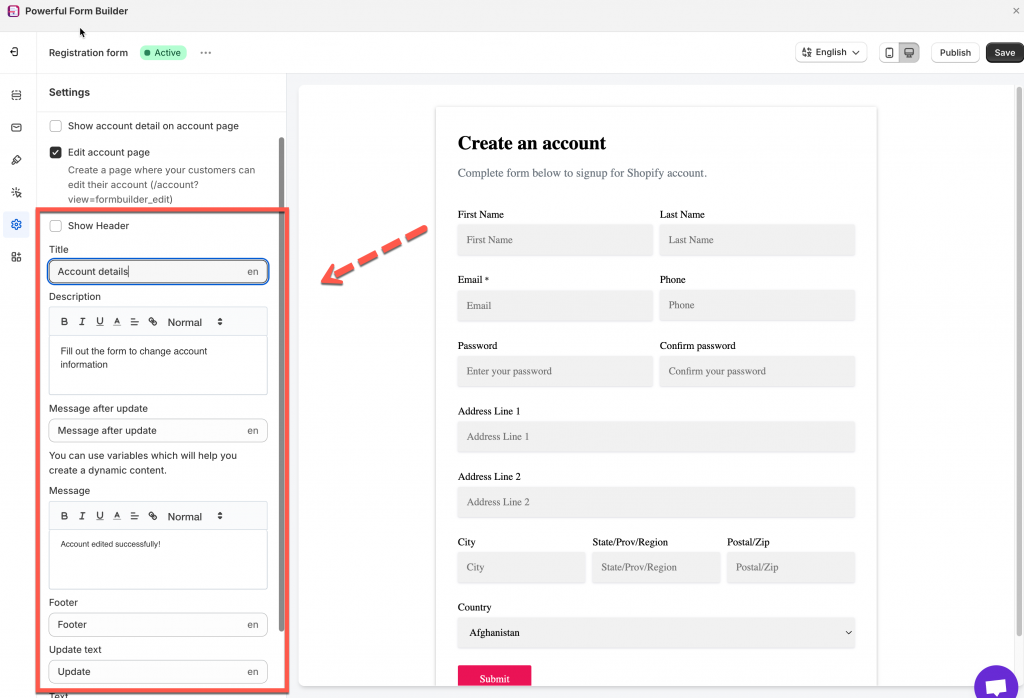
3\. Change the title, message and description of the customer account page
4\. Click **Save**
***
### ✅ How It Works
Once enabled:
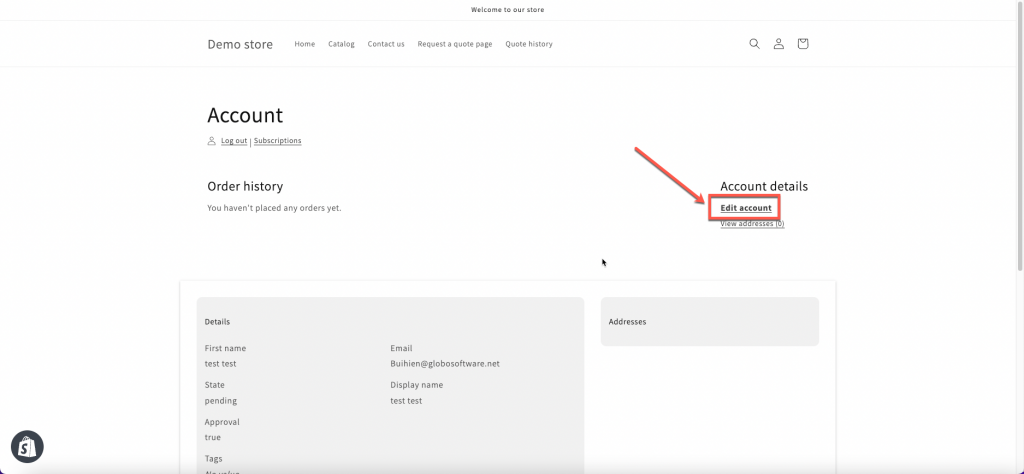
* Logged-in customers will find a **custom account page** in their store account area.
* Customers can view the account details in the account page.
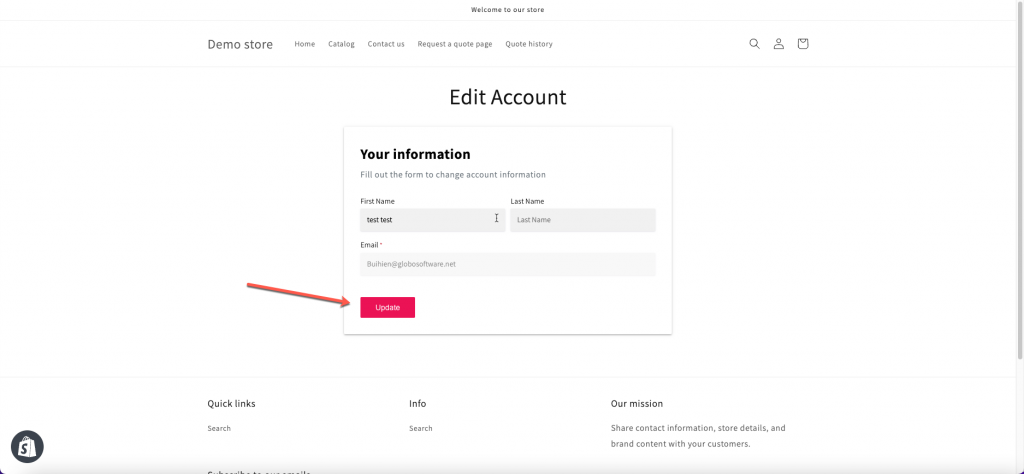
* To changed the details, click **Edit account** > submit the form on the next page to update the submitted form data.
⚠️ **Limitations:**
* The email address cannot be changed via this account page — per Shopify requirements.
* Changes made by customers will update their Shopify customer profile directly.
* The feature only works if the form is properly mapped to Shopify customer fields. [Learn more](https://docs.powerfulform.com/customer-fields/shopify-customers-integration)