For the complete documentation index, see llms.txt. This page is also available as Markdown.

Prevent spam submissions

Stop bots from filling your form with fake entries. Start with a captcha, then add more layers if spam continues.

Choose an option

Option
What it does
Best for

Google reCAPTCHA ⭐

Blocks bots with a risk check or challenge

Most stores (recommended first step)

hCaptcha

Same purpose, different provider

Stores that prefer an alternative to Google

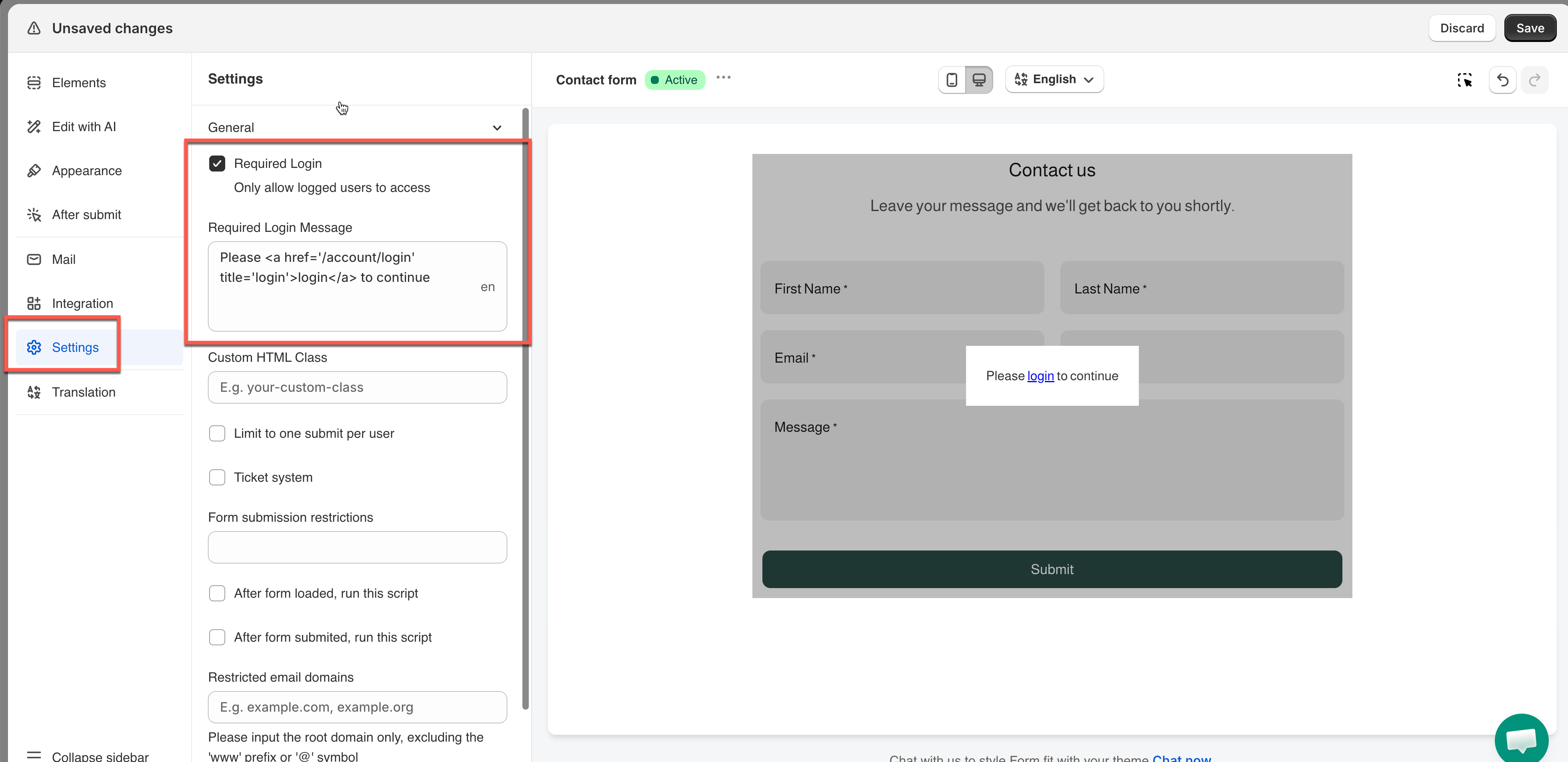
Require login

Only logged-in customers can submit

Forms that don't need to be open to the public

One submission per customer

Blocks repeat entries by email or phone

Stopping duplicate or repeated spam

Block email domains (Pro plan)

Rejects emails from specific domains

Spam coming from known domains

Blocks bots before they can submit, while real customers pass easily. πŸ‘‰ Add Google reCAPTCHA

2. Add hCaptcha

An alternative captcha. Use it instead of reCAPTCHA, not alongside it. πŸ‘‰ Add hCaptcha

3. Require login to submit

Only customers logged in to their store account can submit the form. Bots rarely create accounts, so this stops most of them.

  • Best for member-only or B2B forms

  • Not suitable for public forms such as general contact forms, since visitors would have to sign in first

πŸ‘‰ Learn more

4. Limit one submission per customer (Pro plan)

Restrict each customer to one submission, based on email or phone number. πŸ‘‰ Limit one customer one submission

5. Block email domains (Pro plan)

Reject submissions from domains you choose.

Still getting spam?

Combine options. A captcha plus one more layer stops most spam. If it continues, contact support at support@powerfulform.com

Next steps

Last updated