> For the complete documentation index, see [llms.txt](https://docs.powerfulform.com/llms.txt). Markdown versions of documentation pages are available by appending `.md` to page URLs; this page is available as [Markdown](https://docs.powerfulform.com/troubleshooting/form-not-showing.md).
# Why the form is not showing
Work through the checks that explain why a form does not appear on your storefront.
## What we should check?
{% stepper %}
{% step %}
### Activate the app embed on the theme
To show the form on the front store, firstly please make sure that the app embeds is enabled on your theme [here](/display-and-placement/enable-the-app-embed.md)
{% endstep %}
{% step %}
### Verify your app plan and form type
Some forms and features are limited by plan.
**🆓 Free plan limitations**
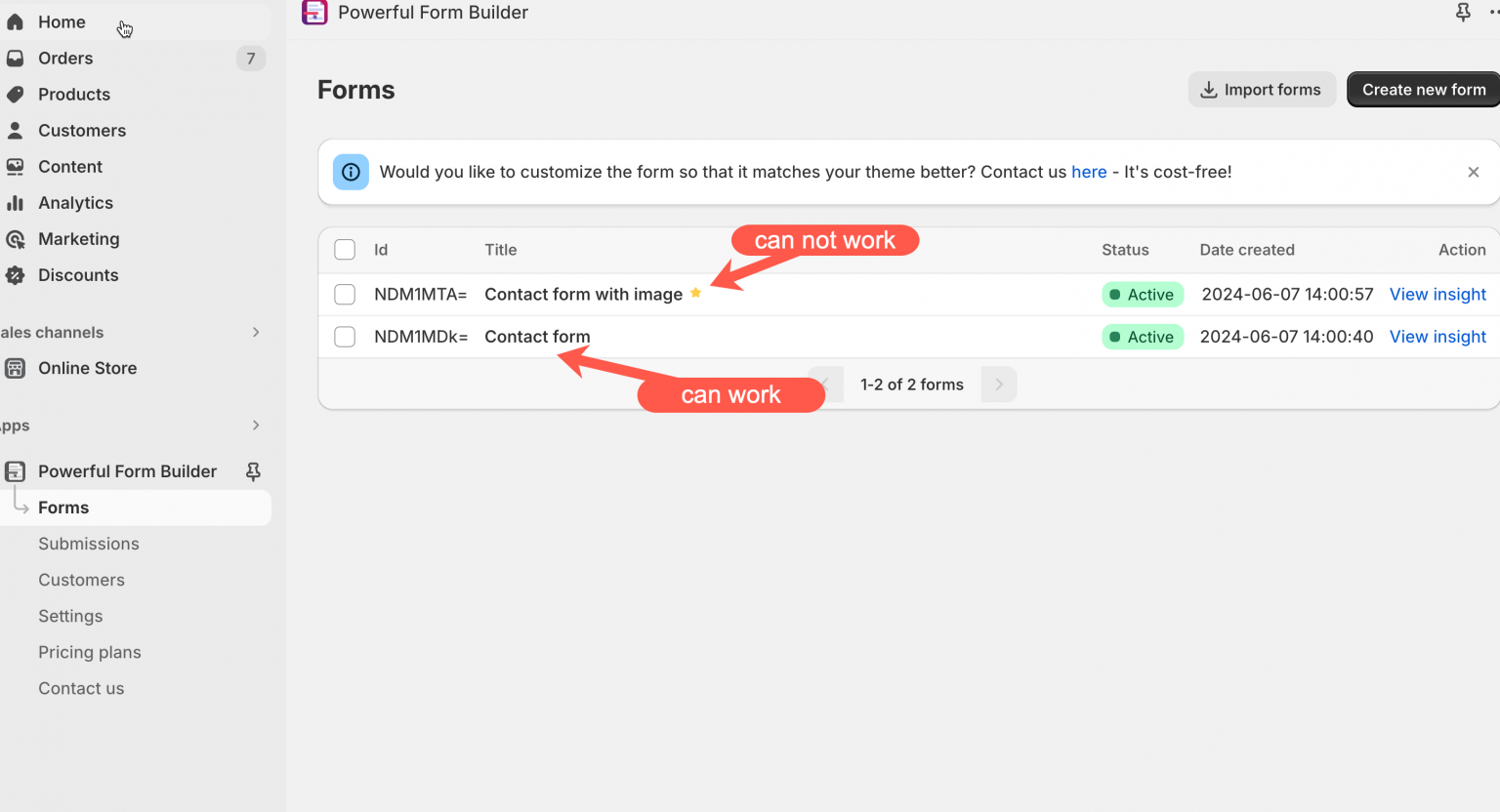
* Only the first form you created can show on the storefront\
➜ Any additional forms will not display unless you delete other forms or upgrade your plan.
* Advanced templates (like **bulk order**, **registration**, **cart forms**, and **multi-step forms**) are not available on Free plan.
✅ Make sure your plan supports the form type you’re trying to use.
{% endstep %}
{% step %}
### Confirm proper form embedding
* Did you follow the correct guide to embed the form on Shopify pages? [Display a form on a specific page](/display-and-placement/specific-page.md)
* Is the page using a **standard (default) Shopify template**?
If the page uses a **special/custom template**, the form may not show until it’s added to that template correctly, reach out to support so the team can help you add it properly.
{% endstep %}
{% step %}
### Activate the form
A form must be set to **Active** to appear on your storefront.
{% endstep %}
{% step %}
### Still not showing?
If you already completed the steps above and the form still doesn’t appear, contact the support team for the fastest help.
They can check your theme/template and fix it with you.
Contact our support team:
{% endstep %}
{% endstepper %}
## Next steps
* [Theme integration](/display-and-placement/enable-the-app-embed.md) — the switch every form depends on.
* [Delete old code](/troubleshooting/delete-old-code.md) — clear leftover embed code.
* [Contact support](/help/contact-support.md) — if the problem is still there.