> For the complete documentation index, see [llms.txt](https://docs.powerfulform.com/llms.txt). Markdown versions of documentation pages are available by appending `.md` to page URLs; this page is available as [Markdown](https://docs.powerfulform.com/troubleshooting/delete-a-field.md).
# How to delete a field
Delete a field from a form in the editor.
If you add an element to the form and do not want it, please follow the steps below.
**Step to manage**
1\. Open the app > click **Forms** > open the form you want to edit
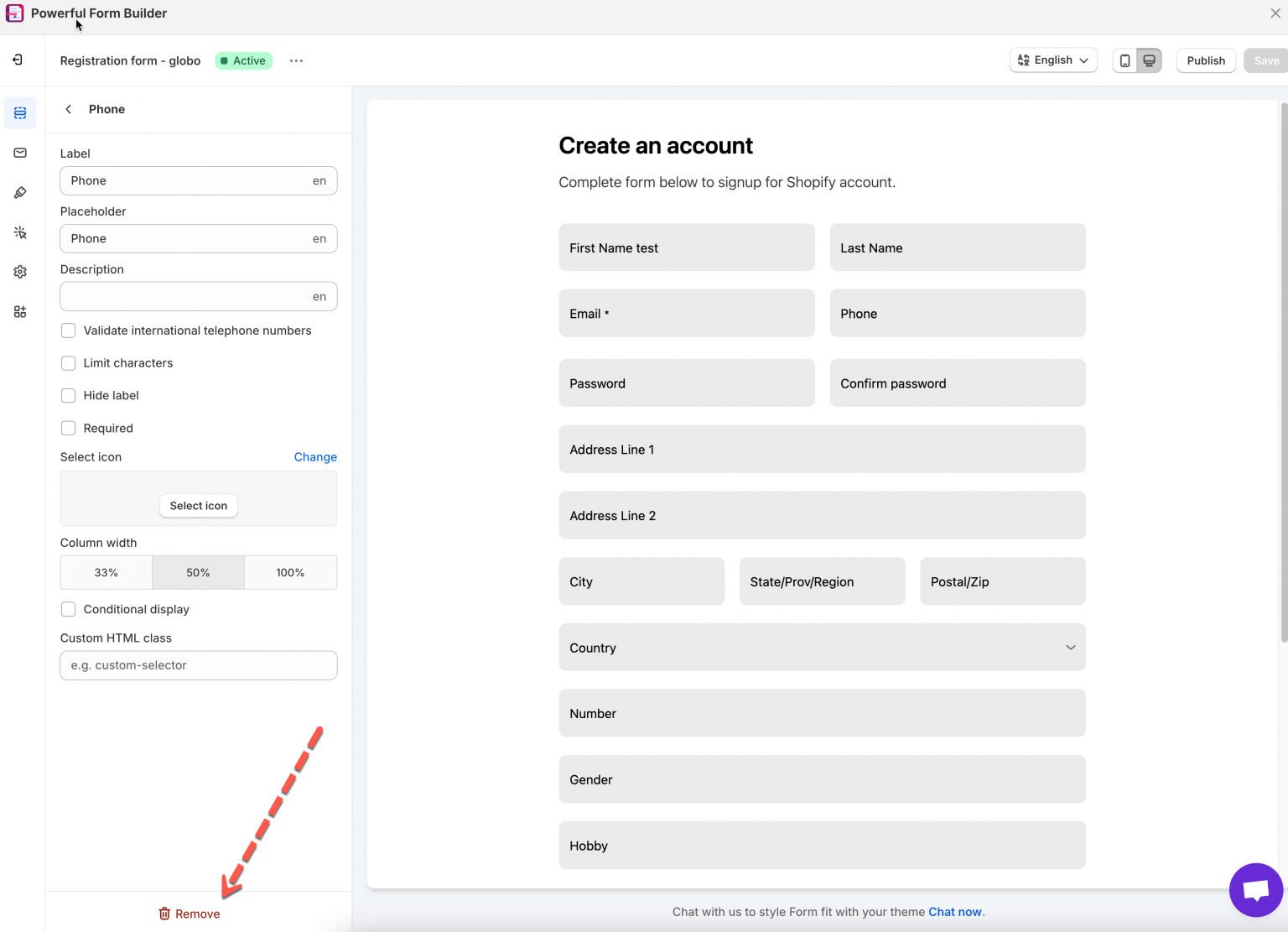
2\. On the left side > click **Elements** > click on the element you want to remove
3\. Click **Remove** at the left bottom > click **Save** button to update the form
## Next steps
* [Add and arrange elements](/build-your-form/add-and-arrange-elements.md) — how fields are added and moved.
* [Contact support](/help/contact-support.md) — if the problem is still there.