> For the complete documentation index, see [llms.txt](https://docs.powerfulform.com/llms.txt). Markdown versions of documentation pages are available by appending `.md` to page URLs; this page is available as [Markdown](https://docs.powerfulform.com/settings/plans-and-billing.md).
# Plans and billing
Compare plans, upgrade, downgrade, or apply a discount — all from Pricing plans in the app.
## 📊 Plan Comparison
| | **Free** | **Premium** | **Pro** | **Advanced** |
| -------------------------------- | -------- | ----------- | --------- | ------------ |
| **Monthly** | $0 | $14.90 | $24.90 | $49.90 |
| **Yearly** *(save 16%)* | $0 | $149 | $249 | $499 |
| **Number of forms** | 1 | Unlimited | Unlimited | Unlimited |
| **Submissions / month** | 40 | 2,000 | 10,000 | 20,000 |
| **File upload (per submission)** | 20 MB | 30 MB | 100 MB | 250 MB |
| **Storage size** | 200 MB | 5 GB | 20 GB | 50 GB |
> **📌 Note:** Paid plans include a **free 7-day trial**. For the full feature-by-feature breakdown (integrations, advanced elements, multi-step forms, etc.), see the live P[ricing page.](https://powerfulform.com/pages/pricing)
#### 🆕 Your First Visit
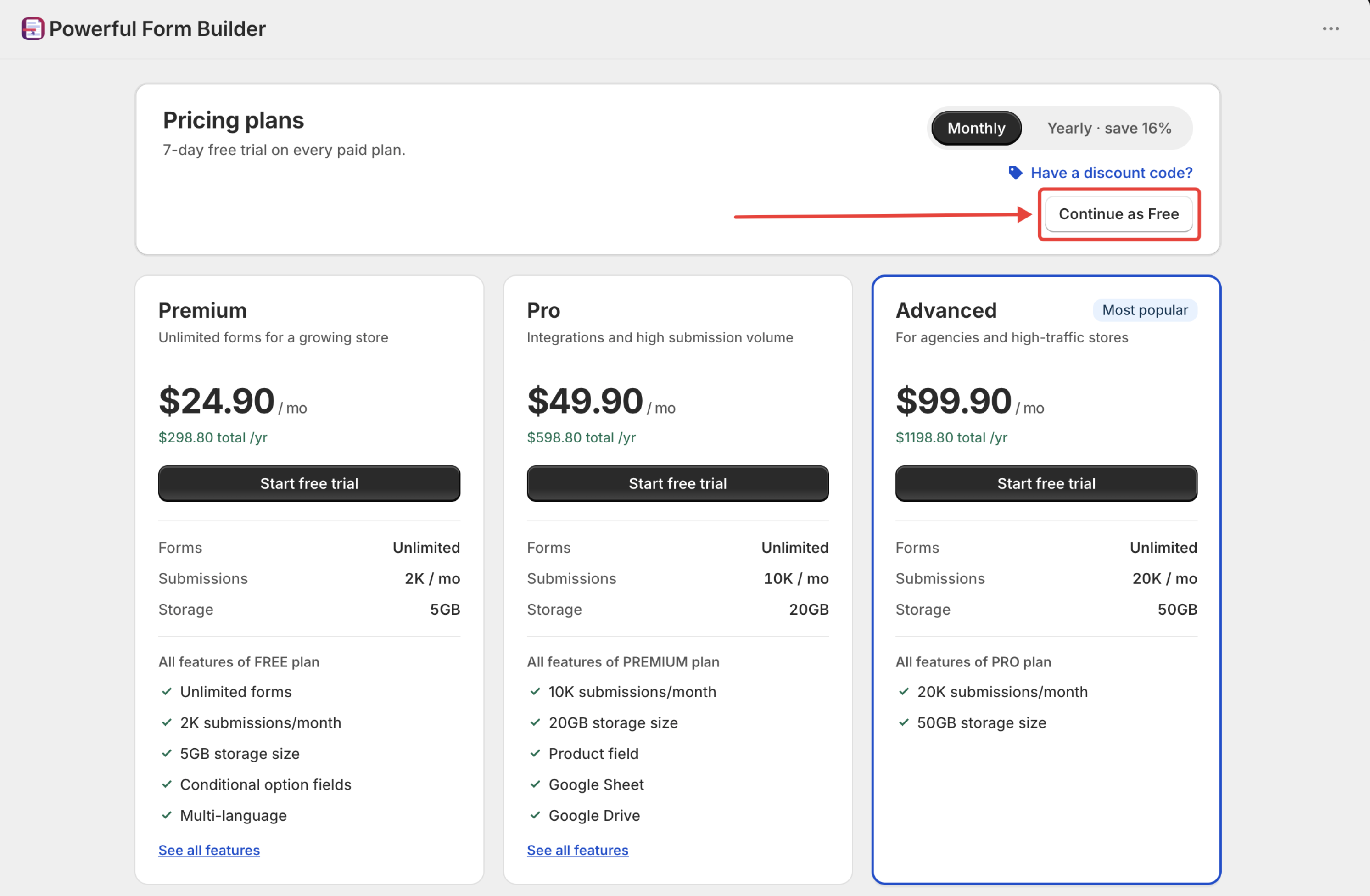
When you first install the app, it opens straight to **Pricing plans** and hides the rest of the menu until you choose one.
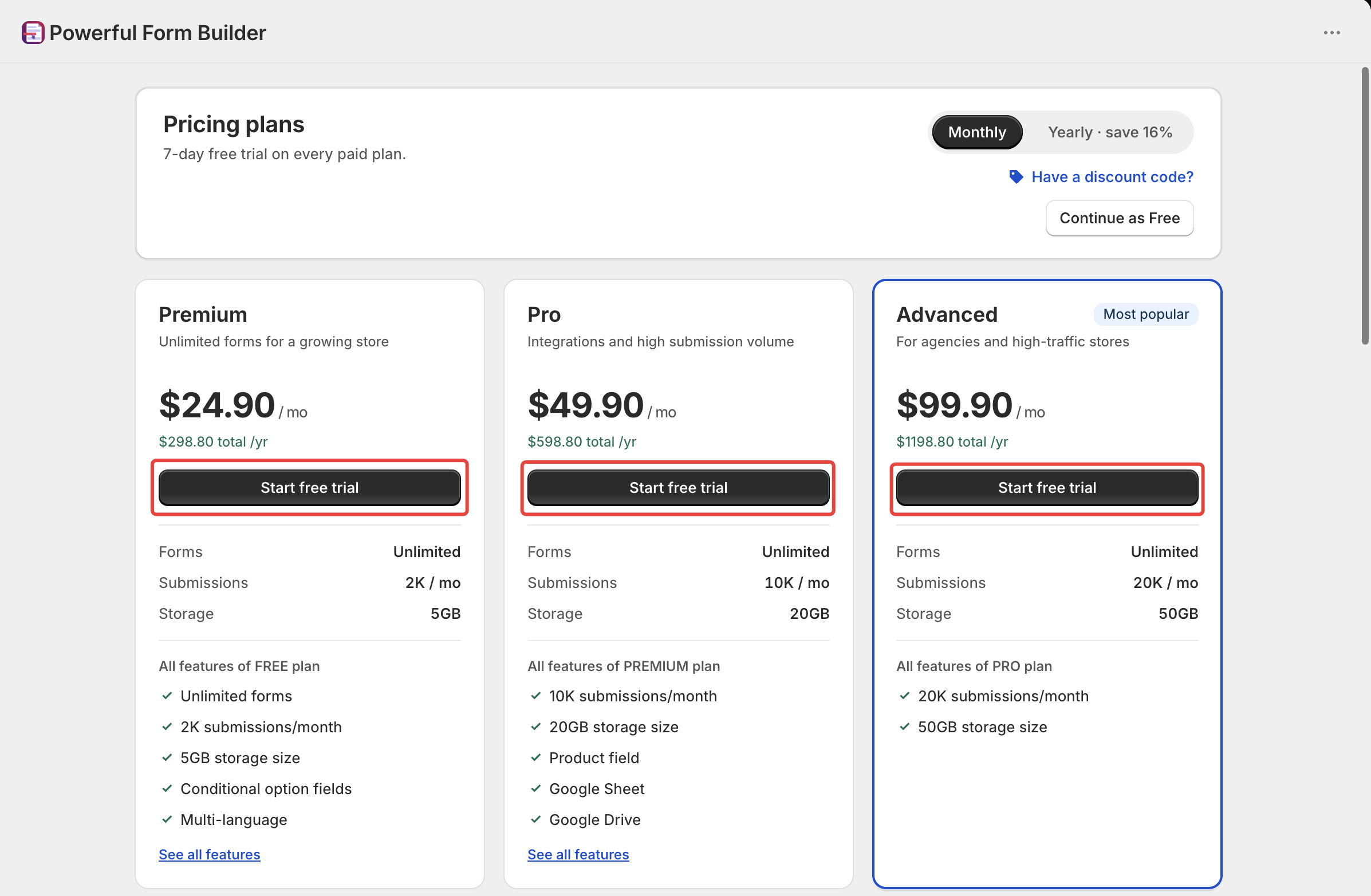
* **Choosing a paid plan** → click **Start free trial**
* **Choosing Free** → click **Continue as Free** in the header, then confirm in the window that follows
> This "Continue as Free" step only appears on your very first visit.
## ⚙️ How to Change Your Plan
1. In the app side menu, click Pricing plans
2. Compare the available plan features and limits
3. Click **Start free trial** under your chosen plan
4. Review and approve the app charge in your Shopify Admin.
#### ⬆️ How to Upgrade
Set the switch to **Monthly** or **Yearly ( Save 16% )** first, so the plan you start is billed the way you want.
{% stepper %}
{% step %}
#### Click Start free trial
On the plan you want, click **Start free trial** — the button on every plan that costs more than your current one.
{% endstep %}
{% step %}
#### Approve the charge in Shopify
Shopify shows its own confirmation screen for the recurring app charge and collects it, so the app never sees your payment details.
{% endstep %}
{% step %}
#### Wait for activation
A full-screen **Activating your plan** message appears while the change is applied, followed by a confirmation. Your new limits apply from that moment.
{% endstep %}
{% endstepper %}
> **⚠️ Stuck?** If activation doesn't finish, reopen **Pricing plans** and try again. If you see **"An unknown error happened,"** use its **Contact support** link or email [**support@powerfulform.com**](mailto:support@powerfulform.com).
## ⬇️ How to Downgrade
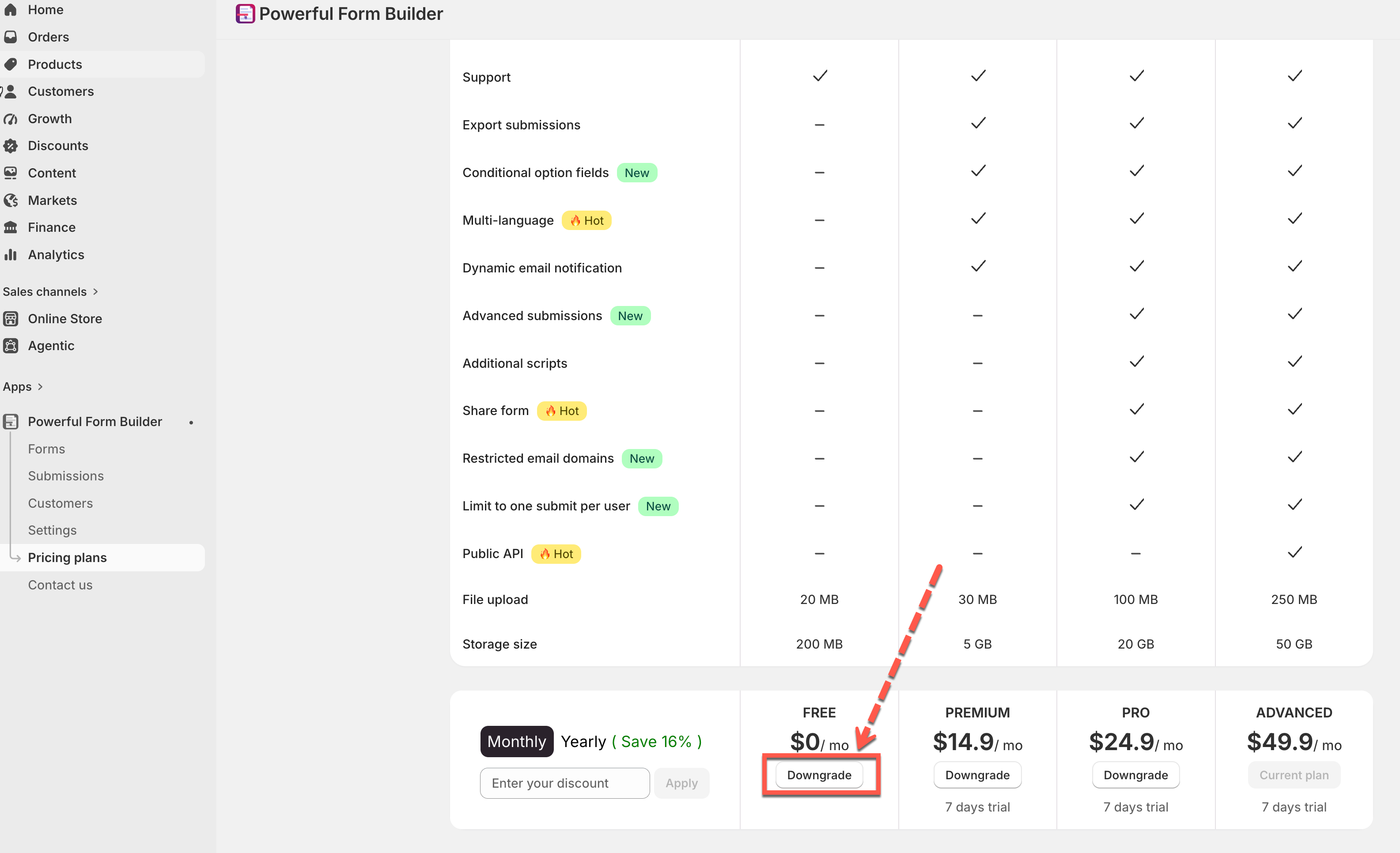
On any cheaper plan, the button reads **Downgrade**. Click it, then confirm.
> **⚠️ Warning:** Forms or data exceeding the cheaper plan's limits may be removed. **Export your submissions first** — see [Export submissions.](https://globosoftware.gitbook.io/globosoftware-docs/submissions/export-submissions)
> **📌 Note:** Downgrading to Free skips Shopify's approval screen, since there's nothing to charge.
## 🏷️ Applying a Discount Code
A discount code goes in the field next to the **Monthly** / **Yearly ( Save 16% )** switch, whose placeholder reads **Enter your discount**.
{% stepper %}
{% step %}
#### Enter the code and click Apply
Enter your code in the field next to the Monthly/Yearly switch (placeholder: *"Enter your discount"*) > click **Apply**.
* ✅ **Valid code** → becomes a removable tag (e.g. **-20%** or **-$5**), and every price updates
* ❌ **Invalid code** → shows *"Discount code is invalid"*
{% endstep %}
{% step %}
#### Change plan with the discount showing
Start your plan change while the discount is still showing, so Shopify asks you to approve the discounted price.
{% endstep %}
{% endstepper %}
## 🚀 Need More Than Advanced plan?
Higher-volume plans exist but aren't self-serve. Email [**support@powerfulform.com**](mailto:support@powerfulform.com) with your expected monthly submissions and storage needs.
\
❓ FAQs
------
Do I need a credit card for the Free plan?
No. Free has nothing to charge, so no payment details are needed.
What happens to my forms if I don't pick a plan?
The app stays on **Pricing plans** until you choose one — the rest of the app is hidden on your first visit.
Will I be charged during the 7-day trial?
No. Paid plans include a free 7-day trial before the first charge.
Can I cancel during the trial?
Yes, switch back to Free (or uninstall the app) any time during the trial with no charge.
Does downgrading delete my existing forms and submissions?
Data exceeding the new plan's limits may be removed. Export what you want to keep first — see [Export submissions.](https://globosoftware.gitbook.io/globosoftware-docs/submissions/export-submissions)
Do unused submissions roll over to next month?
No. The submission count resets each month; unused ones don't carry forward.
Can I switch between Monthly and Yearly billing?
Yes, change the switch before starting a plan change, so the new billing cycle applies from that point.
How do I get an invoice or receipt?
Since Shopify handles billing, receipts appear in your Shopify billing history, not inside the app.
What if my discount code doesn't work?
Double-check it's typed correctly. If it still shows **"Discount code is invalid,"** contact [**support@powerfulform.com**](mailto:support@powerfulform.com).
## Next steps
* [Export submissions](/submissions/export-submissions.md) — do this before any downgrade.
* [Contact support](/help/contact-support.md) — for volume plans and billing questions.