> For the complete documentation index, see [llms.txt](https://docs.powerfulform.com/llms.txt). Markdown versions of documentation pages are available by appending `.md` to page URLs; this page is available as [Markdown](https://docs.powerfulform.com/quick-start/form-field-types/text-field.md).
# Text field
The **Text** field lets customers enter short text answers.\
It’s ideal for names, titles, short responses, and single-line input.
***
### ✅ When to use Text
Use a Text field when:
* You need a short answer
* The input fits on one line
* Customers type freely
**Common examples**
* First name / Last name
* Company name
* Order number
* City
***
### ⚙️ How it works
* Customers type text into a single input field
* The value is saved with the submission
***
### 🧩 How to add a Text field
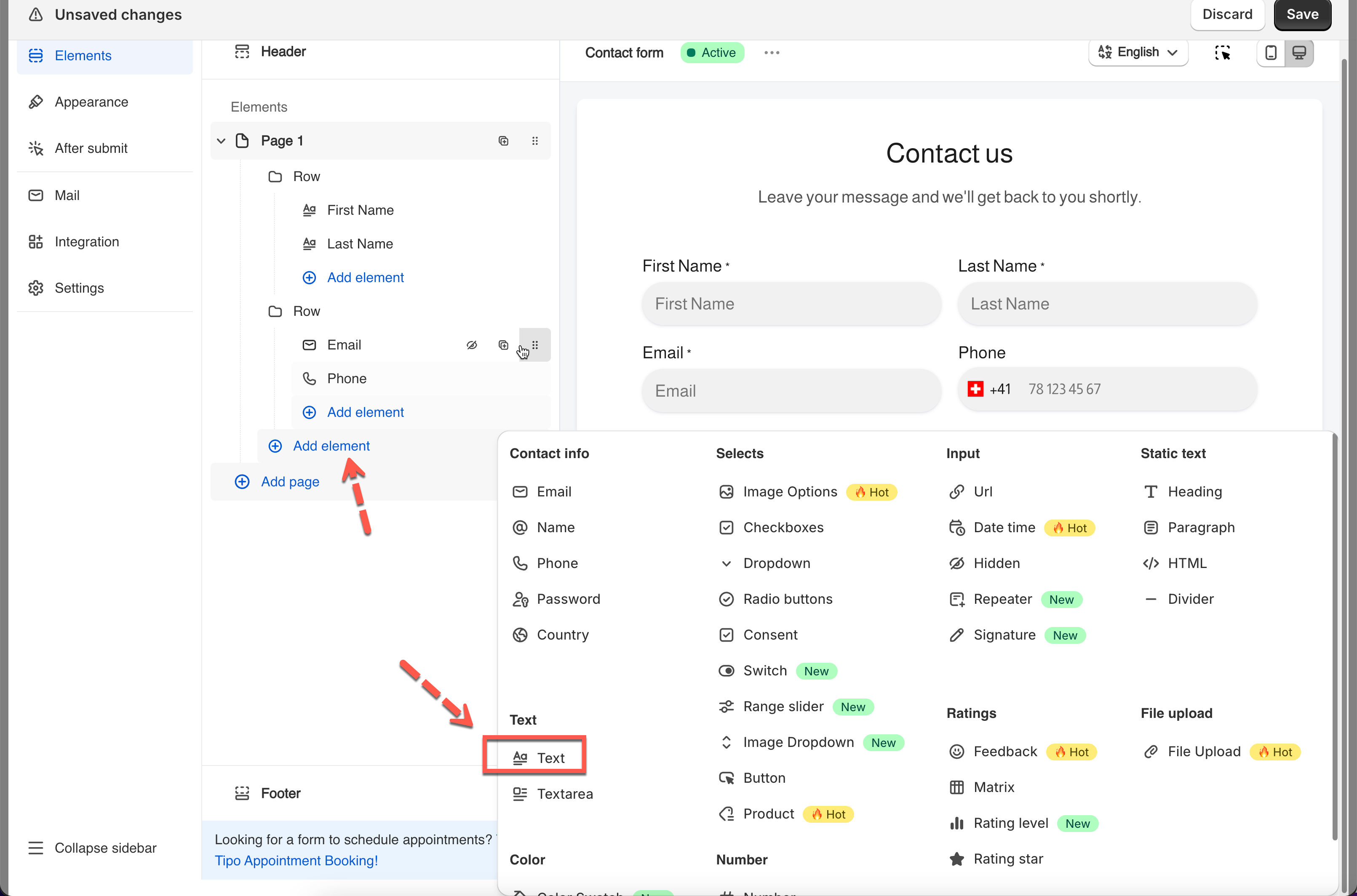
1. In the app > open form editor > click **Add element**
2. Select **Text**
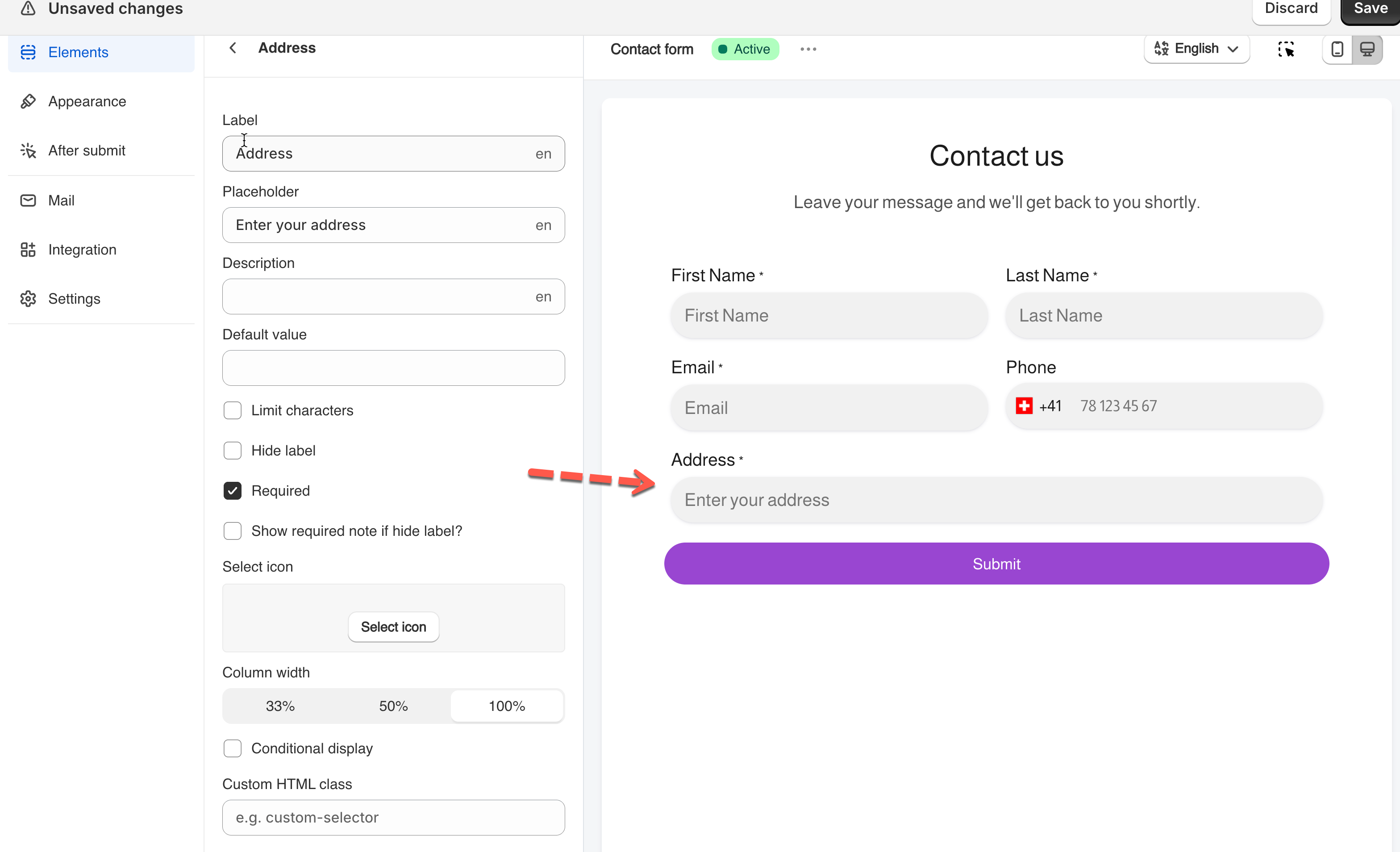
3. Set the field label
4. Configure other details of the field
5. Click Save
***
#### Placeholder text
Shows a hint before the user types.
**Examples**
* `Enter your full name`
* `Company name`
***
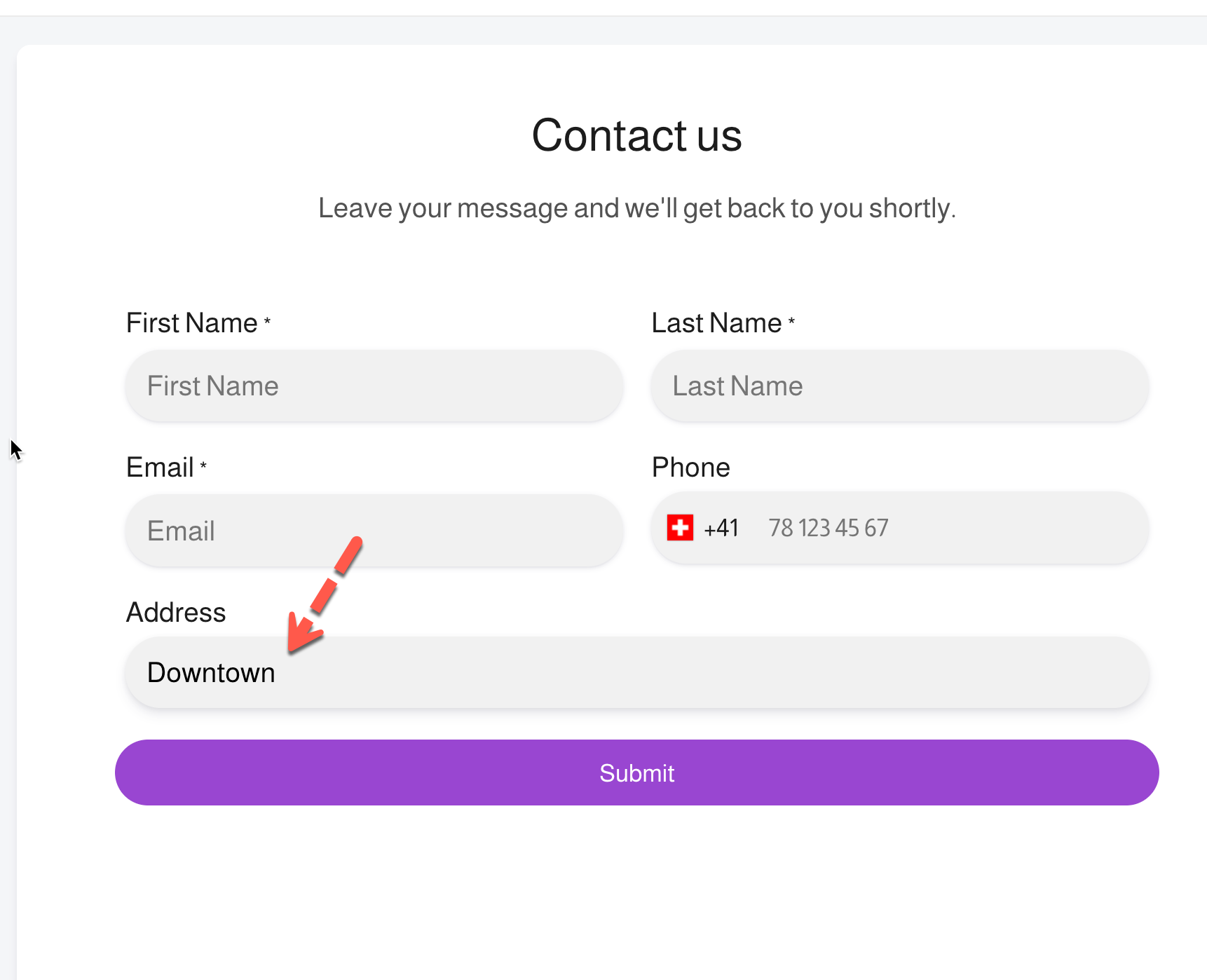
#### Default value (optional)
Pre-fills the field when the form loads.
**Examples**
* `USA`
* `Guest`
⚠️ Tip: Leave empty if you want users to type their own value.
***
#### Required field (recommended)
Prevents form submission until the field is filled.
**Examples**
* Name on contact forms
* Order number on support forms
***
### 🌟 Best practices
* Use clear labels
* Keep placeholders short
* Use **Text** instead of **Textarea** for short answers
***
#### Need More Help?
If you still need assistance, please contact us at . Our team will be happy to help you resolve any issues or guide you further.