> For the complete documentation index, see [llms.txt](https://docs.powerfulform.com/llms.txt). Markdown versions of documentation pages are available by appending `.md` to page URLs; this page is available as [Markdown](https://docs.powerfulform.com/integrations/how-integrations-work.md).
# How integrations work
Learn the connect-once, enable-per-form pattern that every integration in the app follows.
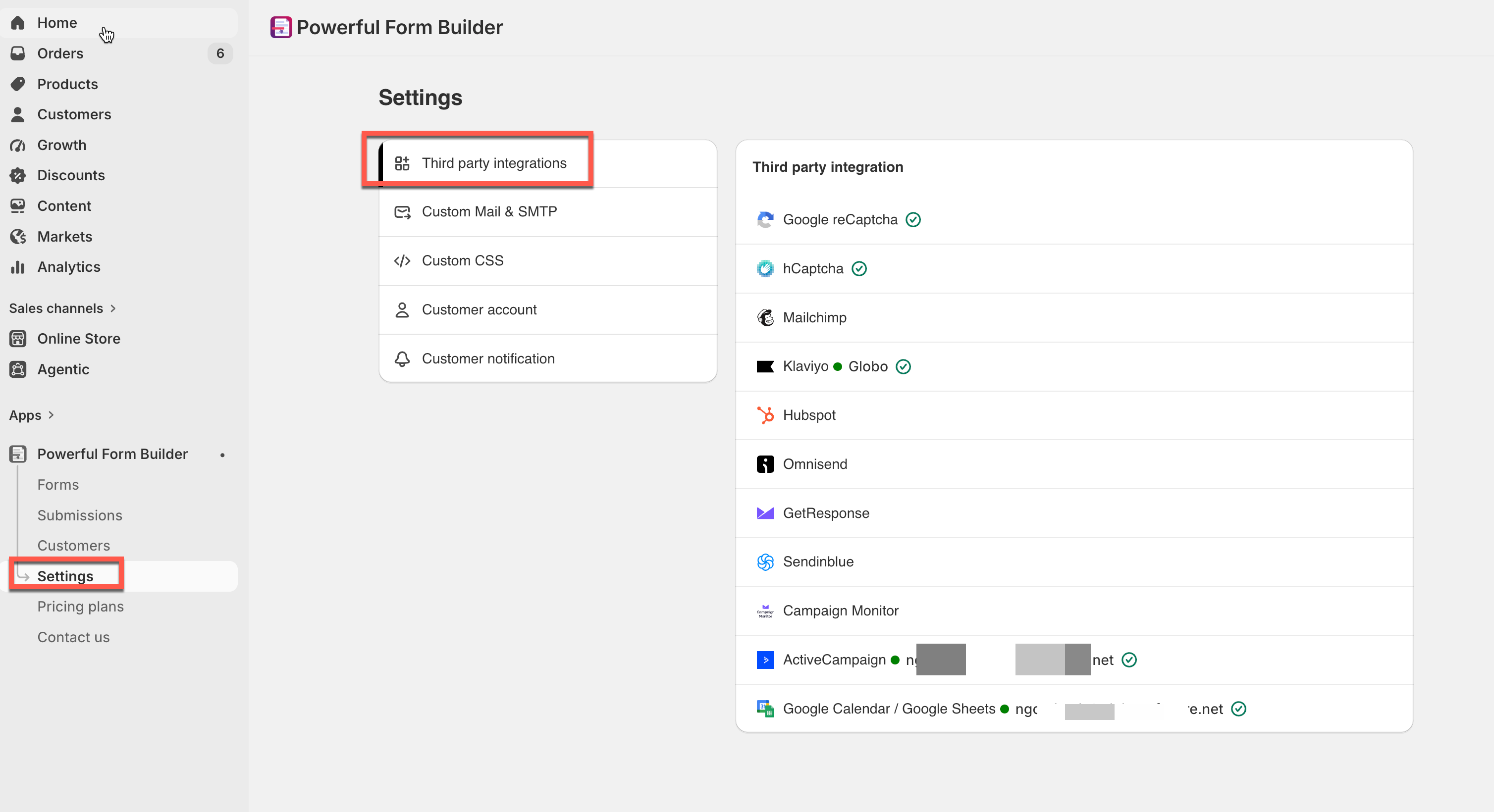
Every integration in **Powerful Contact Form Builder** works the same way: you connect the account once for your whole store, then switch the integration on for each form that should use it and say which question feeds which field.
## The two places
| Where | What lives there | Applies to |
| ------------------------------------------- | ---------------------------------------------------------------------- | --------------- |
| **Settings** > **Third party integrations** | Your account credentials — an API key, a token, or a Google sign-in. | The whole store |
| Form editor > **Integration** | The on/off switch, the list or audience choice, and the field mapping. | One form |
Connecting an account in **Settings** does not send any data on its own. Nothing leaves your store until you switch the integration on inside a form.
{% hint style="info" %}
A few integrations have no **Settings** row at all, because there is no account to connect: **Zapier**, **Make**, **n8n**, **Slack**, **Google Analytics** and **Facebook Pixel** are configured entirely on the form's own panel.
{% endhint %}
### What each service asks for
| Service | What it needs |
| --------------------------------------------- | ------------------------------------------------------------------------------------------------ |
| **Google reCaptcha** | **Version** (v2 or v3), **Site key**, **Secret key** |
| **hCaptcha** | **Site key**, **Secret key** |
| **Mailchimp** | **Mailchimp API key** |
| **Klaviyo** | **Klaviyo API key** |
| **Hubspot** | **Hubspot Private App Access Token** |
| **Omnisend**, **GetResponse**, **Sendinblue** | That service's **API key** |
| **Campaign Monitor** | **Client ID** and **API key** |
| **ActiveCampaign** | **API key** and **API Url** |
| **Google Calendar / Google Sheets** | A Google sign-in — see [Google integration](/integrations/google.md#connect-your-google-account) |
When the form is submitted the data from the submission will be pushed to the connected third paries.
## Next steps
* [Mailchimp](/integrations/mailchimp.md) — a full worked example of the pattern on this page.
* [Connect your Google account](/integrations/google.md#connect-your-google-account) — the one integration that uses a sign-in instead of a key.