> For the complete documentation index, see [llms.txt](https://docs.powerfulform.com/llms.txt). Markdown versions of documentation pages are available by appending `.md` to page URLs; this page is available as [Markdown](https://docs.powerfulform.com/integrations/google-analytics.md).
# Google Analytics integration
Track form views and submissions as events in Google Analytics.
**✅ Before you start**
Your store must already have **Google Analytics set up in your store settings**.
If you haven’t set up GA4 yet, follow Google’s official setup steps. [Learn more](https://support.google.com/analytics/answer/9304153?hl=en)
Our app currently supports Google Analytics integration. It works totally based on Google Analytics in your store settings. Please make sure the store setting is configured correctly and enable it in our app as below.
### Enable Google Analytics on a form
Please follow our below instruction to track the submissions via Google Analytics
1, Open the app > click **Forms** > open the form you want to deal with
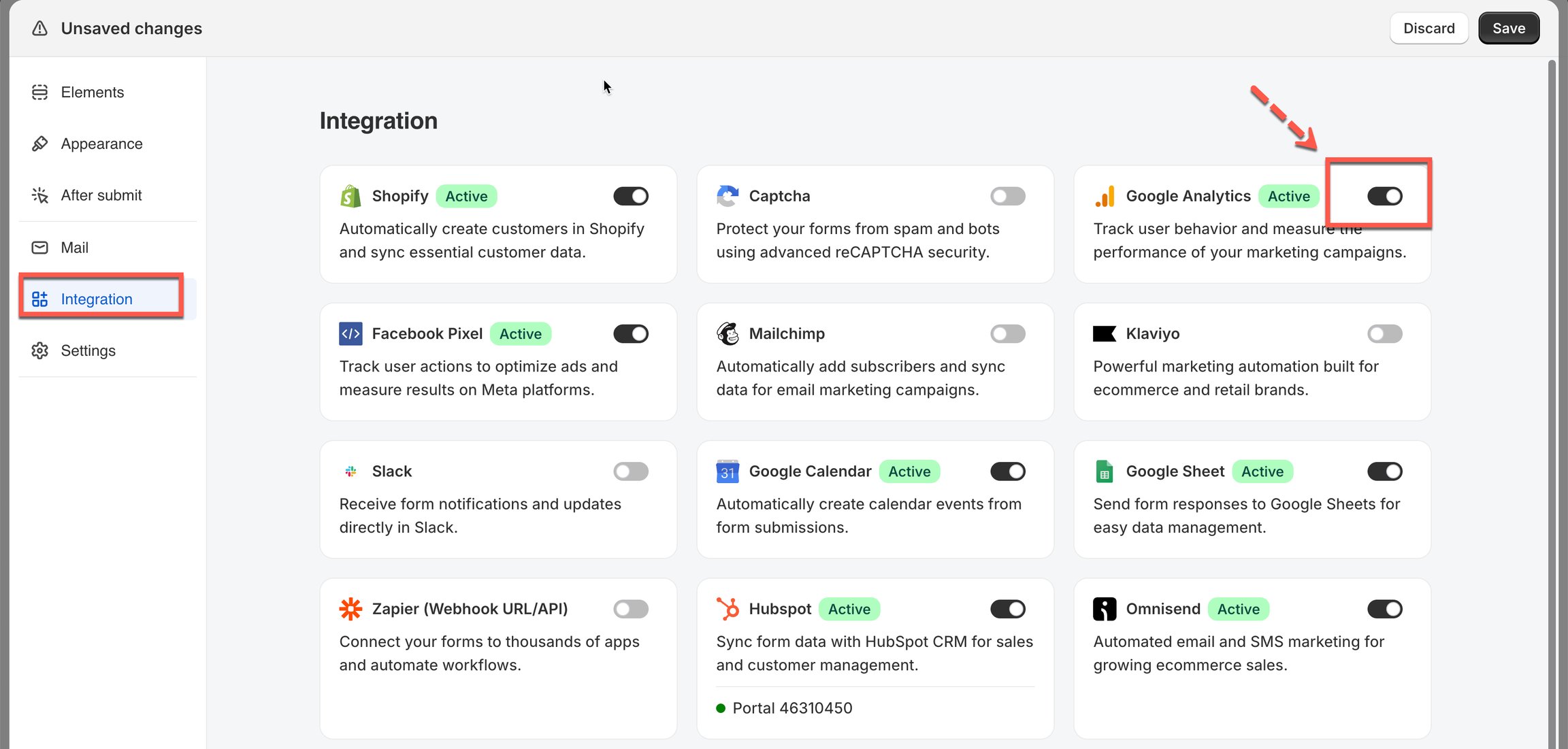
2\. Click **Integration** icon on the left side > turn on **Google Analytics** > click on **Google Analytics** option to open the setting
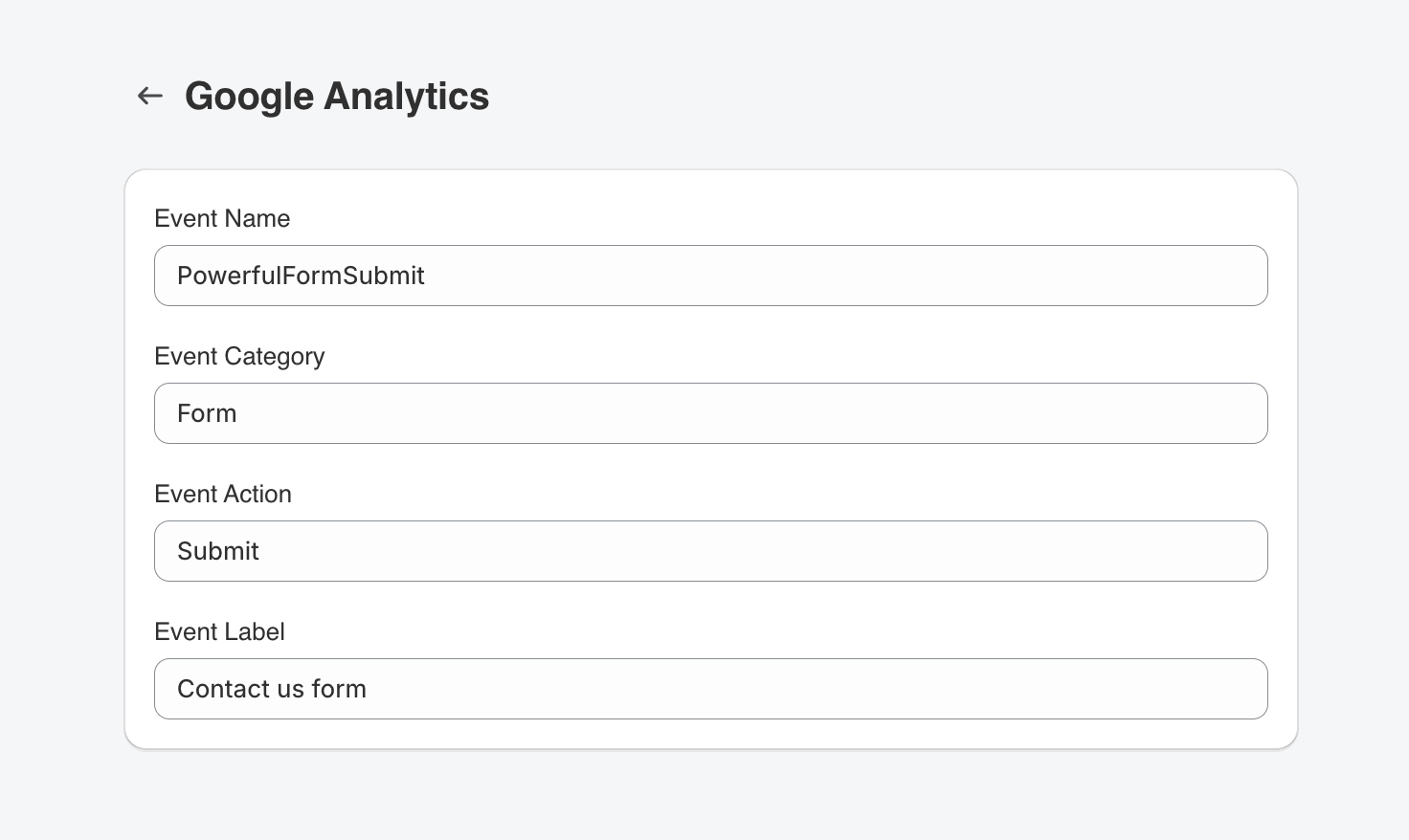
3\. Click **Configure** button > enter **Event Name, Event Category, Event Action, Event Label**
4\. Click **Save**
## How it works
* Your store already has Google Analytics running (set in your store settings).
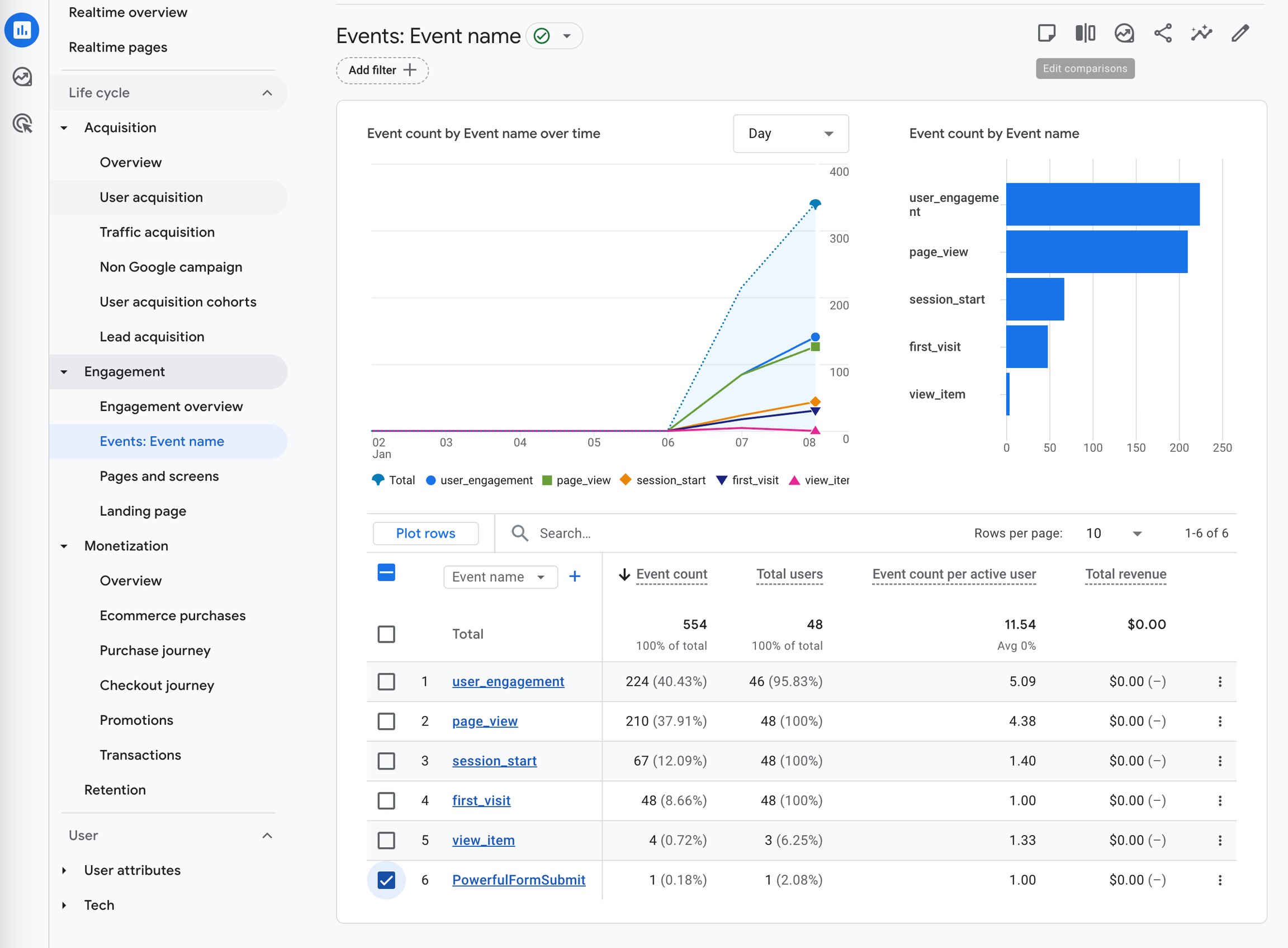
* Powerful Contact Form Builder will send a **form\_submit** event to that existing Google Analytics setup.
* ⚠️ If Google Analytics isn’t configured in your store settings, events won’t appear.
## Next steps
* [Facebook Pixel](/integrations/facebook-pixel.md) — track the same events on Meta.
* [Form insights](/submissions/form-insights.md) — the numbers the app records itself.
* [Contact support](/help/contact-support.md) — if the connection still does not work.