Create a new form
Create a form from scratch and place it on your store.
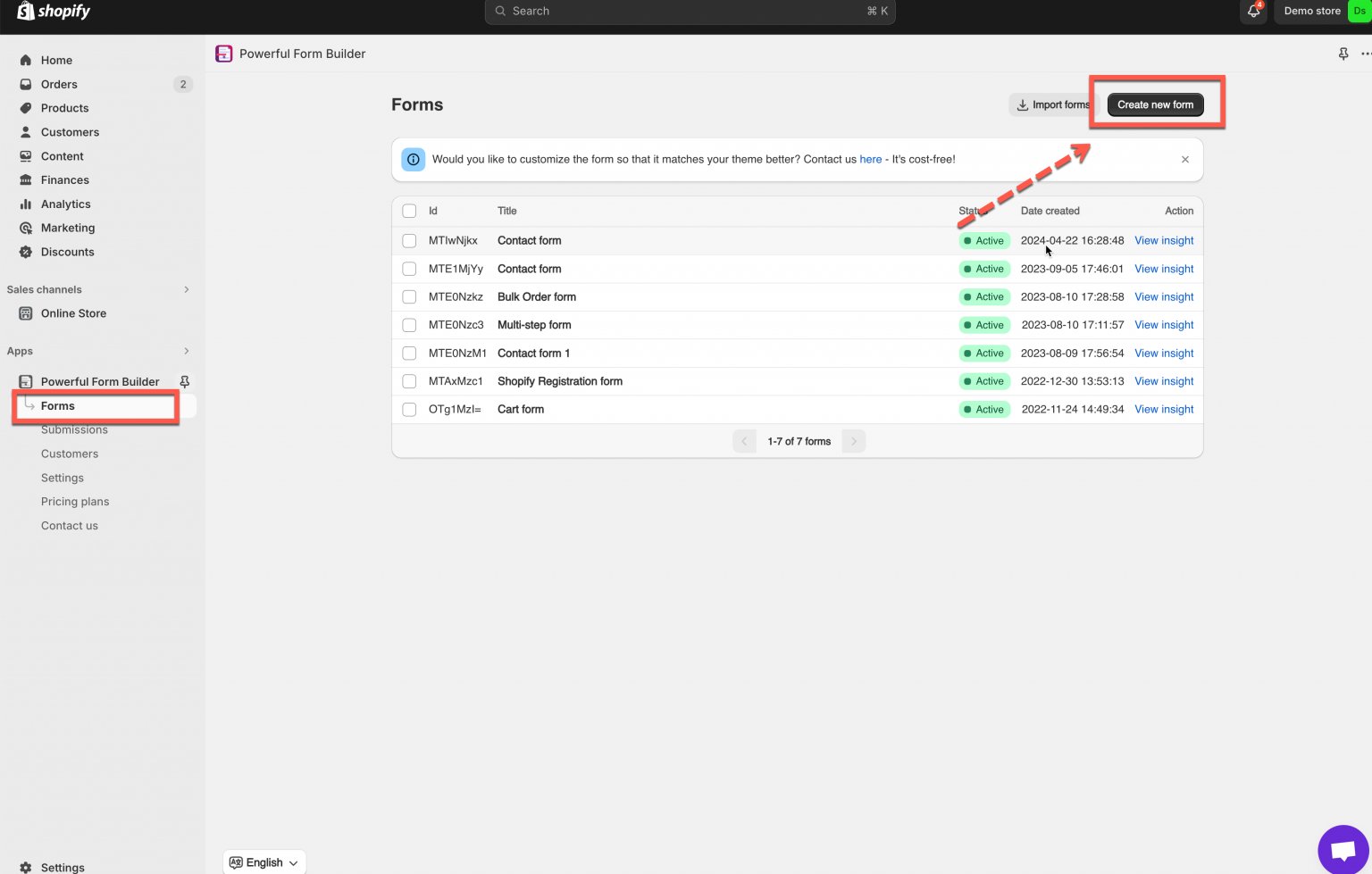
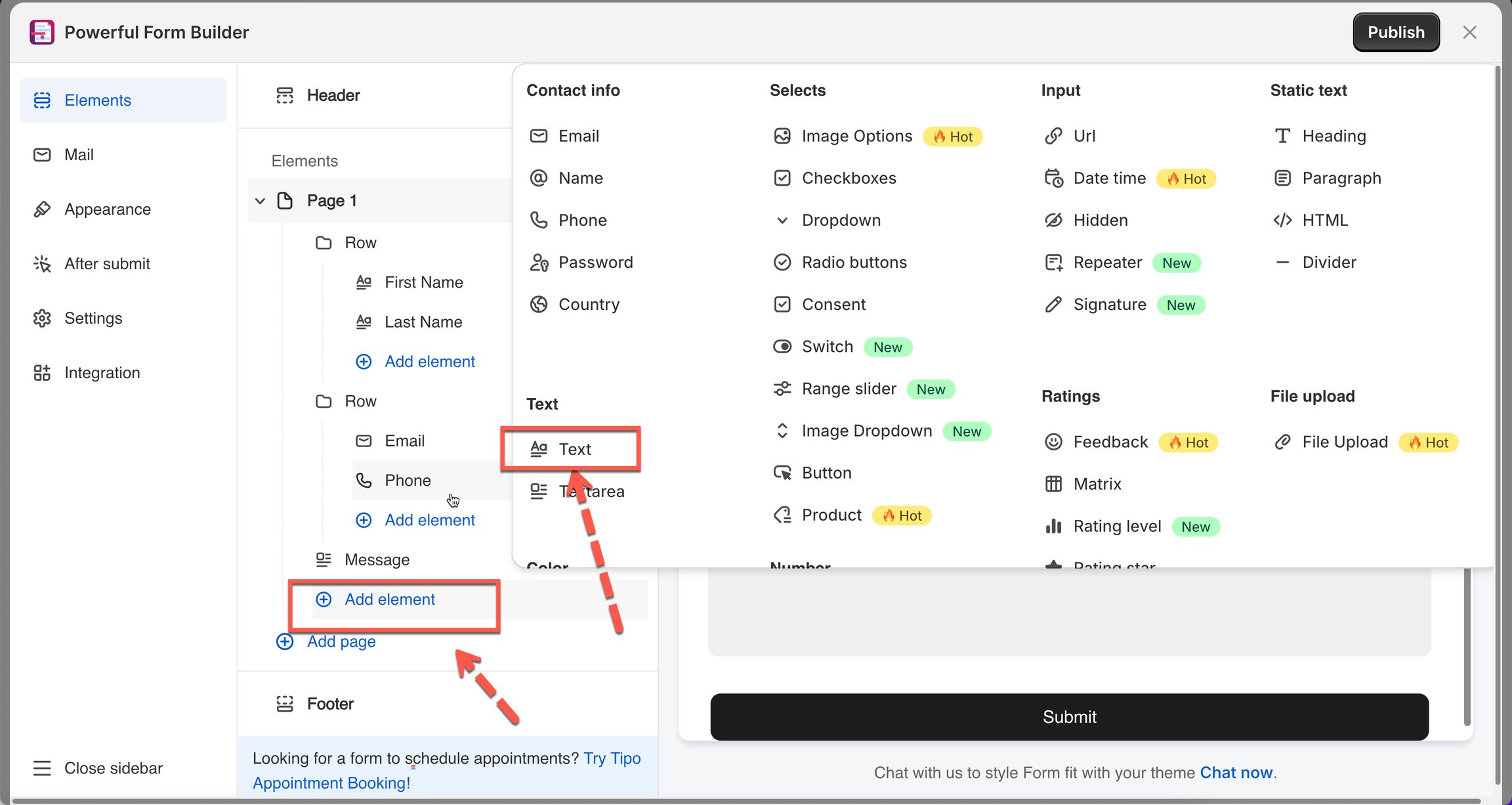
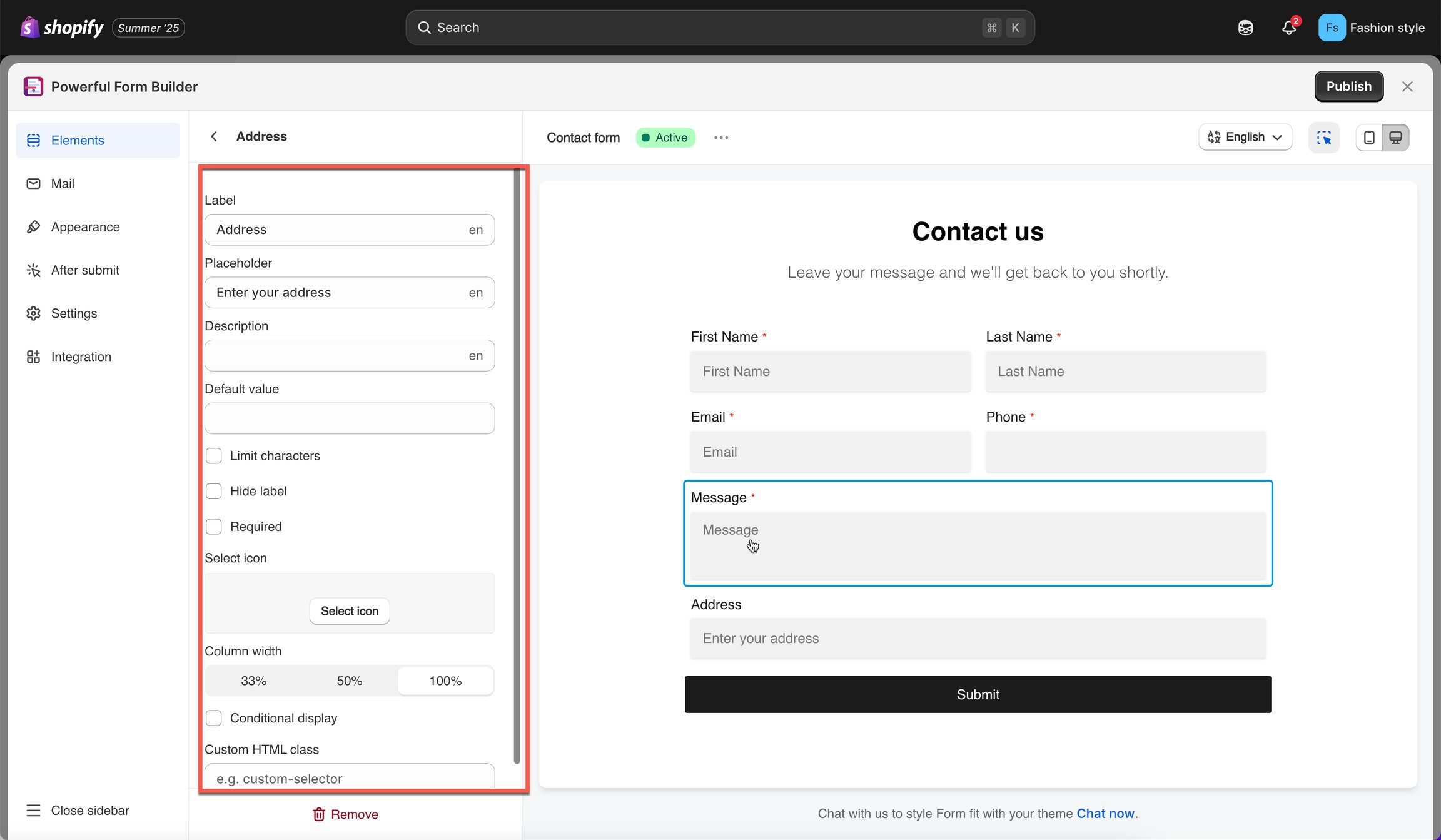
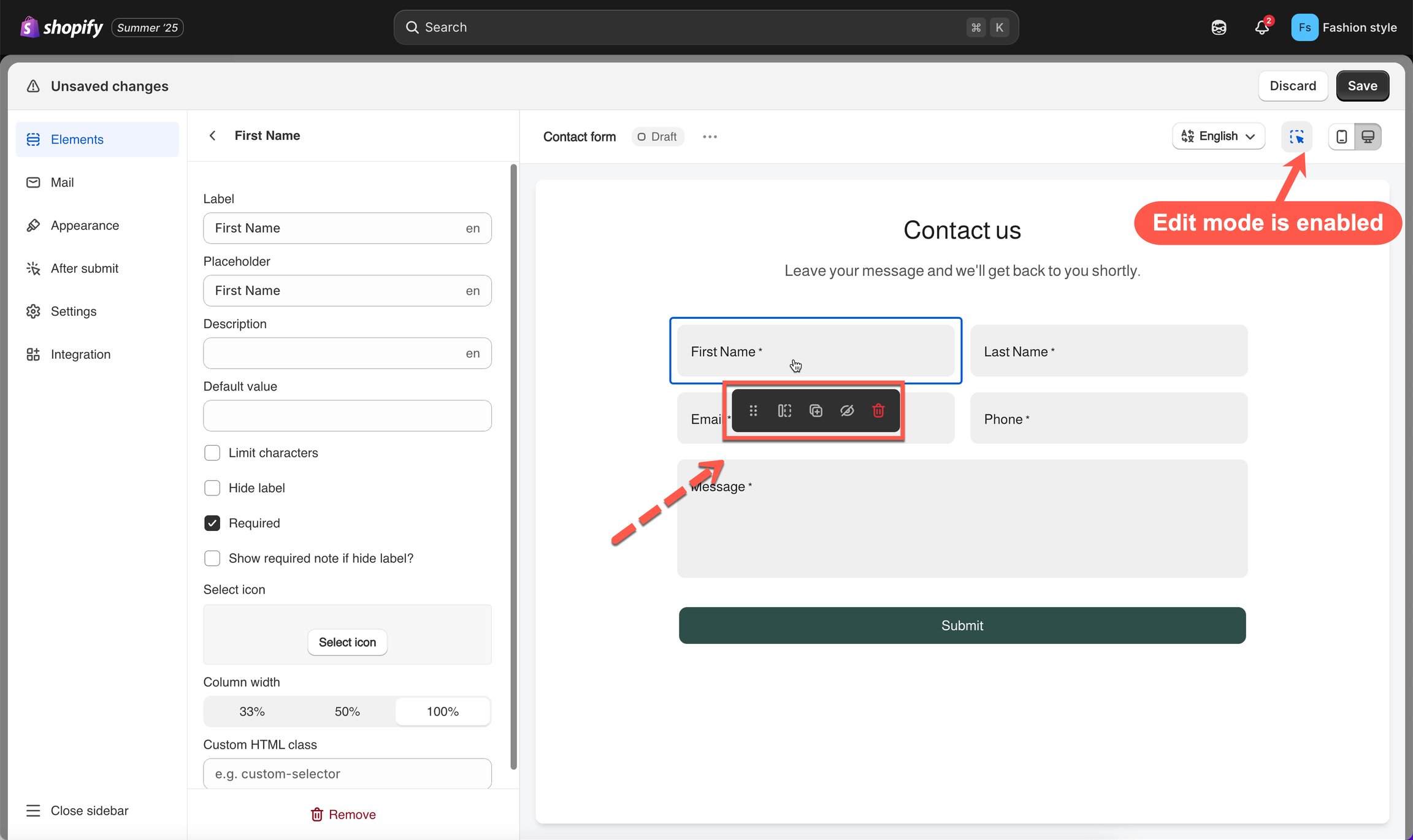
📝 Steps to add form
Display Your Form on Your Store
After saving, choose how you want to display the form.
You can show the form on:
A page section (using Shopify’s theme editor)
A specific page
The homepage
A product page
Or via embed code / shortcode
Follow the display instructions to place the form exactly where you want it.
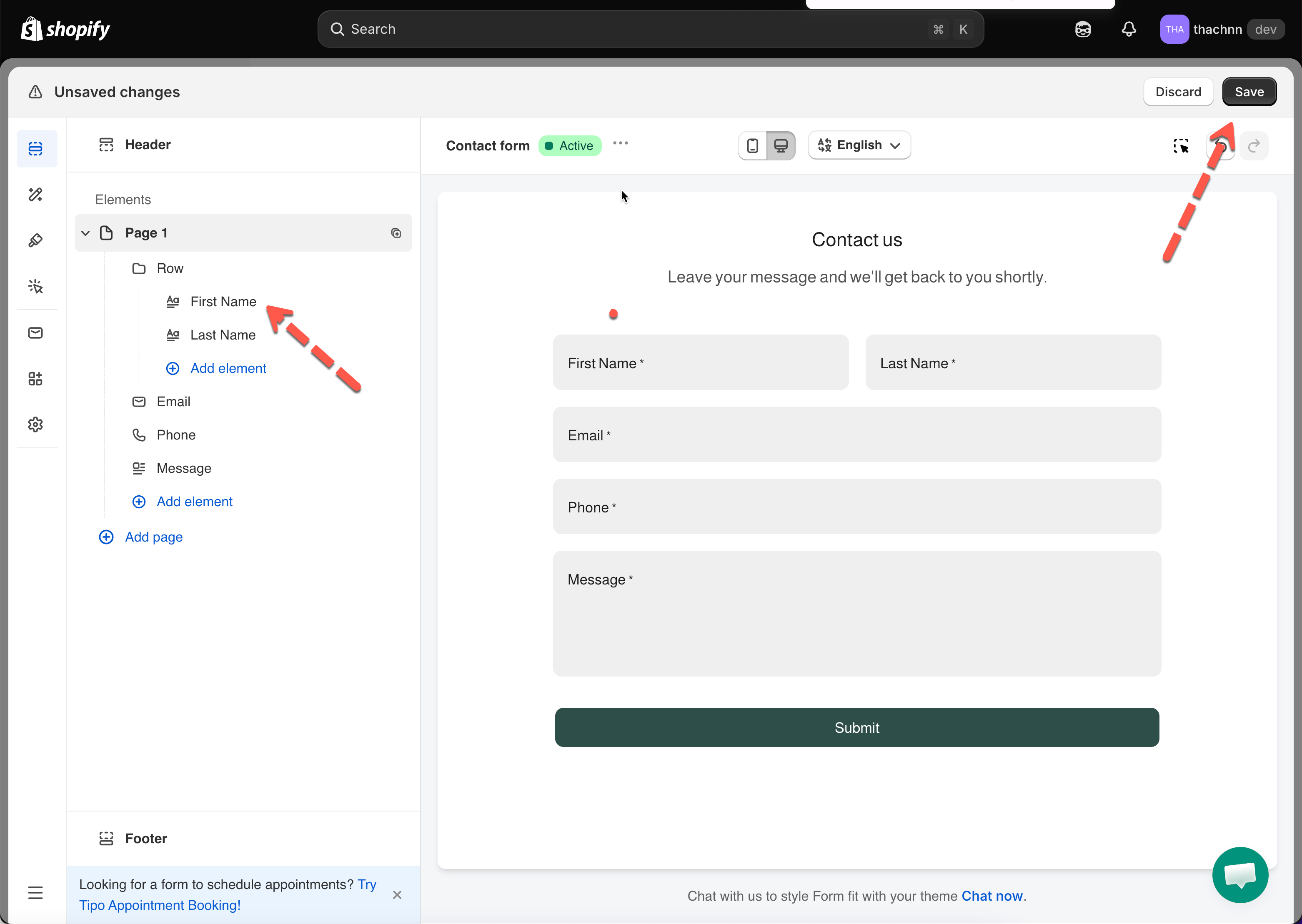
Click Save once your form is ready
To display the form on your store, embed it on any page using the provided shortcode or section block
🎥 Tutorial video
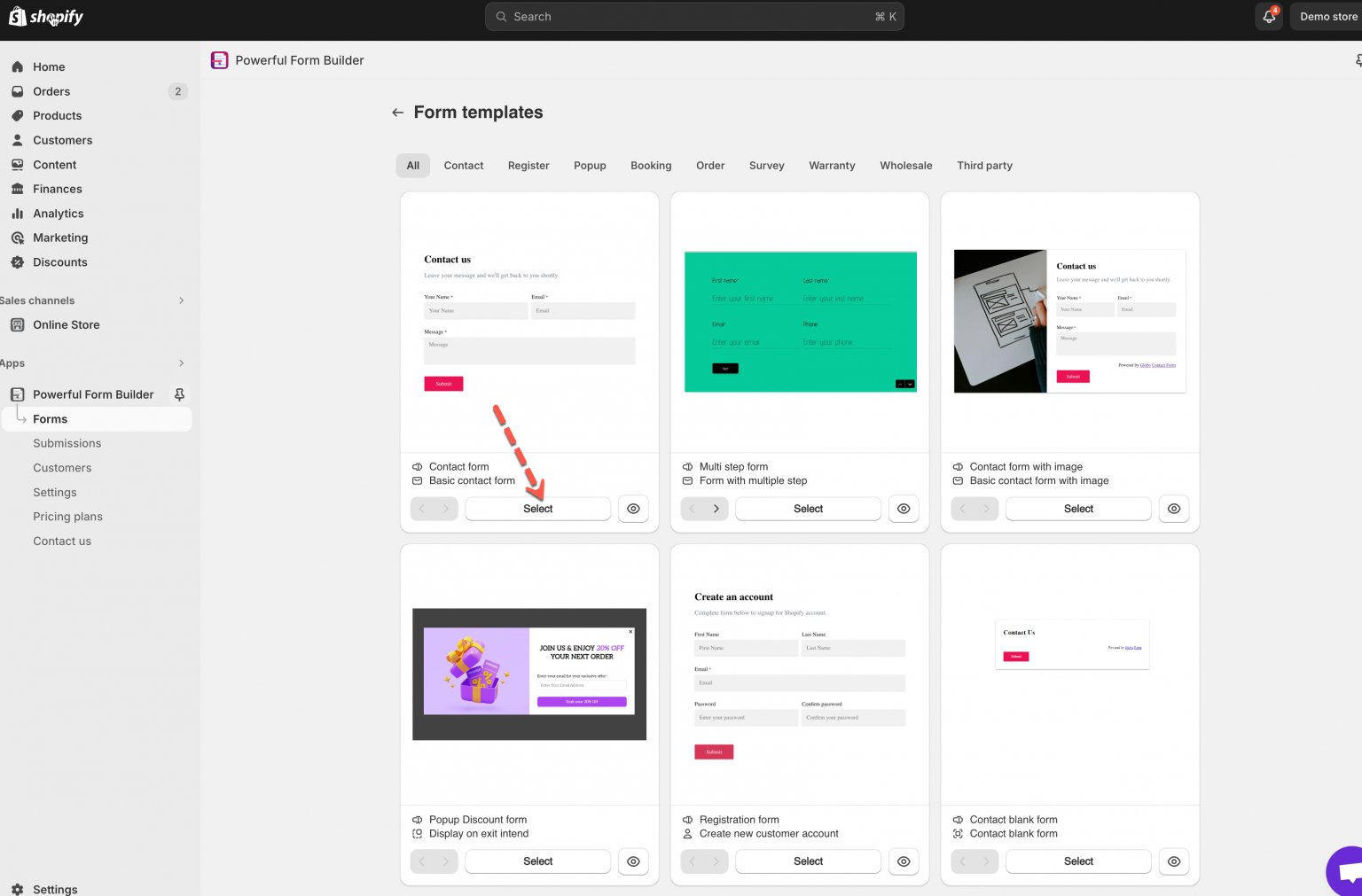
📋 Form templates
Pick a category
Contact
Basic, with image, floating
Register
Sign-up, Shopify registration
Popup
Discount popup
Booking
Appointments, reservations
Order
Bulk order, cart, custom order
Survey
Feedback, seasonal (e.g. BFCM)
Warranty
Registration, claims, returns
Wholesale
B2B, trade applications
Third party
Klaviyo signup, etc.

Next steps
Create a Form with AI — let AI build the fields instead.
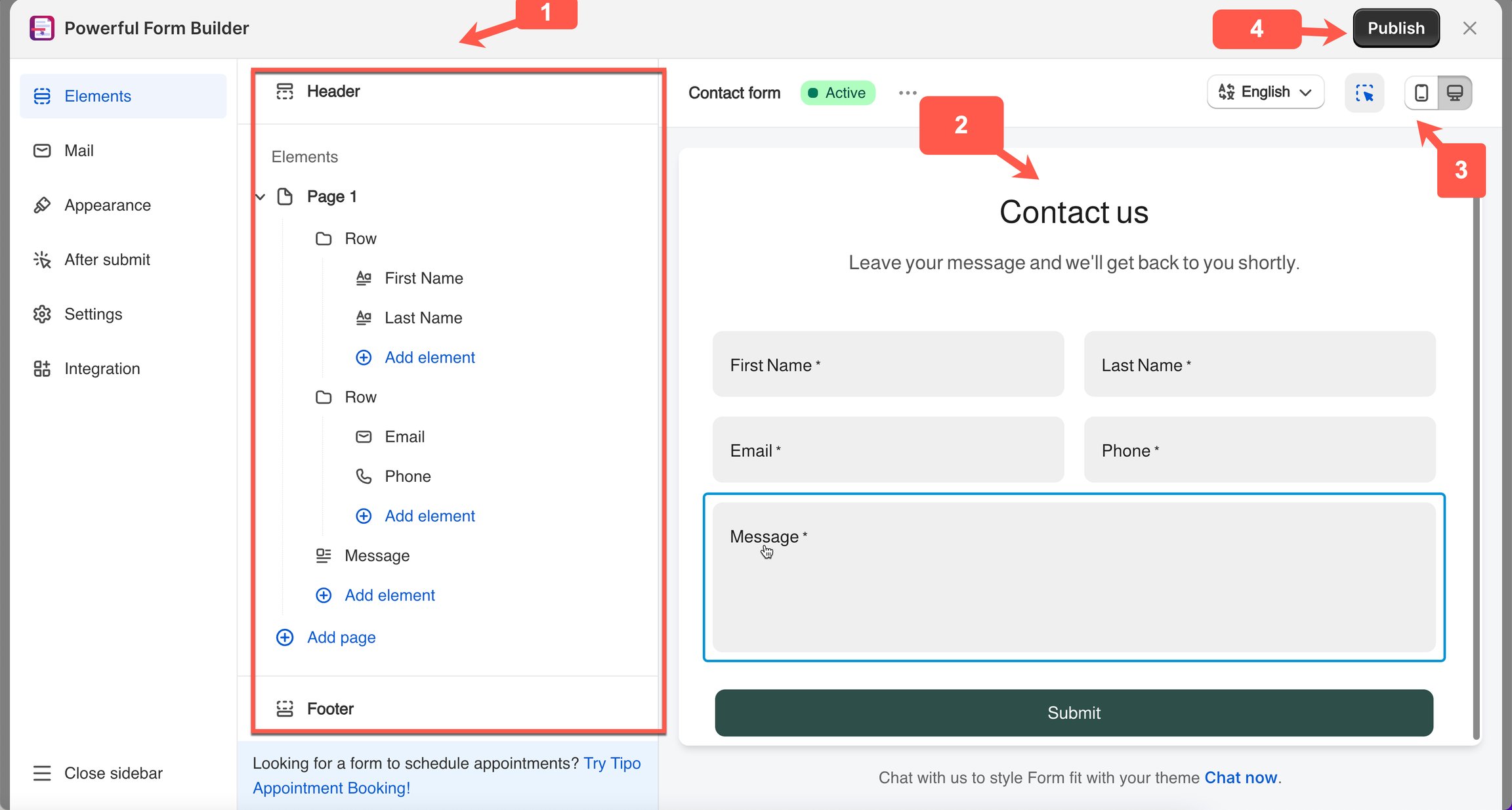
Build your form — every element and setting.
Publish the form to a page — put it on your store.
Last updated