> For the complete documentation index, see [llms.txt](https://docs.powerfulform.com/llms.txt). Markdown versions of documentation pages are available by appending `.md` to page URLs; this page is available as [Markdown](https://docs.powerfulform.com/field-types/selects/switch.md).
# Switch
Ask a two-way question with a single on/off toggle instead of a pair of options.
The **Switch** field is a toggle with exactly two states. Use it for the yes-or-no questions that sit alongside the rest of a form — *Is this a gift?*, *Do you need installation?*, or *Have you ordered from us before?*
## 🔧 How to Set It
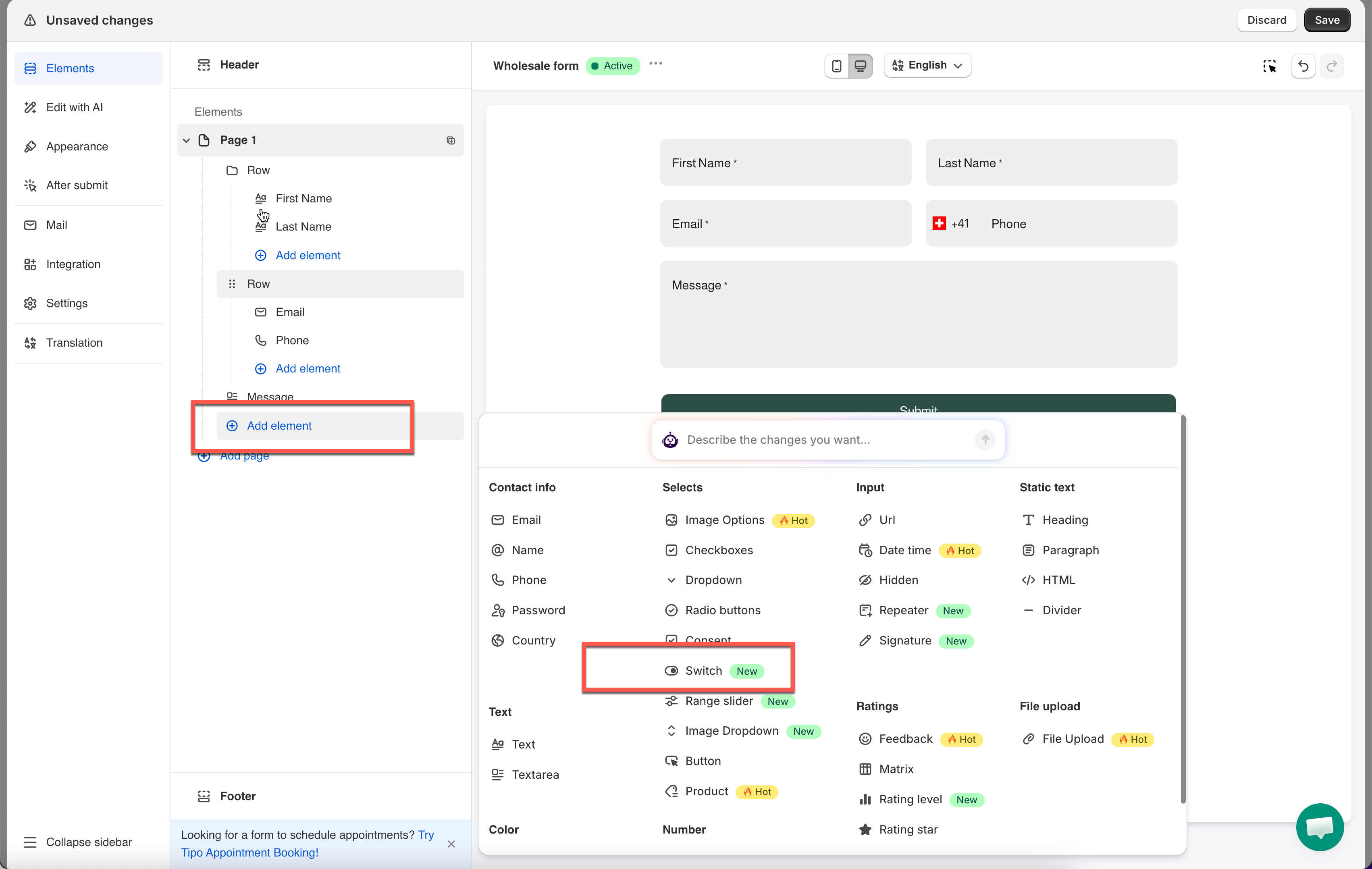
In the form editor, click **Add element** > pick **Switch**.
The field is added and its settings open on the left.
{% hint style="info" %}
See [Add and arrange elements](/build-your-form/add-and-arrange-elements.md) for the other ways to add a field and how to reorder them.
{% endhint %}
## 🔧 Settings
Only the settings specific to this field are listed here. **Label**, **Placeholder**, **Description**, **Required**, **Hide label**, **Column width**, **Conditional display** and the rest of the shared settings work the same on every field.
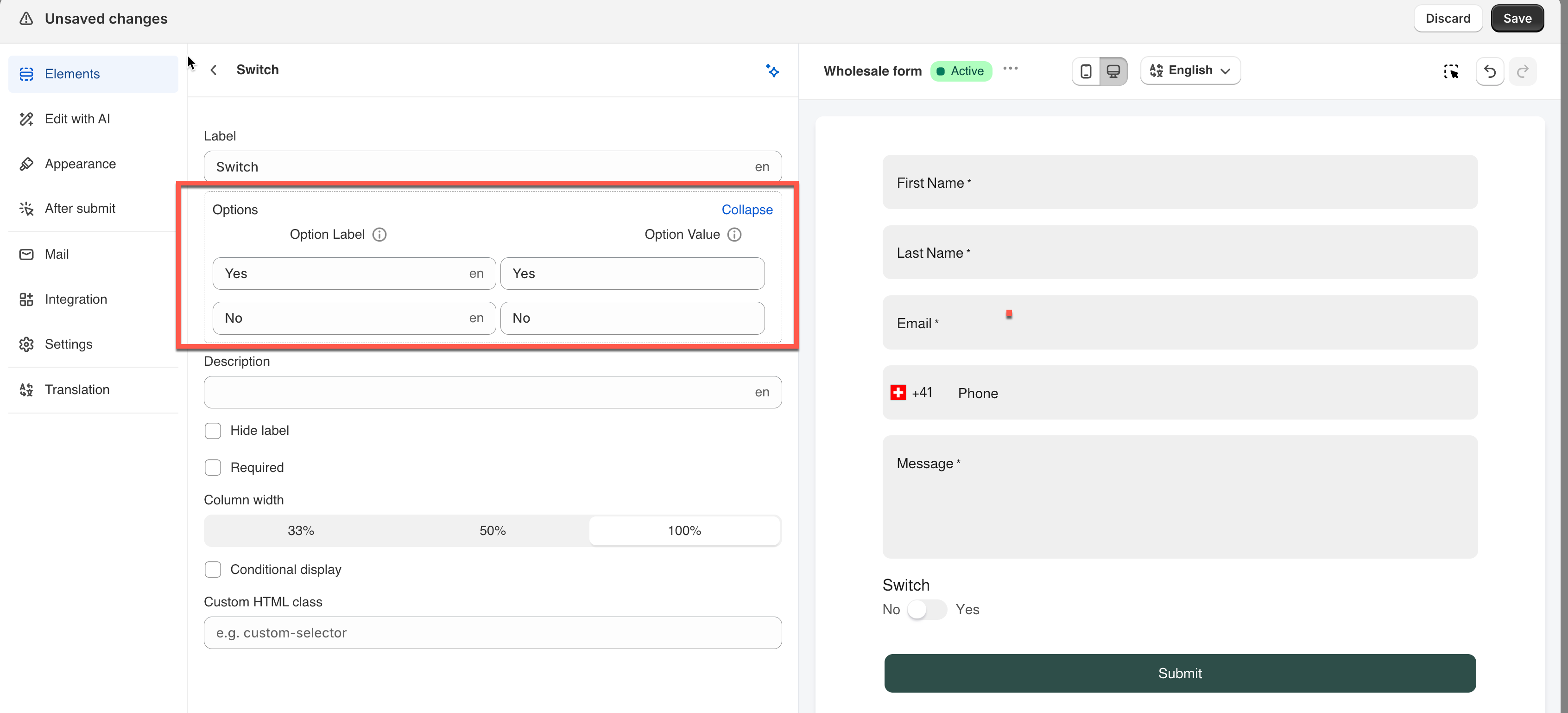
### **Options**
The two states shown beside the toggle.
You can rename them and change their stored **Value**, but you can't add, remove, or reorder them — a switch always has exactly two states.
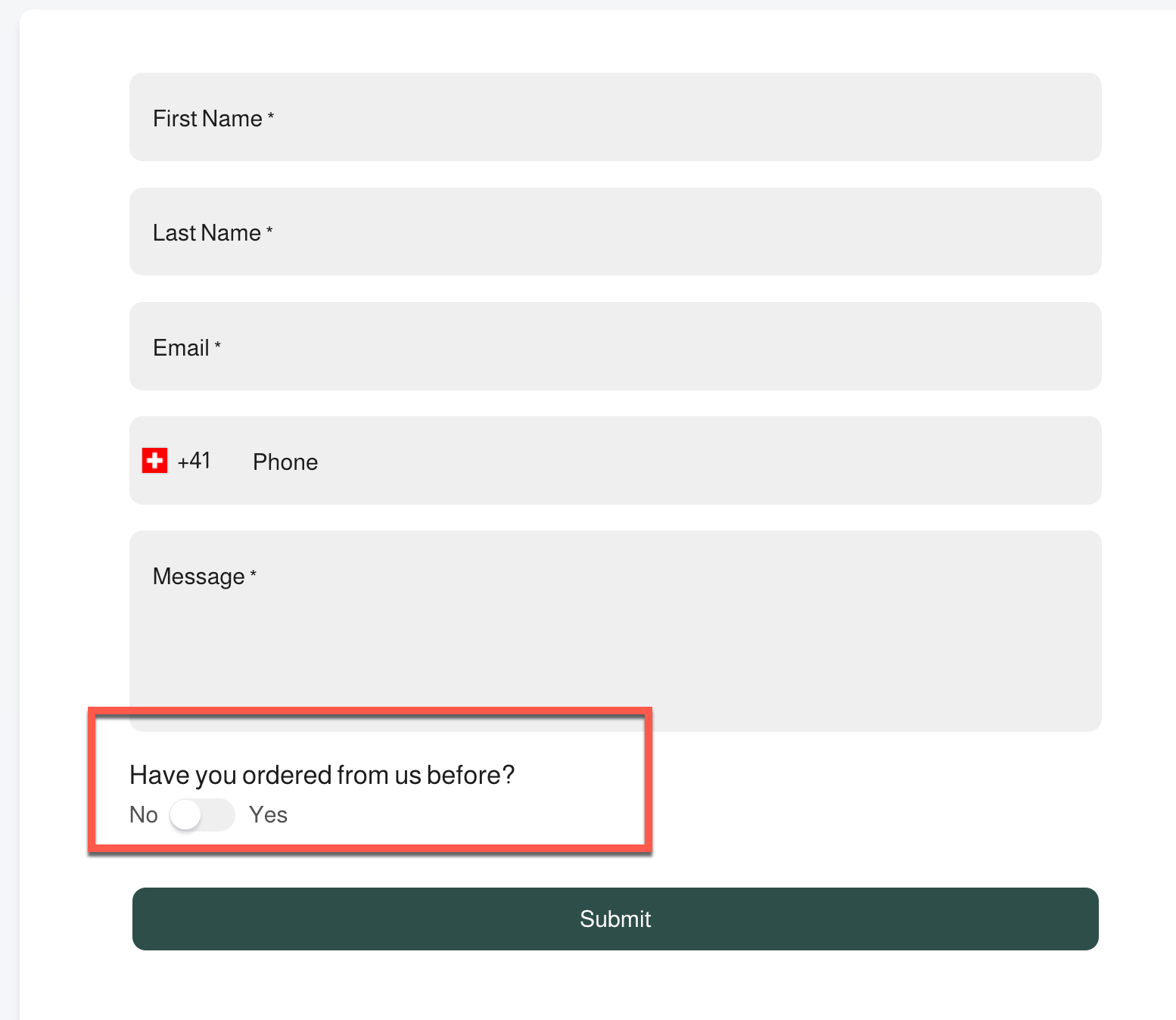
**Example:** A form asks *"Have you ordered from us before?"* and relabels the two states from "Yes"/"No" to match the question naturally.
> **⚠️ Note:** Only the **Label** can be translated. The **Value** stays the same across all languages.
## 🔄 How It Works
**What the visitor sees:** A compact toggle with both states' labels shown beside it, as in the screenshot — e.g. **No / Yes**, with the circle sliding to whichever side is active.
**What's saved:** The field stores the **Value** of whichever state the toggle is in at submit. Leave the Value column alone and label/value match, so a switch left on "No" saves `No`.
> **⚠️ Note:** A switch always has a state — flipped or not.
## Next steps
* [Show or hide fields with conditional logic](/build-your-form/conditional-logic.md) — reveal follow-up questions when the switch is on.
* [Consent](/field-types/selects/consent.md) — a checkbox the visitor must actively tick to agree.
* [Radio buttons](/field-types/selects/radio-buttons.md) — the same question when there are more than two answers.