> For the complete documentation index, see [llms.txt](https://docs.powerfulform.com/llms.txt). Markdown versions of documentation pages are available by appending `.md` to page URLs; this page is available as [Markdown](https://docs.powerfulform.com/field-types/selects/product.md).
# Product
Let a visitor search your Shopify catalog and pick the product their request is about.
The **Product** field puts a search box in your form that looks through your own Shopify catalog. The visitor types a few letters, picks the product, and you get an answer that points at a real item instead of a typed-out guess. Use it for warranty claims, return requests, restock alerts, custom quotes and repair bookings.
{% hint style="info" %}
**Product** is available on Pro plans only. See [Plans and billing](/settings/plans-and-billing.md).
{% endhint %}
## 🔧 How to Set It
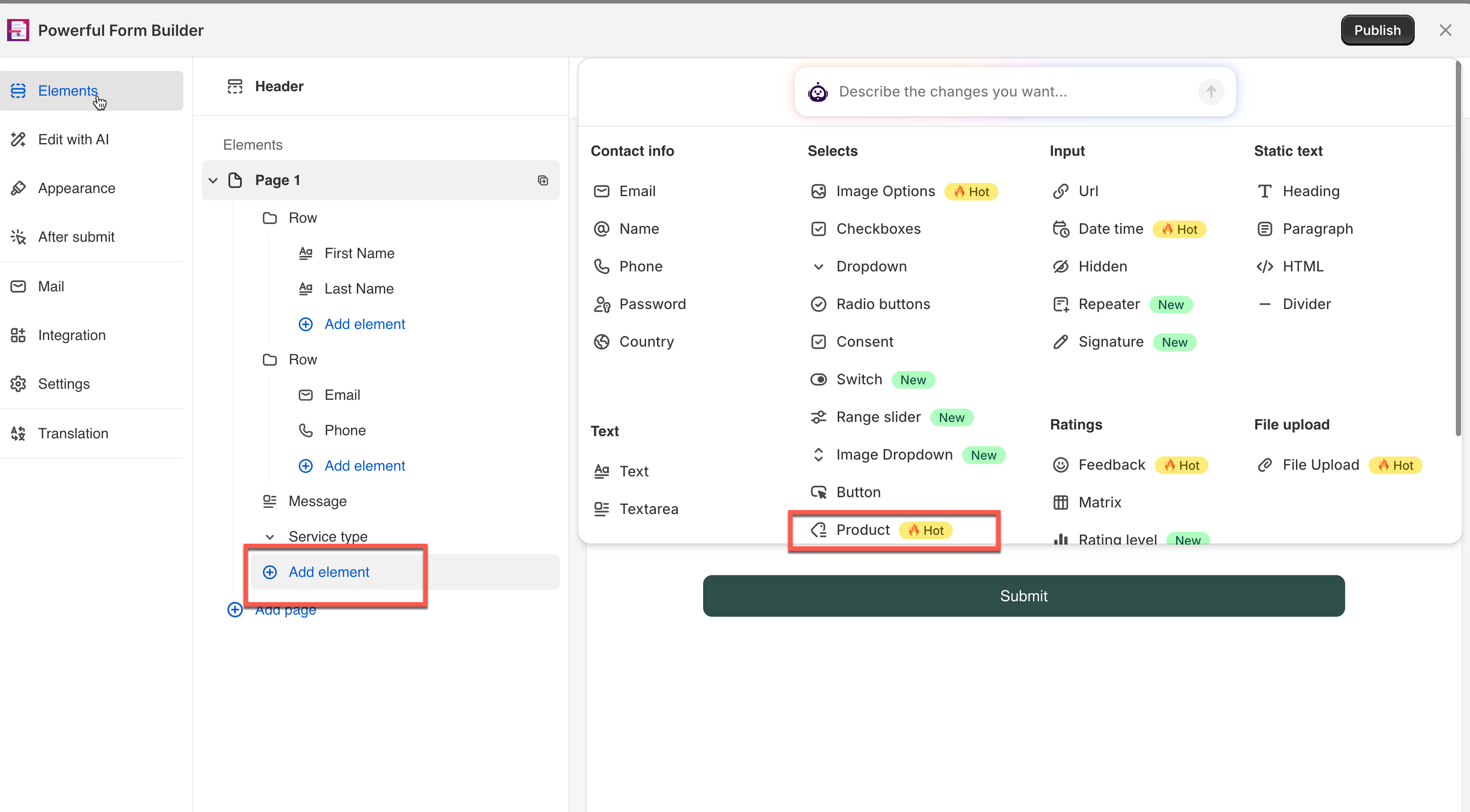
In the form editor, click **Add element** > pick **Product**.
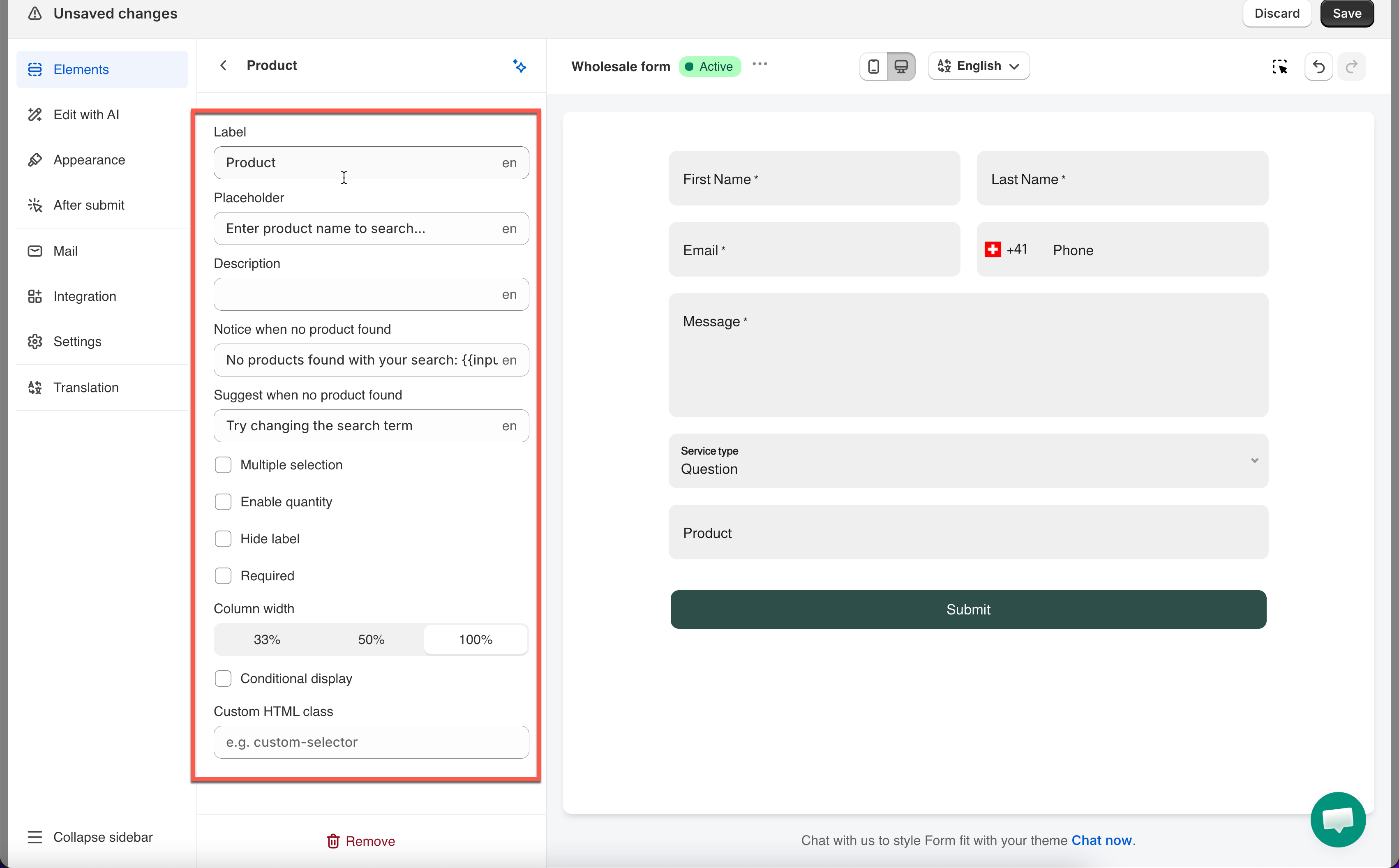
The field is added and its settings open on the left.
See [Add and arrange elements](/build-your-form/add-and-arrange-elements.md) for the other ways to add a field and how to reorder them.
## 🔧 Settings
Only the settings specific to this field are listed here. **Label**, **Placeholder**, **Description**, **Required**, **Hide label**, **Column width**, **Conditional display** and the rest of the shared settings work the same on every field.
### ✅ Multiple Selection
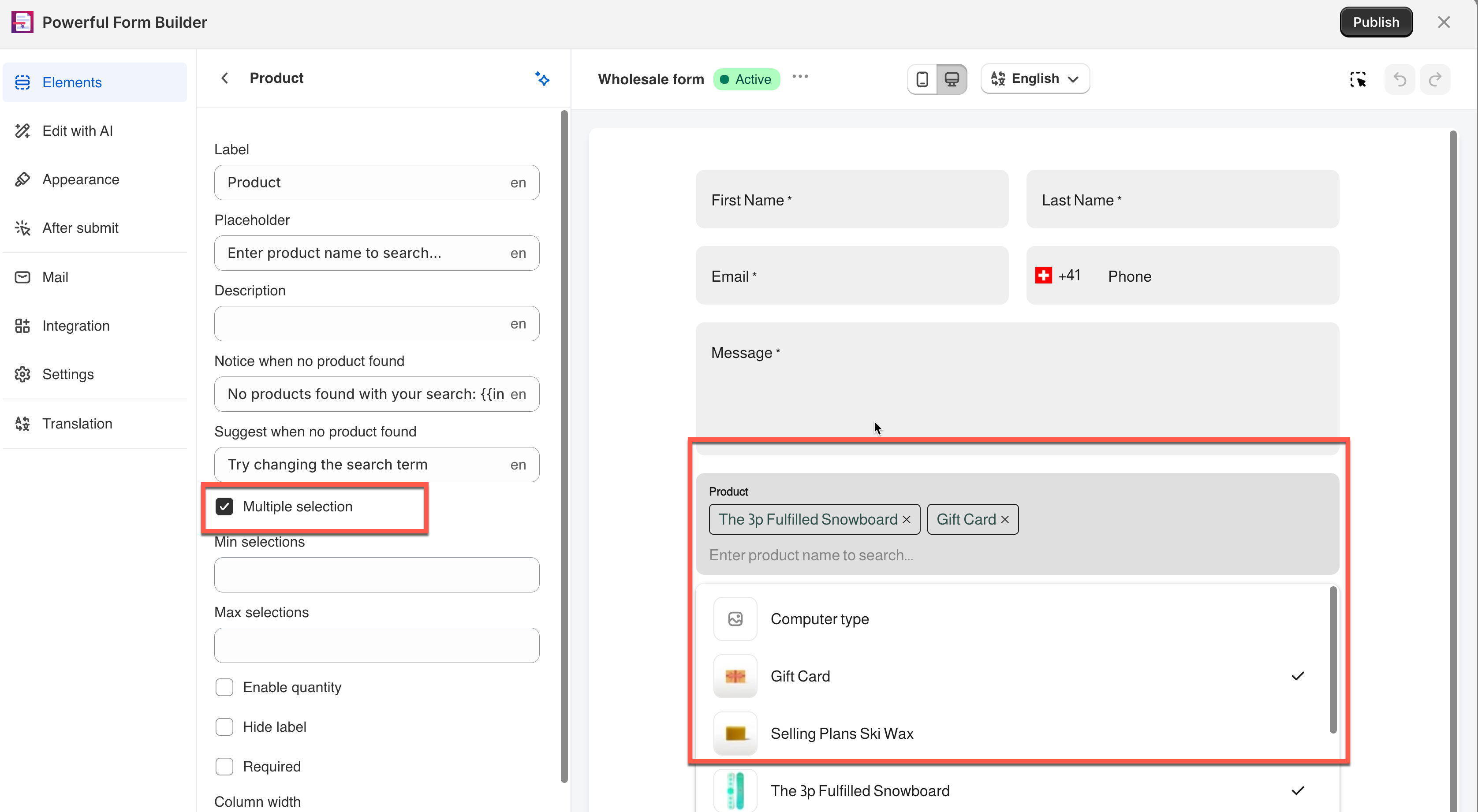
Lets the visitor search and add several products, each shown as its own row. Turning it on reveals **Min selections** and **Max selections**.
**Example:** A restock alert form turns this on, so a visitor can request restock notifications for several items in one submission.
### 🔢 Enable Quantity
Adds a quantity box beside each selected product, under a heading you set in **Quantity** (default: "Quantity"). Two independent limits become available:
* **Limit the quantity for each selected product** — caps any single line, via **Minimum/Maximum quantity per product**
* **Limit the total quantity of selected products** — caps the whole request, via **Minimum/Maximum total quantities**
**Example:** A custom quote form sets **Maximum quantity per product** to `10` and **Maximum total quantities** to `25` — so a visitor can request up to 10 of any one item, and 25 items total across their whole request.
> **📌 Note:** You can use both limits at once. Leave a box empty and that side of the limit isn't applied.
## 🔄 How It Works
**What the visitor sees:** A search box. As they type, matching products from your catalog appear below — clicking one adds it to the field.
**Example:** This Wholesale form has **Multiple selection** on. The visitor searched and added two products — **Computer type** and **The 3p Fulfilled Snowboard** — each shown as a removable tag.
**What's saved:** The submission records the chosen product(s), plus quantity if **Enable quantity** is on.
> **⚠️ Warning:** This is a record of what the visitor asked for — **not an order**. Nothing is reserved and no inventory changes.
## Next steps
* [Quantity](/field-types/number-fields/quantity.md) — a standalone quantity stepper for forms about a single item.
* [Export submissions](/submissions/export-submissions.md) — how the chosen products come out in a spreadsheet.