> For the complete documentation index, see [llms.txt](https://docs.powerfulform.com/llms.txt). Markdown versions of documentation pages are available by appending `.md` to page URLs; this page is available as [Markdown](https://docs.powerfulform.com/field-types/contact-info/phone.md).

# Phone

Collect a phone number — plain, or with a country flag picker and format checking.

The **Phone** field collects a telephone number. Left alone it is a plain box; switch validation on and it gains a country flag and dialing-code picker, and checks the number against the country the visitor selected.

## 🔧 How to Set It

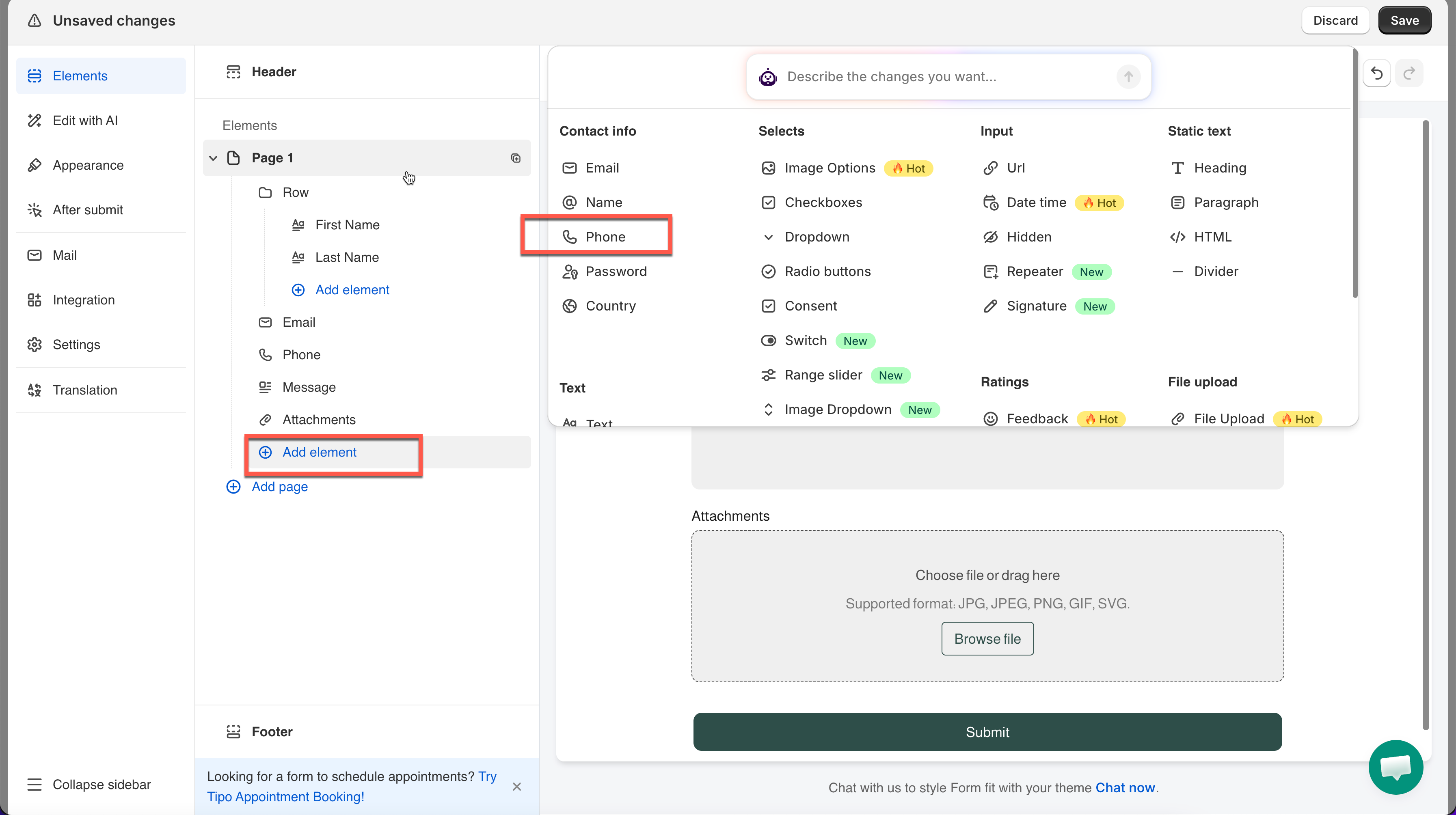
Open the form in the app > click **Add element** > select **Phone**.

The field is added and its settings open on the left.

{% hint style="info" %}
See [Add and arrange elements](/build-your-form/add-and-arrange-elements.md) for the other ways to add a field and how to reorder them.
{% endhint %}

<figure><img src="https://2907469752-files.gitbook.io/~/files/v0/b/gitbook-x-prod.appspot.com/o/spaces%2FehM2rz7MmKkWcJmgvJOe%2Fuploads%2Fgit-blob-d6c19f84686c0fe56bc685320106041ac2db4a90%2F2026-10-01_09-55-16.png?alt=media" alt=""><figcaption></figcaption></figure>

<figure><img src="https://2907469752-files.gitbook.io/~/files/v0/b/gitbook-x-prod.appspot.com/o/spaces%2FehM2rz7MmKkWcJmgvJOe%2Fuploads%2Fgit-blob-7f7f92ec3123ddbd8289eff4be706961f8efae68%2F2026-10-01_09-55-37.png?alt=media" alt=""><figcaption></figcaption></figure>

## 🔧 Settings

> Only the settings specific to this field are listed here. **Label**, **Placeholder**, **Description**, **Required**, **Hide label**, **Column width**, **Conditional display** and the rest of the shared settings work the same on every field.

<table><thead><tr><th>Setting</th><th width="412.86669921875">What it does</th><th>Default</th></tr></thead><tbody><tr><td><strong>Validate international telephone numbers</strong></td><td>Adds the country flag and dialing-code picker to the field and checks the number against the selected country.</td><td>off</td></tr><tr><td><strong>Only used to display flags and country codes</strong></td><td>Keeps the flag and dialing-code picker but skips the number check. Appears only when validation is on.</td><td>off</td></tr><tr><td><strong>Select default country</strong></td><td>Which country the picker starts on. The list offers <strong>Automatically select based on the customer's country</strong> plus every country.</td><td>Automatically select based on the customer's country</td></tr></tbody></table>

### Validate international telephone numbers

Turn this on to add a flag and dialing-code picker to the field, and check the number against the selected country. Off by default, so the field starts as a plain text box.

<figure><img src="https://2907469752-files.gitbook.io/~/files/v0/b/gitbook-x-prod.appspot.com/o/spaces%2FehM2rz7MmKkWcJmgvJOe%2Fuploads%2Fgit-blob-39436f1973bc028dddfd8ff119476d44a97ce6a9%2F2026-10-01_10-05-39.png?alt=media" alt=""><figcaption></figcaption></figure>

Example:

This Phone field has **Validate international telephone numbers** turned on and **Switzerland** set as the default country — so the field shows a Swiss flag with **+41** pre-filled.

The visitor's number is checked against Switzerland's format unless they change the country themselves.

What you see in the submission detail:

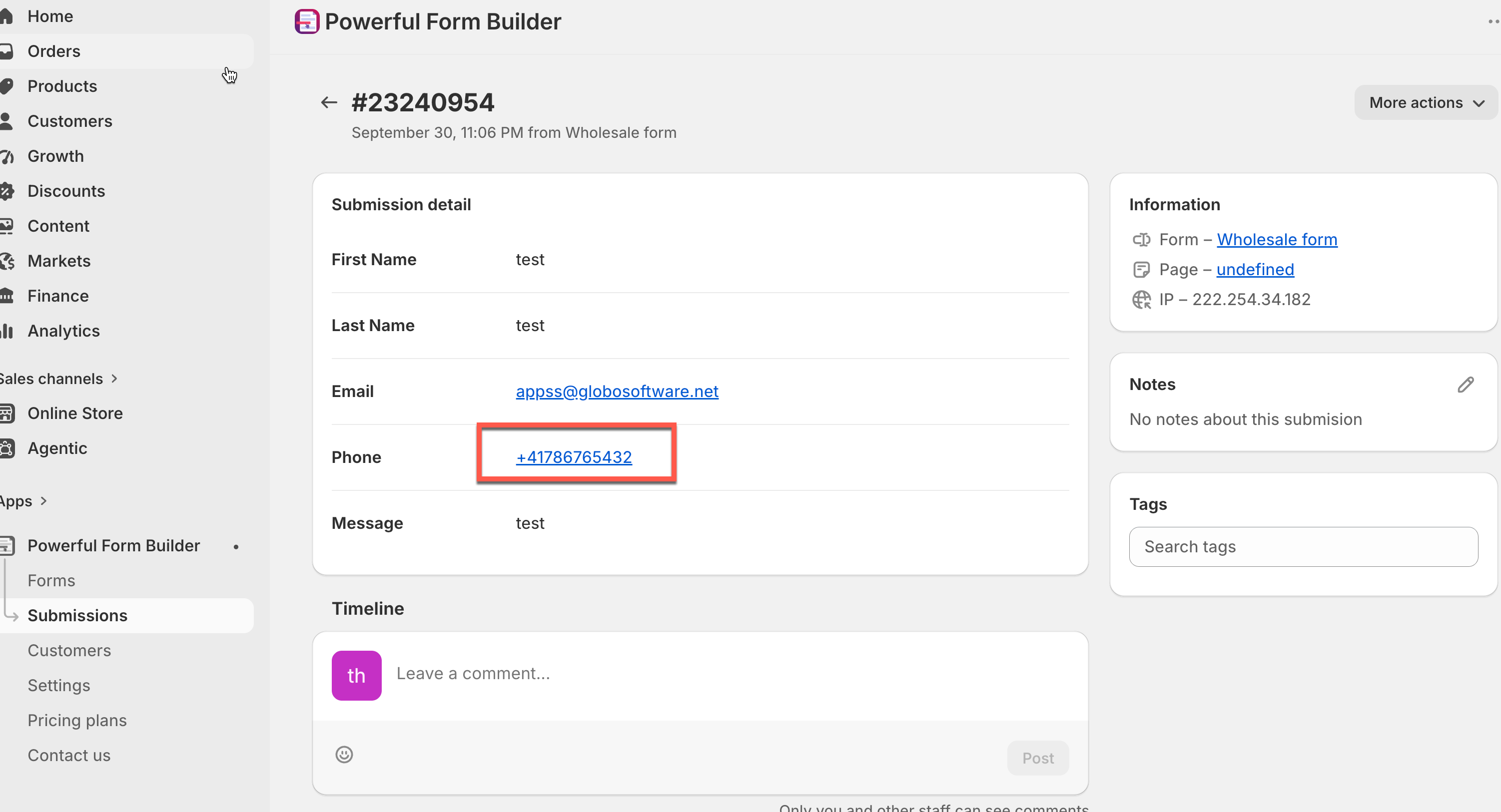
<figure><img src="https://2907469752-files.gitbook.io/~/files/v0/b/gitbook-x-prod.appspot.com/o/spaces%2FehM2rz7MmKkWcJmgvJOe%2Fuploads%2Fgit-blob-295b173bece0cde075261a65f3b1a4e5a659bf67%2F2026-10-01_10-10-28.png?alt=media" alt=""><figcaption></figcaption></figure>

### **Only used to display flags and country codes**

Appears once validation above is on.

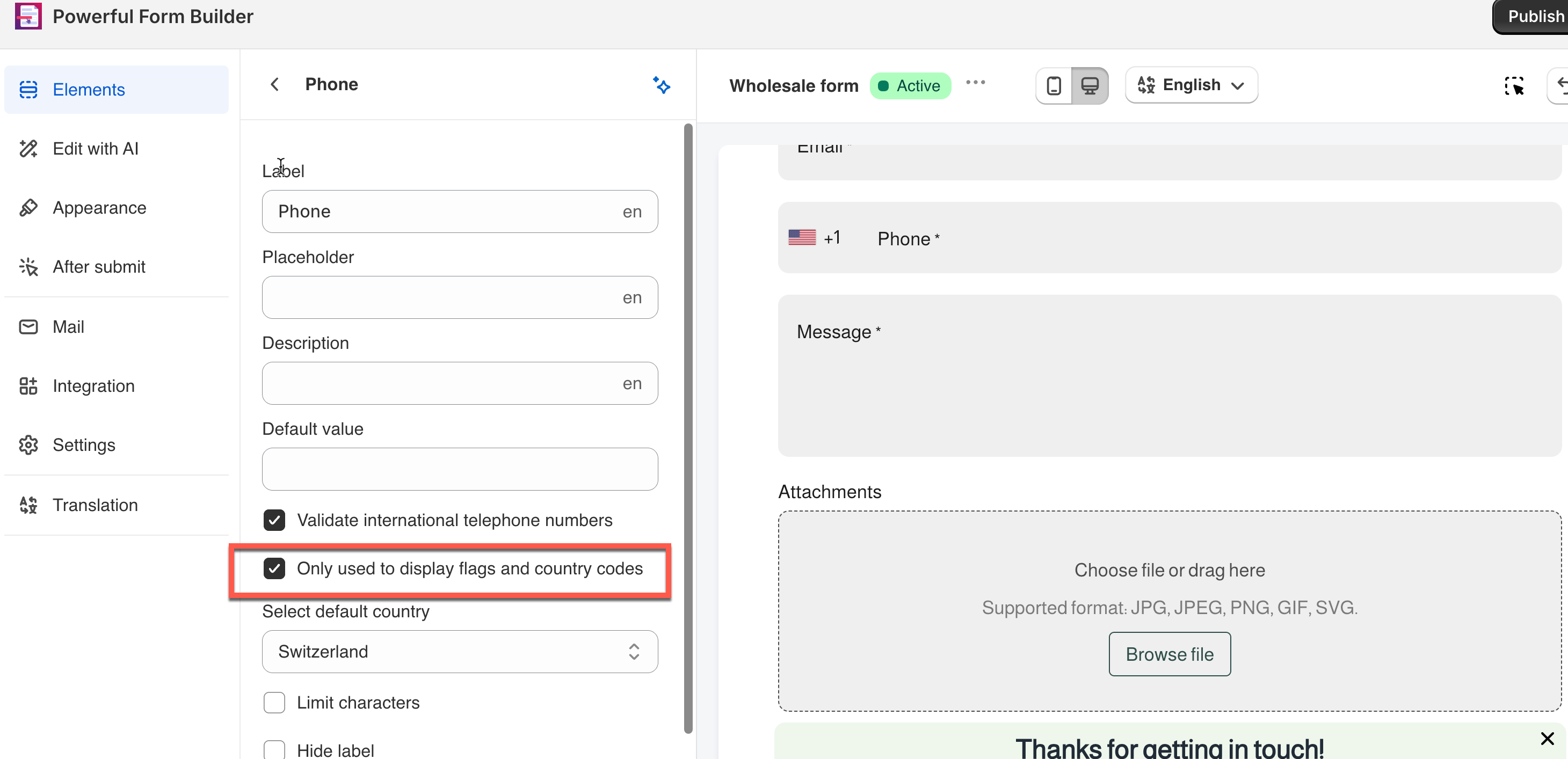
Turning this on keeps the flag and dialing-code picker visible for customers, but turns off the actual number check — whatever the customer types is accepted as-is, with no format validation. Off by default.

**Example:**

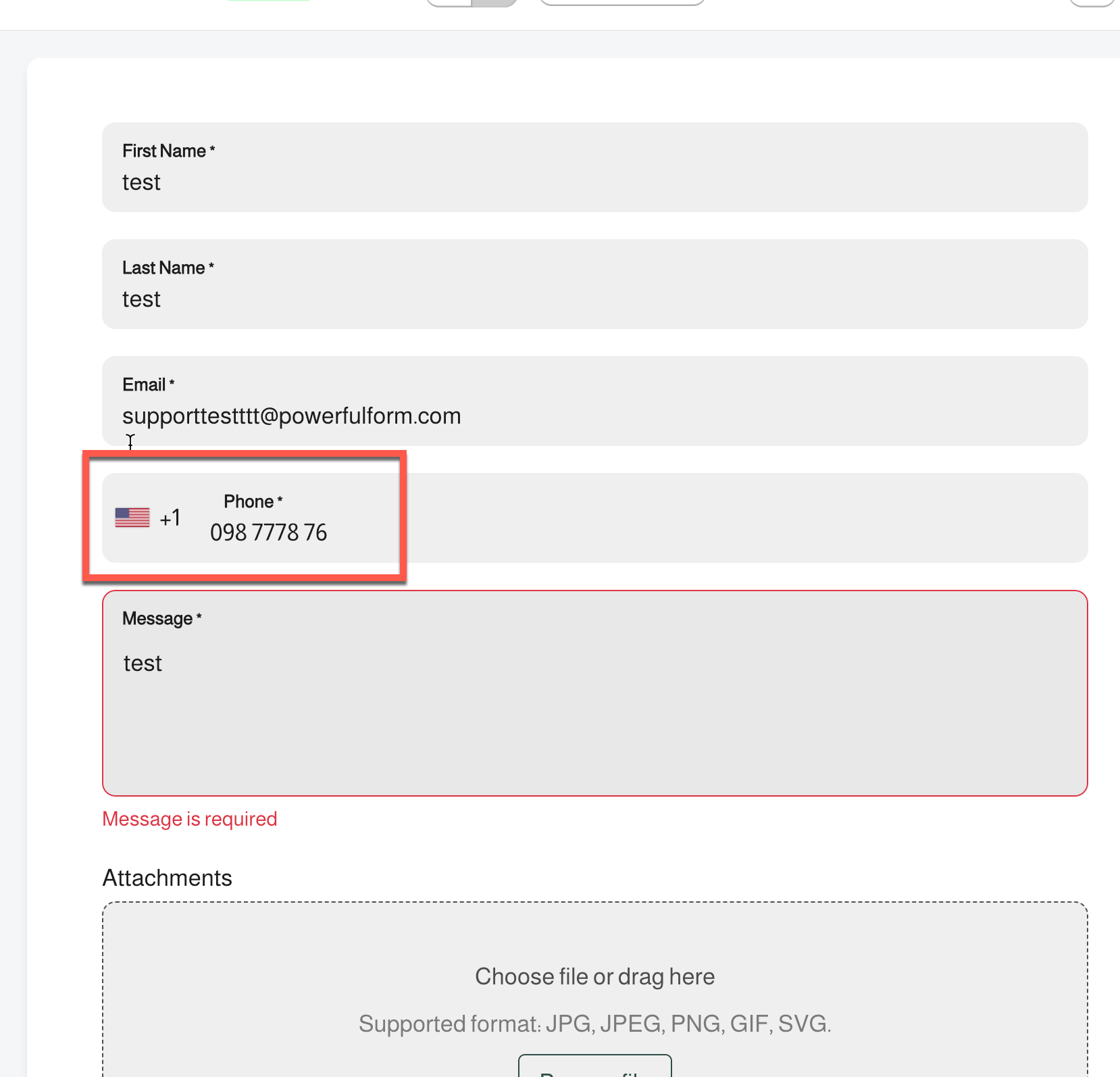
A customer selects the **US flag (+1)** and types `098 7778 76` — not a valid US phone number — and the submission still goes through with no error, since the field only displays the flag and code without checking the number against that format.

<figure><img src="https://2907469752-files.gitbook.io/~/files/v0/b/gitbook-x-prod.appspot.com/o/spaces%2FehM2rz7MmKkWcJmgvJOe%2Fuploads%2Fgit-blob-1be81b9e1301c4836f68b270004437a0bbb22b61%2F2026-10-01_10-23-54.png?alt=media" alt=""><figcaption></figcaption></figure>

<figure><img src="https://2907469752-files.gitbook.io/~/files/v0/b/gitbook-x-prod.appspot.com/o/spaces%2FehM2rz7MmKkWcJmgvJOe%2Fuploads%2Fgit-blob-d8bf4a581d751e026f5607bb92fed7fee0797de6%2F2026-10-01_10-22-39.png?alt=media" alt=""><figcaption></figcaption></figure>

### **Select default country**

{% hint style="info" %}
This option only shows if **Validate international telephone numbers** is enabled.
{% endhint %}

Defaults to auto-detecting the visitor's country; here it's set to **Switzerland** , shown with the **+41** flag already selected.

<figure><img src="https://2907469752-files.gitbook.io/~/files/v0/b/gitbook-x-prod.appspot.com/o/spaces%2FehM2rz7MmKkWcJmgvJOe%2Fuploads%2Fgit-blob-8e7360eca2cc22a057309be7ea39e8c0300a8329%2F2026-10-01_10-24-42.png?alt=media" alt=""><figcaption></figcaption></figure>

## 🔄 How It Works

The two checkboxes stack, so the field has three possible behaviours.

<table><thead><tr><th width="326.433349609375">You want</th><th>Set it up like this</th></tr></thead><tbody><tr><td>A plain box that accepts whatever the visitor types</td><td>Leave <strong>Validate international telephone numbers</strong> off.</td></tr><tr><td>A flag and dialing-code picker, but no rejections</td><td>Switch on <strong>Validate international telephone numbers</strong>, then switch on <strong>Only used to display flags and country codes</strong>.</td></tr><tr><td>Numbers checked against the chosen country</td><td>Switch on <strong>Validate international telephone numbers</strong> and leave <strong>Only used to display flags and country codes</strong> off.</td></tr></tbody></table>

**1. Visitor picks a country** — the picker opens on your default country, or on the country the app detects for them.\
**2. Visitor types the number** — the dialing code stays in front of what they type.\
**3. Form is submitted** — with checking on, a number that does not fit the selected country is rejected before submit and the field shows the **Invalid phone** message.

<br>

## ⚠️ Limits & Notes

* **Only used to display flags and country codes** and **Select default country** only appear once **Validate international telephone numbers** is on. With validation off, the field is an ordinary text box.
* Reword the rejection in [Edit error messages](/build-your-form/error-messages.md) > **Invalid phone**.
* On a form that creates Shopify customers, Shopify requires the phone number to be unique across your customers. A repeat number fails with its own error — see [Error: phone has already been taken](/troubleshooting/phone-already-taken.md).

## Next steps

* [Country](/field-types/contact-info/country.md) — ask for the country as its own answer.
* [Edit error messages](/build-your-form/error-messages.md) — reword the invalid phone message.
* [Error: phone has already been taken](/troubleshooting/phone-already-taken.md) — fix the most common phone error on registration forms.