> For the complete documentation index, see [llms.txt](https://docs.powerfulform.com/llms.txt). Markdown versions of documentation pages are available by appending `.md` to page URLs; this page is available as [Markdown](https://docs.powerfulform.com/email-notifications/admin-notification.md).
# Admin email
Get notified by email every time your form is submitted.
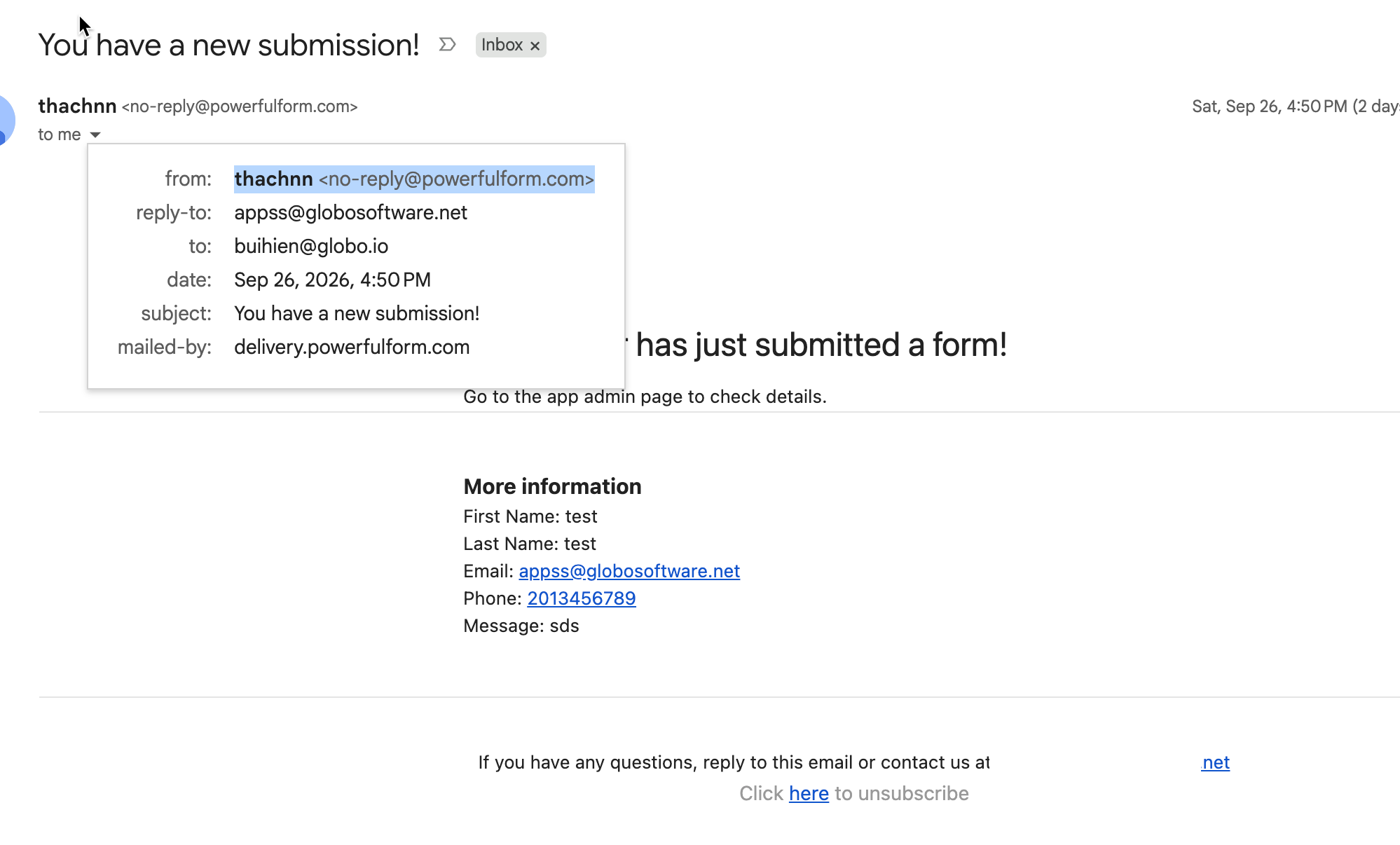
* After the form is submitted, the email that contains submitted data will be sent from our app to your admin email address. The sender email is **store name <**[**no-reply@powerfulform.com**](mailto:no-reply@powerfulform.com)**>**
* You can add multiple email addresses as admin emails to receive notification after form submission.
## 🔧 Set Admin Emails
{% stepper %}
{% step %}
#### **Open the app > click Forms > open a form you want to edit**
{% endstep %}
{% step %}
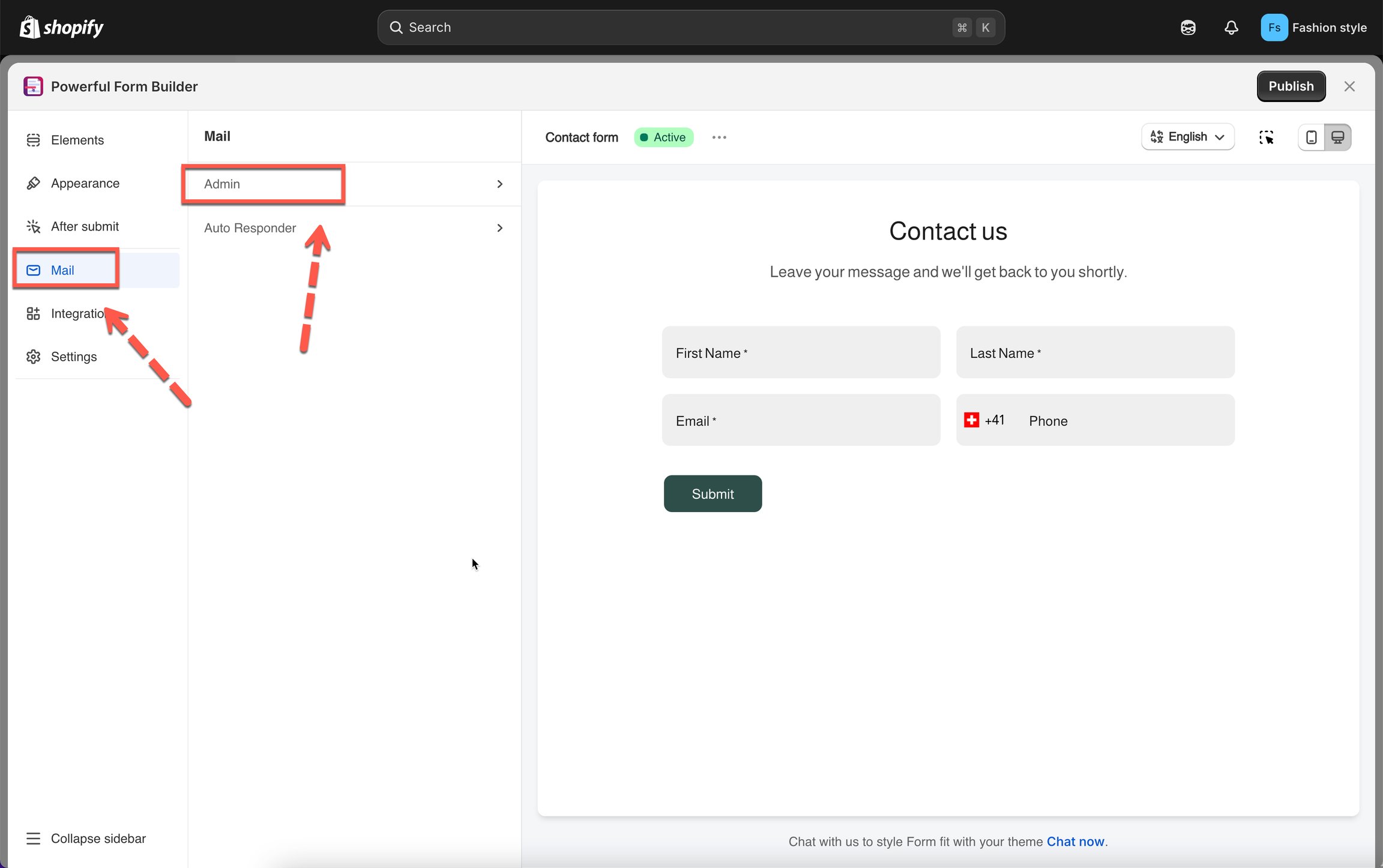
#### Click Mail icon on the left > click Admin
{% endstep %}
{% step %}
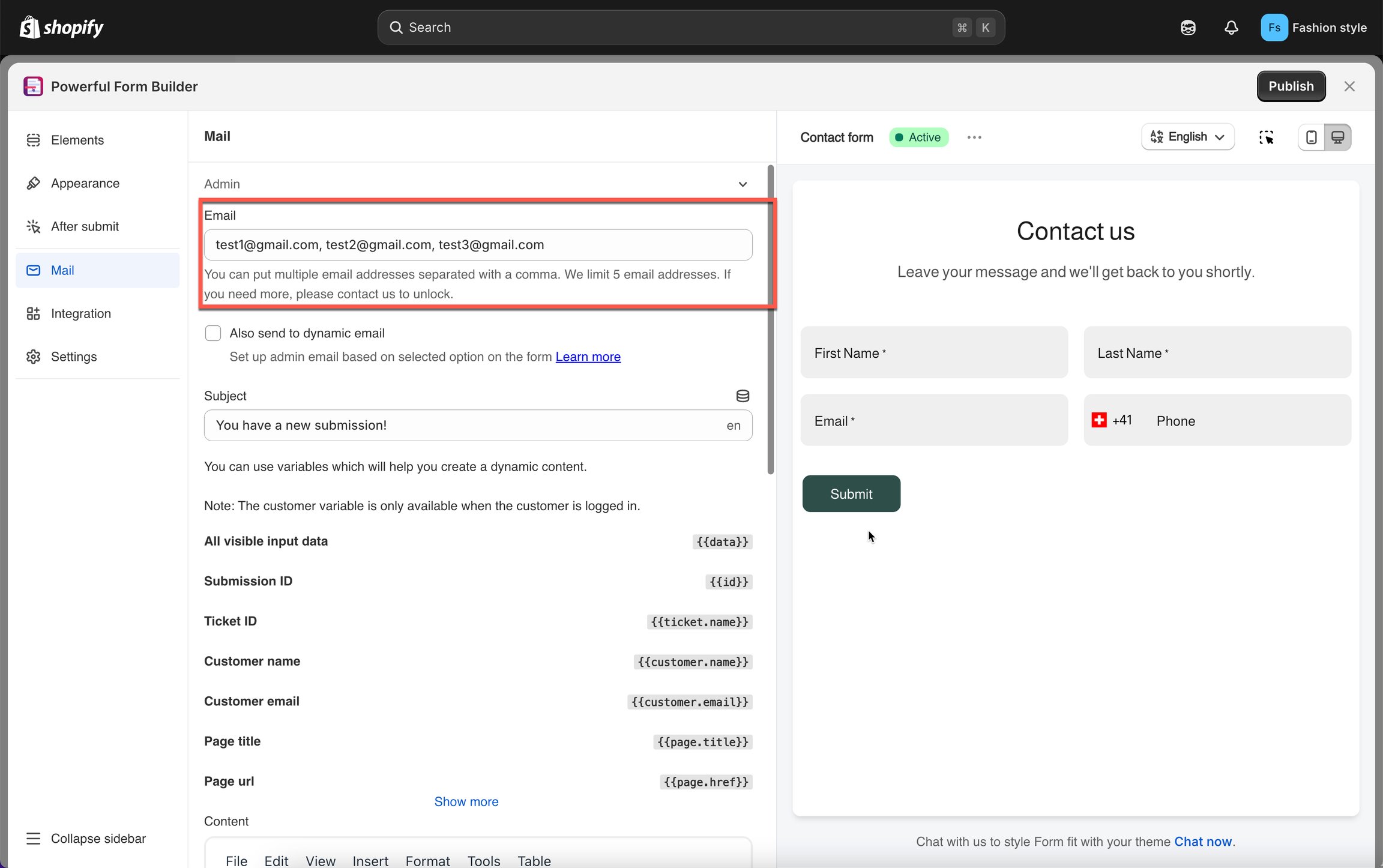
#### Add your email(s) in the Email field
separate multiple with commas (e.g. , )
{% endstep %}
{% step %}
#### (Optional) Enable Also send to dynamic email to route based on a form answer
{% endstep %}
{% step %}
#### Edit Subject and Content (intro message + submission data layout)
{% endstep %}
{% step %}
#### Save
{% endstep %}
{% endstepper %}
## 📋 Good to Know
Once enabled:
1. A customer submits the form
2. The app collects all submitted data
3. An email is sent instantly to the admin email(s) you configured
4. The email includes all form fields + submission timestamp
5. If the form contains uploaded files, links to the files are included
## ❓ FAQs
Can I add multiple admin email addresses?
Yes. You can add up to **5 email addresses** for each form.\
When a customer submits the form, the notification email will be sent to **all** email addresses you entered.
Can I use the same admin email for all forms?
Absolutely.\
If you have multiple forms (e.g., 3 forms), you can enter the same email address such as:\
[**testyouremail@gmail.com**](mailto:testyouremail@gmail.com) for each of them.
Each form will send its own notifications to that email.
Can I set different admin emails for different forms?
Yes.\
Each form has its own email settings, so you can configure unique admin emails per form if needed.
Is there a limit to how many admin emails can be sent?
Email sending limits depend on your plan:
* **Free plan:** Up to **40 emails** per month
* Higher plans: no email limit
You can view the full details in the **Pricing Plans** section inside the app.
Why is the sender email “”? Can I change it to my own email?
Currently, all notification emails are sent from our system email: [**no-reply@powerfulform.com**](mailto:no-reply@powerfulform.com)
If you want to change the sender email, you can set SMTP in the app. [Learn more](/email-notifications/custom-sender/custom-mail-smtp.md)
Admin Email Not Working?
If you aren’t receiving admin notifications, check the items below:
**1- No Email Is Added**
Ensure you've added at least one valid admin email address.
**2- Email Goes to Spam / Promotions**
Check your spam folder.\
Add your store email or app sender email to your email’s safe list.
**3- Your Email Provider Blocked the Message**
Gmail, Yahoo, Outlook, and corporate accounts may block automated messages.
Try:
* Using a different admin email
* Using a company domain email
**4- Email Variables Are Broken**
If you edited the template and deleted a critical variable, the email may fail. Try resetting to default template.
**5- Still Not Receiving Email?**
Contact our support team:
## Next steps
* [Admin emails with conditions](/email-notifications/admin-emails-with-conditions.md) — route notifications to different people.
* [Send from your own address](/email-notifications/custom-sender.md) — change the sender address.
* [Not receiving admin emails](/troubleshooting/not-receiving-admin-emails.md) — work through the checks.