> For the complete documentation index, see [llms.txt](https://docs.powerfulform.com/llms.txt). Markdown versions of documentation pages are available by appending `.md` to page URLs; this page is available as [Markdown](https://docs.powerfulform.com/display-and-placement/popup-theme-button.md).
# Popup via theme button
Connect a popup form to a button you already have in your theme.
> Not what you need? If you don't have a button yet, use Pop-up Form on a [New Button](https://globosoftware.gitbook.io/globosoftware-docs/form-setup/display-and-placement/popup-new-button) to add one.
## ⚙️ How to set it up
{% stepper %}
{% step %}
### Open your form and publish it
* Open the app > click **Forms** > open the form you want
* Click **Publish** button at the right corner
{% endstep %}
{% step %}
### Choose Popup display
{% endstep %}
{% step %}
### Set the trigger to Theme button
* Select your theme > pick the page type
* Under **Popup triggers**, choose **Theme button**
{% endstep %}
{% step %}
### Copy the short code
The app generates a short code for you automatically (e.g. `#powerful-form-MTY1NTcz`) — click the copy icon next to it.
{% endstep %}
{% step %}
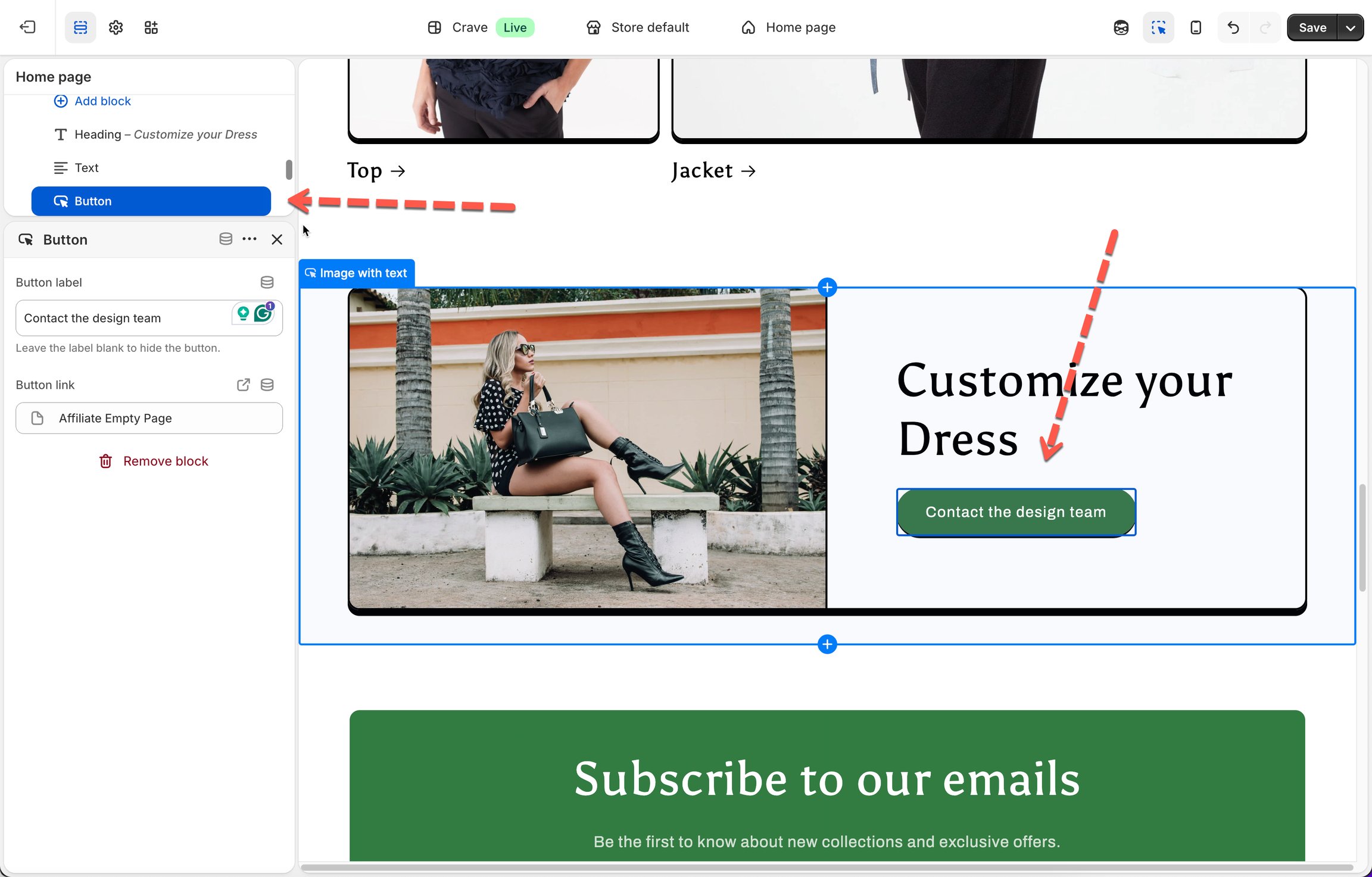
### Paste it into your button's link field
* From your Shopify Admin, go to **Online Store > Themes > Edit theme**
* Navigate to the section containing the button you want to use
* In the **Button link** field, paste the trigger link of the form (e.g., `#powerful-form-MTI1ODc3`)
* Click **Save**
{% hint style="info" %}
`MTI1ODc3` is the form ID
{% endhint %}
{% endstep %}
{% step %}
### Testing the Popup
Open your live store > click the button > the form should open as a centered popup.
{% endstep %}
{% endstepper %}
## ✅ How it works
* The button appears wherever you placed it — for example, a **"Contact us"** button inside a page section.
* When the shopper clicks the button, the form opens instantly as a centered popup over the page — no page reload, no navigating away.
* The shopper fills in the form and clicks **Submit**, or closes the popup anytime with the **✕**.
## Next steps
* [Pop-up form on a New Button](/display-and-placement/popup-new-button.md) — add a new button instead.
* [Choose a display style](/design-your-form/display-style.md) — the Popup layout itself.
* [Contact support](/help/contact-support.md) — if the form still does not appear.