> For the complete documentation index, see [llms.txt](https://docs.powerfulform.com/llms.txt). Markdown versions of documentation pages are available by appending `.md` to page URLs; this page is available as [Markdown](https://docs.powerfulform.com/display-and-placement/enable-the-app-embed.md).
# Theme integration
Turn on the app's embed in your theme — a one-time step, done once per theme, not per form.
## ⚙️ Turn the app embed on
{% stepper %}
{% step %}
#### Open your theme
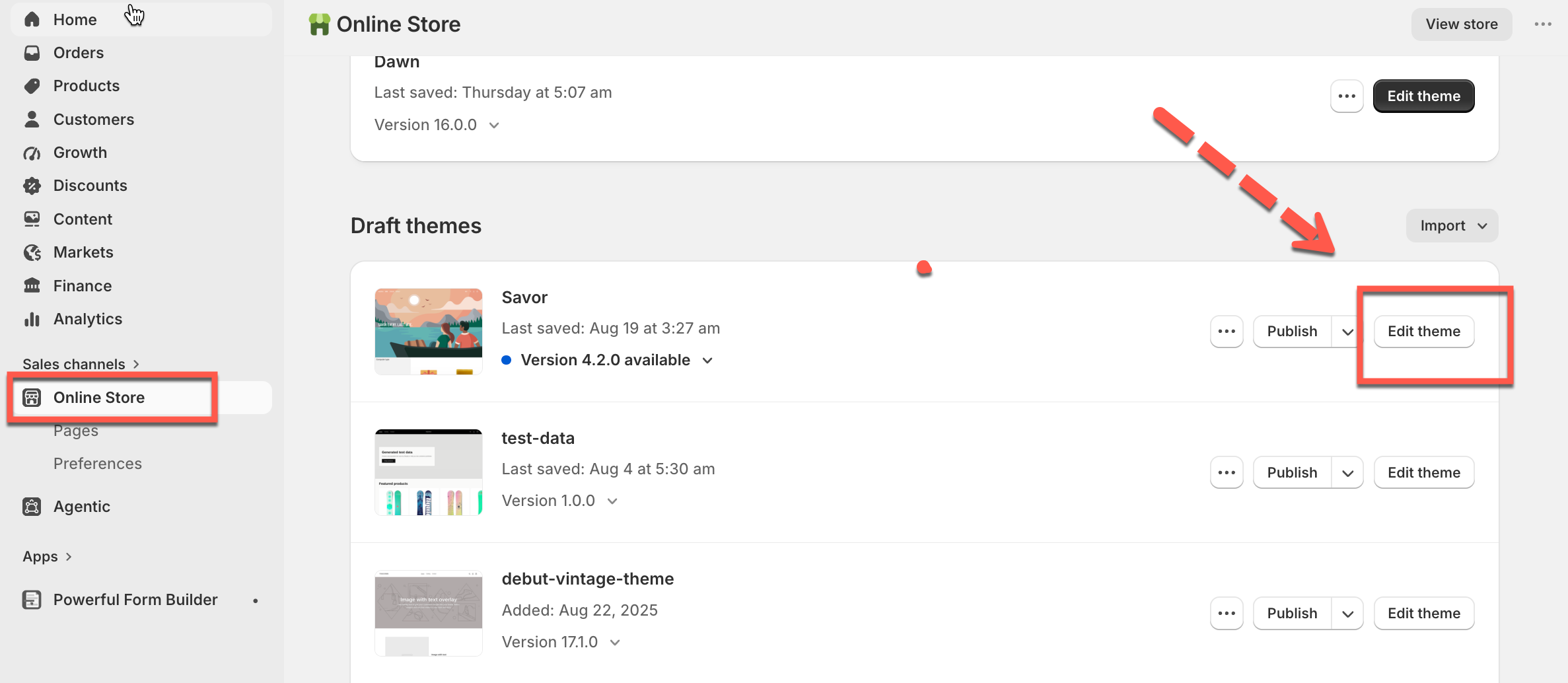
* In the Shopify admin, click **Online store** > **Themes**
* Find the theme > click **Edit theme** to open the theme editor
{% endstep %}
{% step %}
#### Switch on Powerful Contact Form Builder
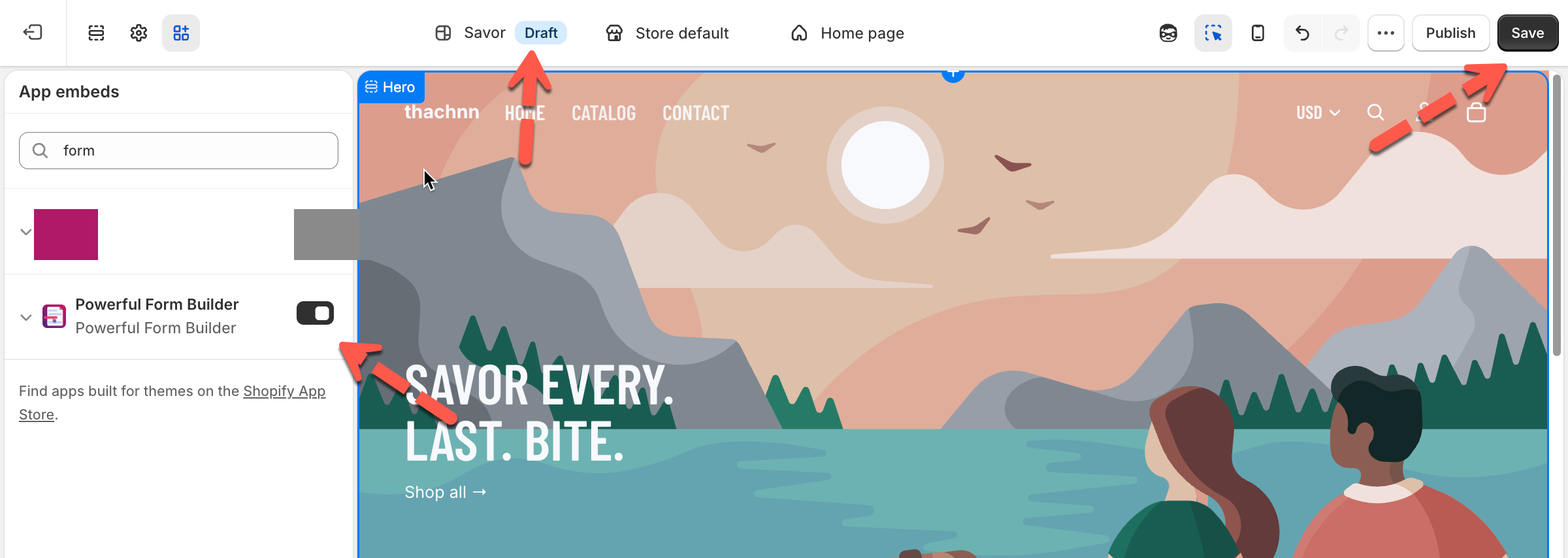
* On the sidebar, click the **App embeds** icon
* Find **Powerful Contact Form Builder** > toggle it on
{% endstep %}
{% step %}
#### Save in the theme editor
Click **Save** in the theme editor, then preview your store to see the app live.
{% endstep %}
{% endstepper %}
> **💡 Shortcut:** The **App Status** card on the app's **Dashboard** links straight to the theme editor of the live theme — no need to navigate manually.
## 🧪 Test Before Going Live
You can enable the app embed on a **draft or unpublished theme** first, then use **Preview** to see how the form looks and behaves — without affecting your live store.
> **⚠️ Note:** The **App Status** card on the Dashboard only reflects your **live theme** .
>
> If you've only enabled the embed on a draft/preview theme, the Dashboard will still show **Deactivated** — that's expected, not an error. Clicking the card always opens the **live theme's** editor, not the draft.
## 🛑 Turn App embed off
{% stepper %}
{% step %}
Go to your store admin > click **Online Store > Themes > Edit theme**
{% endstep %}
{% step %}
Click on the **App embeds** icon > find **Powerful Contact Form Builder** (or search "Form Builder")
{% endstep %}
{% step %}
Toggle off > **Save**
{% endstep %}
{% endstepper %}
## Next steps
* [Get embed code of a form](/display-and-placement/short-code.md) — the code you paste to place a form.
* [Display and placement](/display-and-placement/display-and-placement.md) — where the form can go once the embed is on.
* [The form is not showing on my store](/troubleshooting/form-not-showing.md) — checks to run if nothing appears.