> For the complete documentation index, see [llms.txt](https://docs.powerfulform.com/llms.txt). Markdown versions of documentation pages are available by appending `.md` to page URLs; this page is available as [Markdown](https://docs.powerfulform.com/display-and-placement/display-form-on-product-pages.md).
# Display form on product pages
This guide explains how to make a form appear on one, some, or all product pages of your store using Powerful Contact Form Builder.
### **✅** Before You Begin
Enable App Embed on Your Theme
To make any form show on your storefront (product page, custom page, etc.), you first must ensure your theme allows app embedding.\
Please view this [guide](/display-and-placement/theme-integration.md) to learn more
***
### ⚙️ Select specific product page to add the form
1\. In the app, click **Forms** > open the form you want to display or create the new one
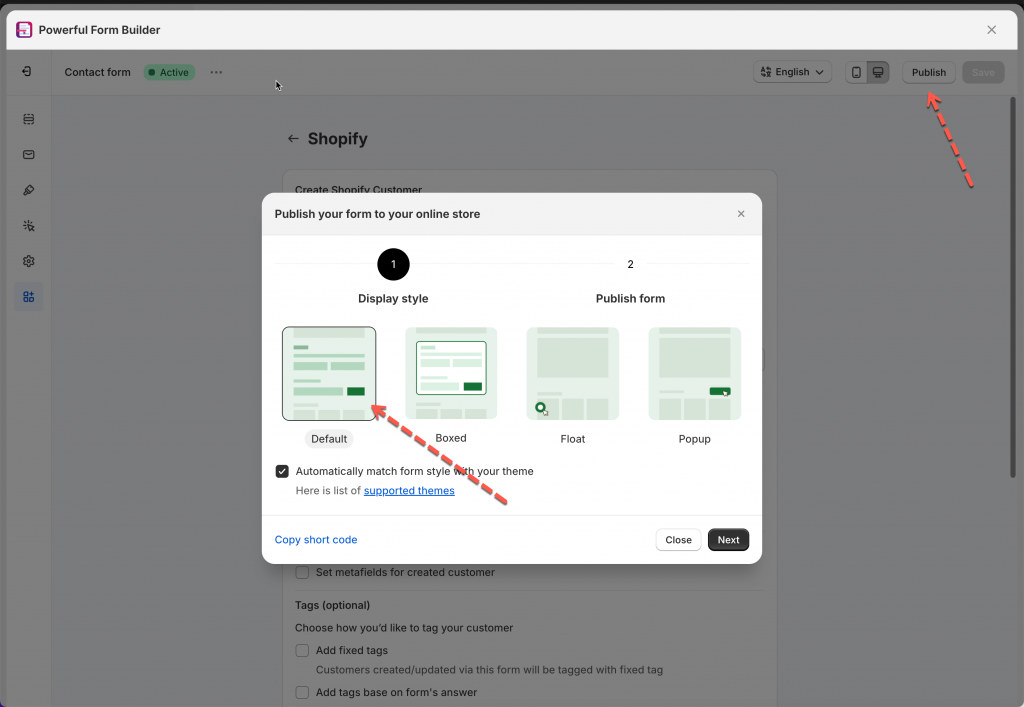
2\. Click **Publish** button at top right > select the form layout
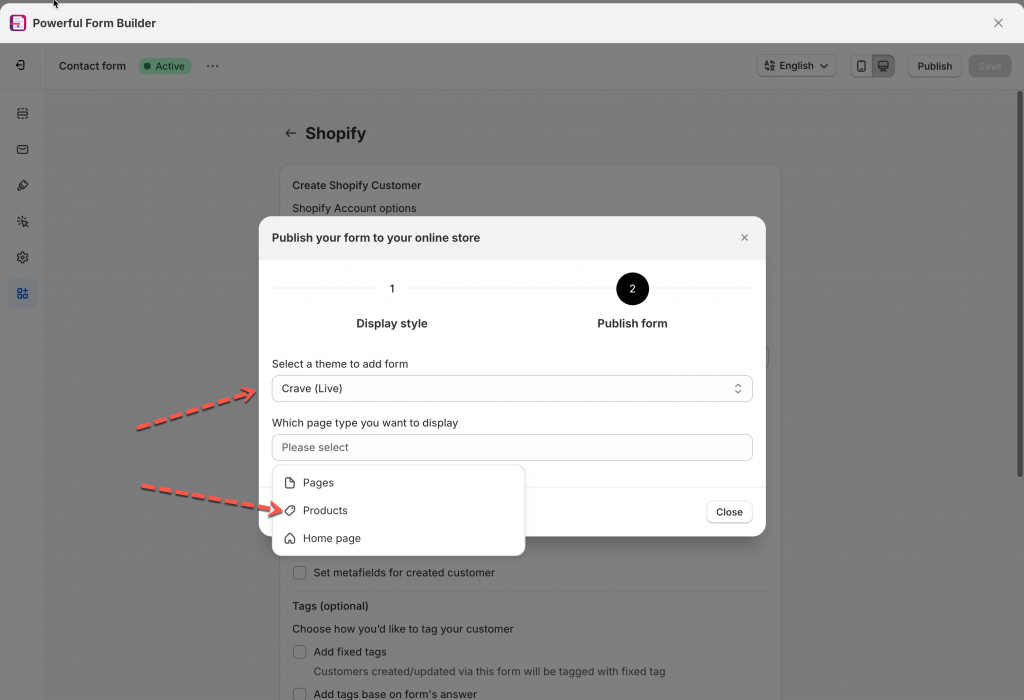
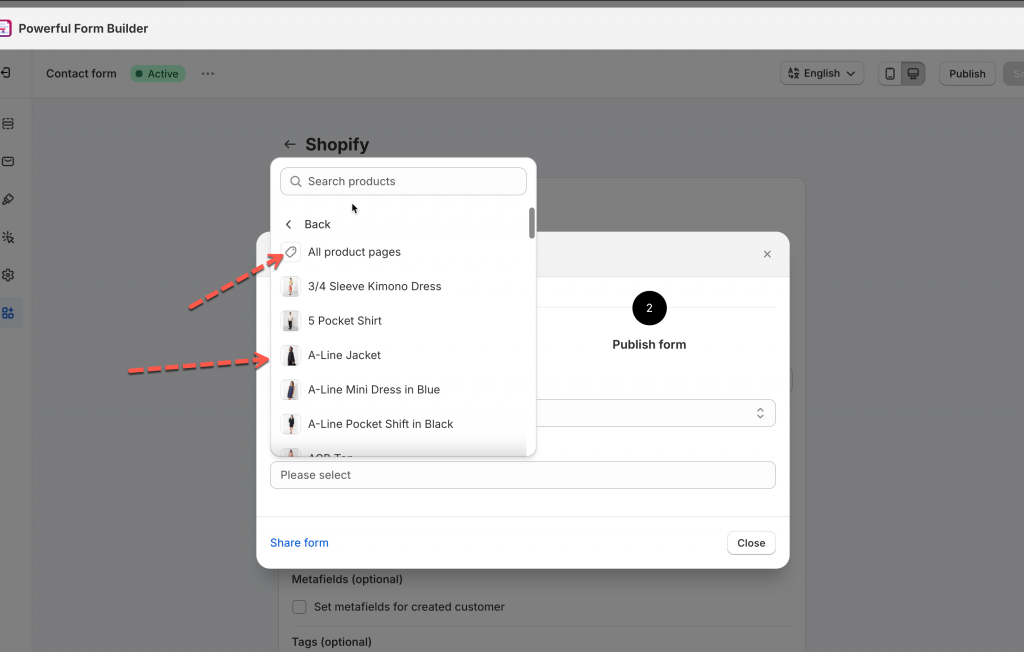
3\. Select a theme and select **Products** > one of the product to display the form
4\. Click **Go to theme** to enable the app embed to show form. If you enabled it, you can ignore the message
5\. Select the position you want to place the form: **At the top of the page** or **At the bottom of the page** > click **Publish** button
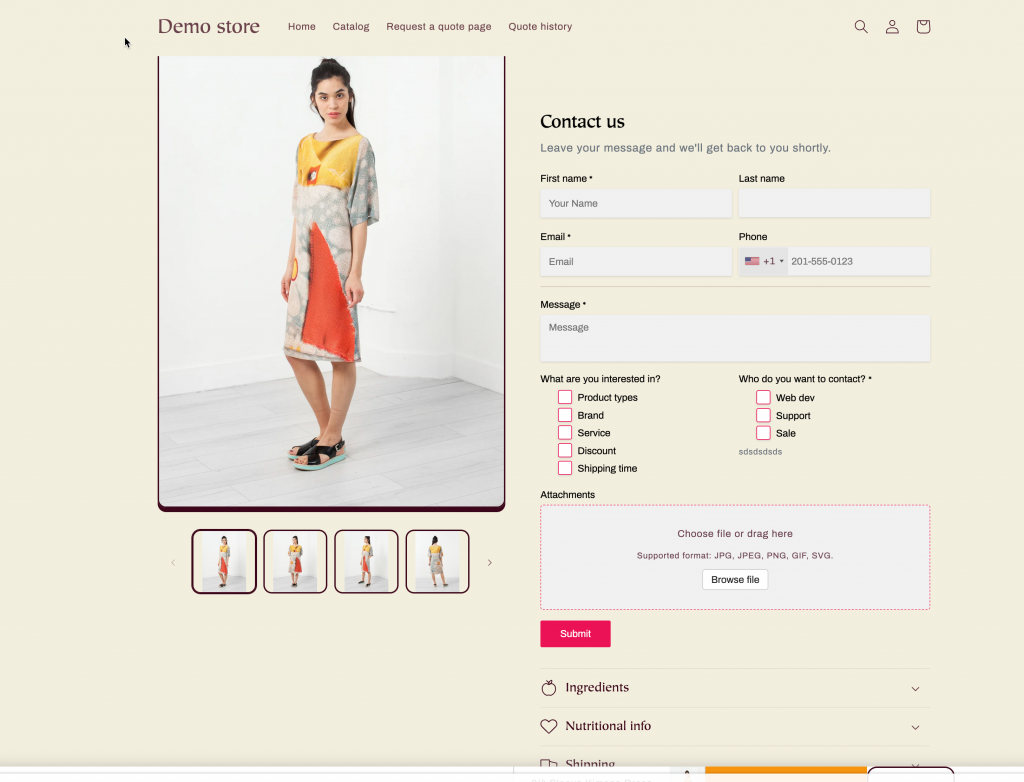
Then open the product page on the front store to view the form
***
### ⚙️ Display the form on all product pages
1\. Open the app > click **Forms** > open a form you want
2\. Click **Publish** button at top right > select the form layout
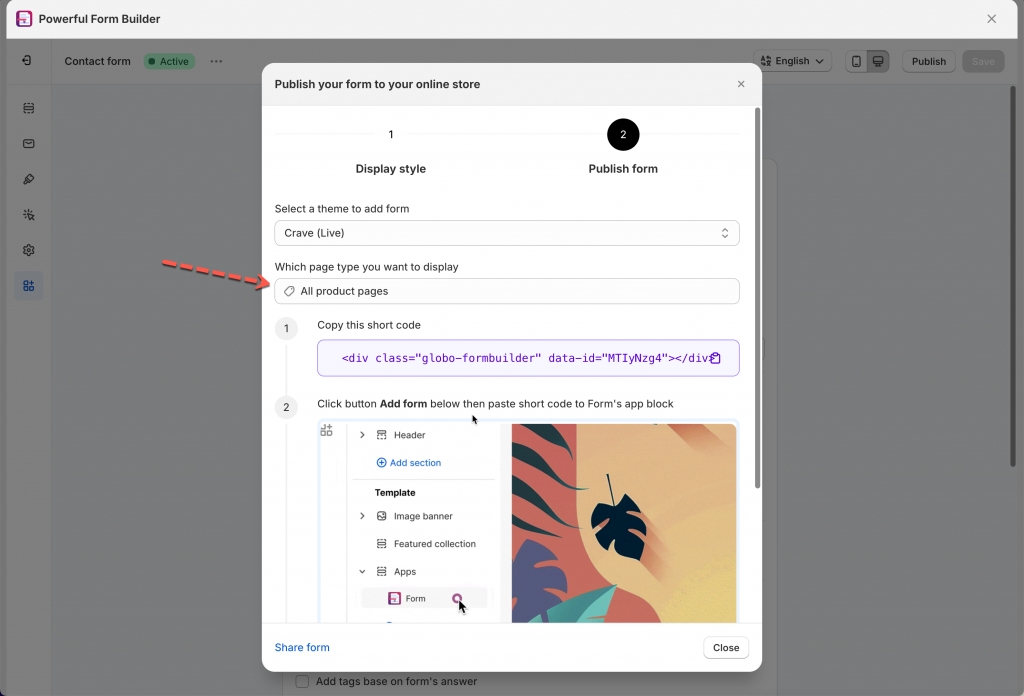
3\. Select a theme and click **Products** > **All product pages** > copy the form short code
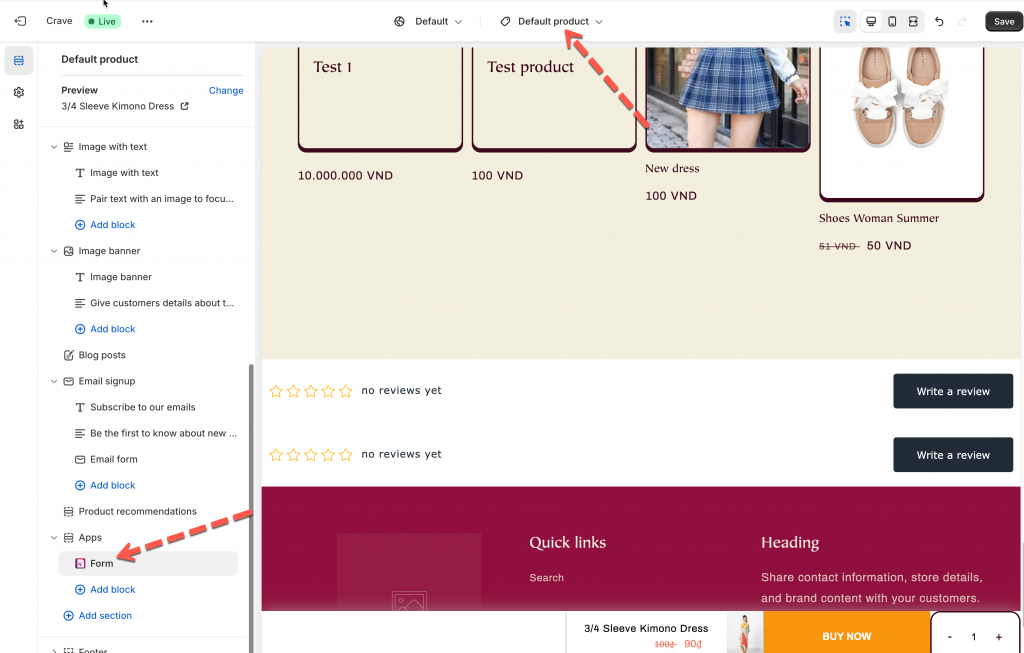
4\. Click **Add form** button below > it directs you to theme editor > open the **default** product template
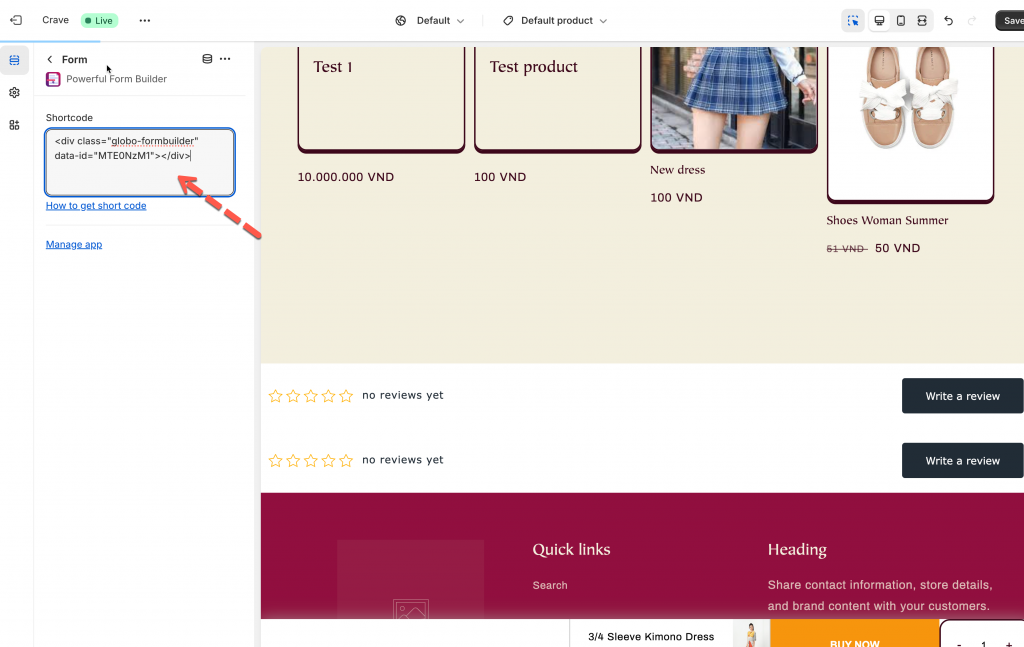
5\. Click on the **app section** of the form Builder app > paste the form short code in the section > **Save**
Then check the form on the online store to see the result.
***
#### Need More Help?
If you still need assistance, please contact us at . Our team will be happy to help you resolve any issues or guide you further.