> For the complete documentation index, see [llms.txt](https://docs.powerfulform.com/llms.txt). Markdown versions of documentation pages are available by appending `.md` to page URLs; this page is available as [Markdown](https://docs.powerfulform.com/design-your-form/background.md).
# Form background
Put your form on a flat color, an image, or make it transparent.
The **Background** setting on the **Appearance** panel decides what sits behind your form: a flat color or an image.
## 📝 Where to edit
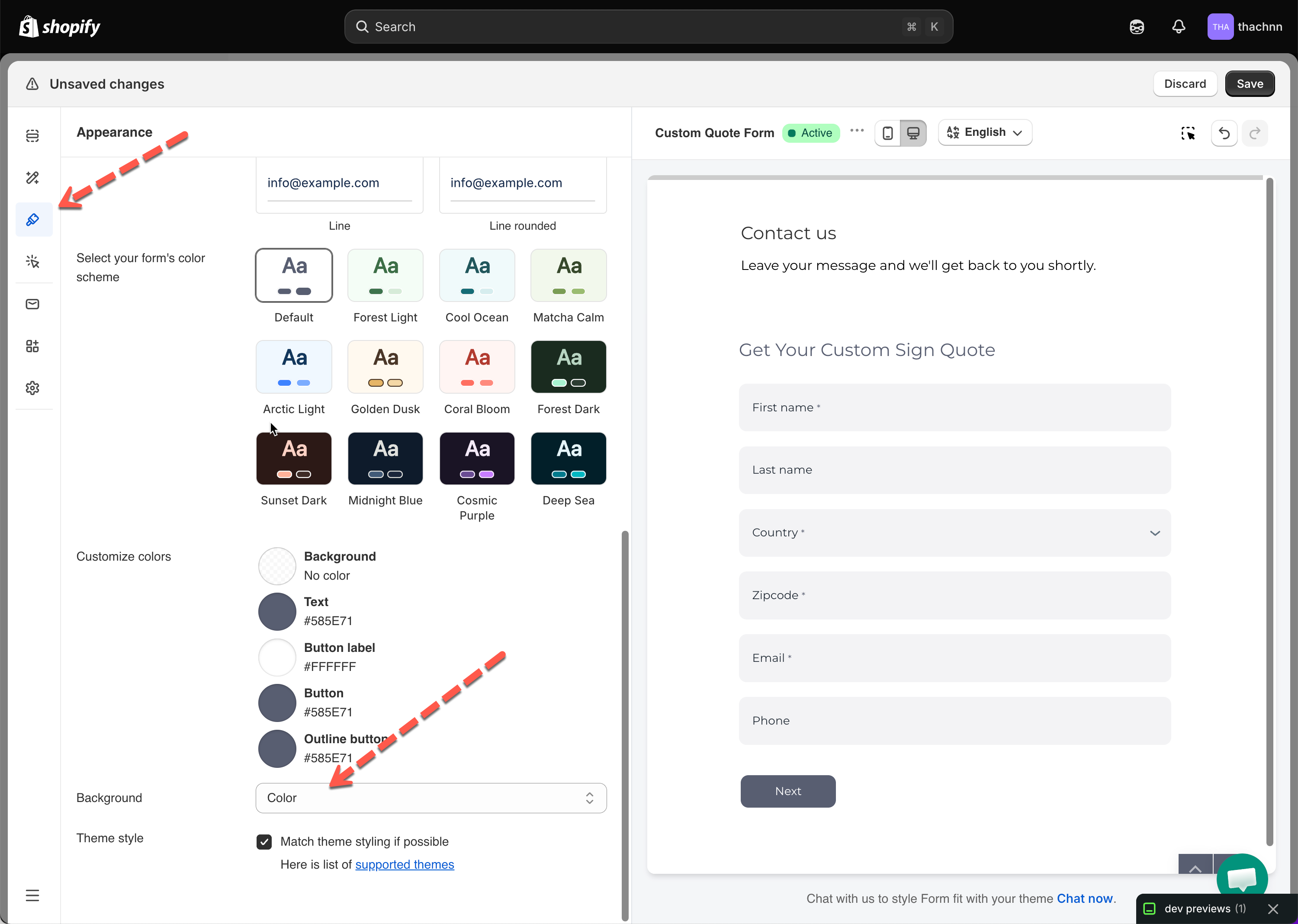
Open a form from **Forms**, click **Appearance** in the left sidebar, and scroll to **Background**.
## 🎨 Use a flat color
**Background** is set to **Color** on a new form.
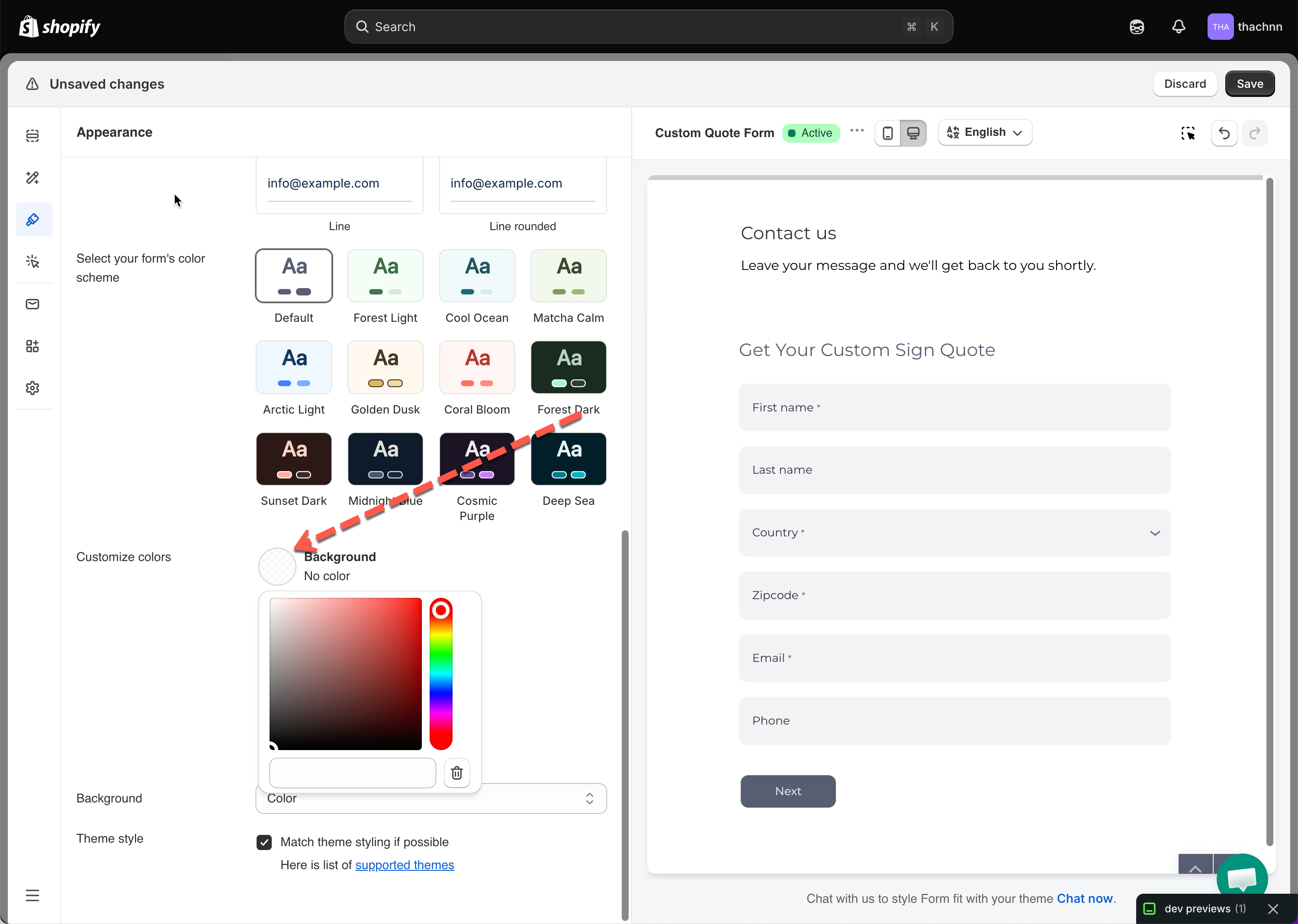
Default setting. Color comes from the **Background** swatch under **Customize colors** — click it to pick a shade or type a hex value.
## 🫥 Transparent Background
To blend into your page instead of having its own background, click the delete button next to the **Background** swatch — it reads **No color.**
## 🌄 Background Image
{% stepper %}
{% step %}
Open a form from Forms, click Appearance in the left sidebar, and scroll to Background.
{% endstep %}
{% step %}
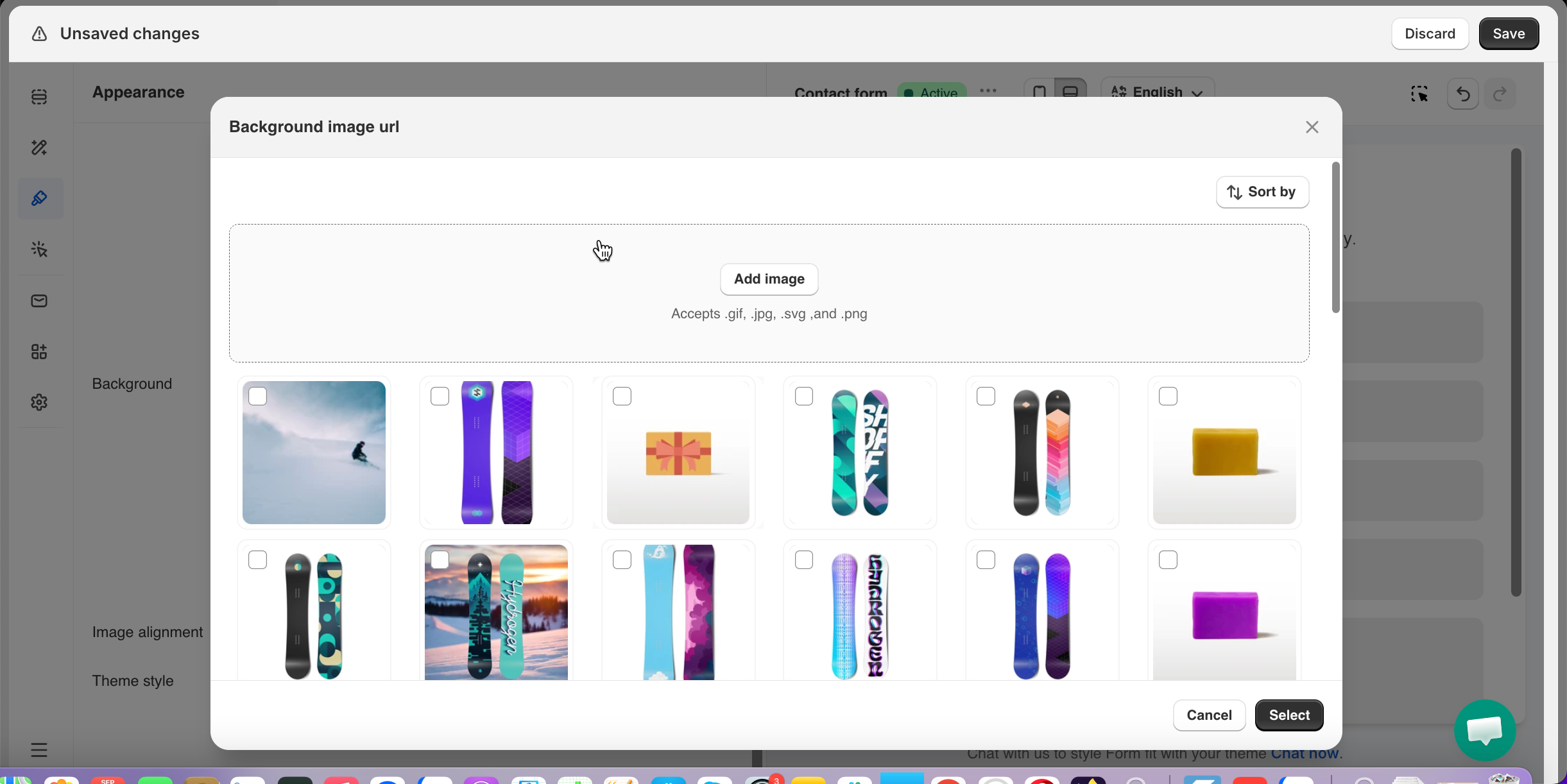
Set Background to **Image**
{% endstep %}
{% step %}
Upload under **Background image url** — drag & drop or **Add image** (.gif, .jpg, .svg, .png, up to 5MB)
{% endstep %}
{% step %}
Set **Image alignment: Top / Middle / Bottom** — anchors the visible part if the form is taller/shorter than the image
{% endstep %}
{% step %}
Save it
{% endstep %}
{% endstepper %}
## Next steps
* [Colors and color schemes](/design-your-form/colours.md) — set the flat background color and keep text readable over an image.
* [Choose a display style](/design-your-form/display-style.md) — how the background reads in each layout.
* [Fonts, size and spacing](/design-your-form/fonts-and-sizing.md) — widen the form so a background image has room to show.