> For the complete documentation index, see [llms.txt](https://docs.powerfulform.com/llms.txt). Markdown versions of documentation pages are available by appending `.md` to page URLs; this page is available as [Markdown](https://docs.powerfulform.com/customers-and-registration/require-login.md).
# Require login to submit
Lock a form so only signed-in customers can see and submit it — for member forms, wholesale requests and VIP services.
This makes customers log into their store account before they can fill in the form. It suits member-only forms, wholesale requests, VIP services, and anything that should not be open to the public.
## 🛠️ Turn it on
{% stepper %}
{% step %}
#### Open the form's General settings
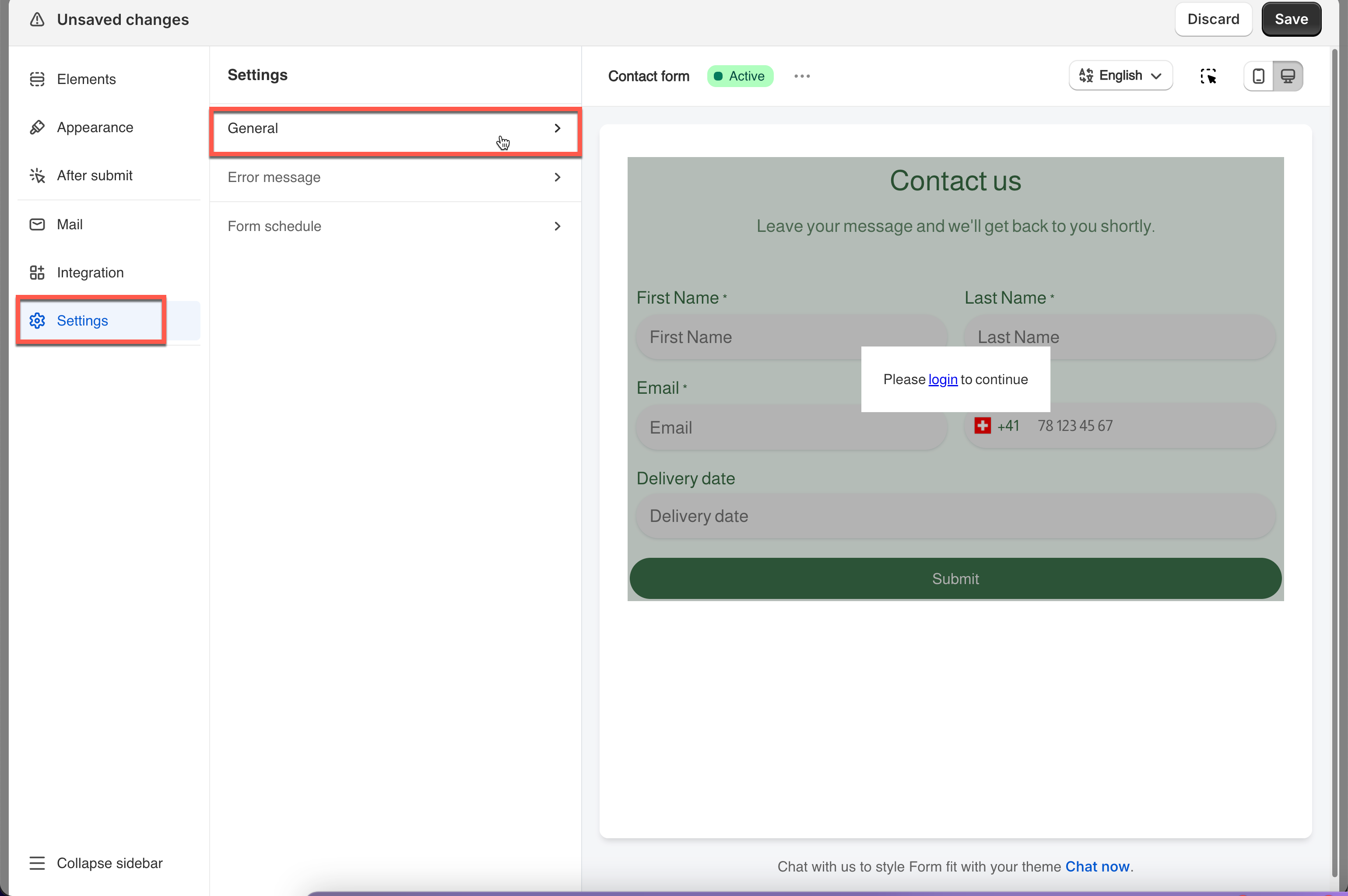
* Open the app, click **Forms**, open the form
* Click the **Setting** icon in the left rail > click **General**
{% endstep %}
{% step %}
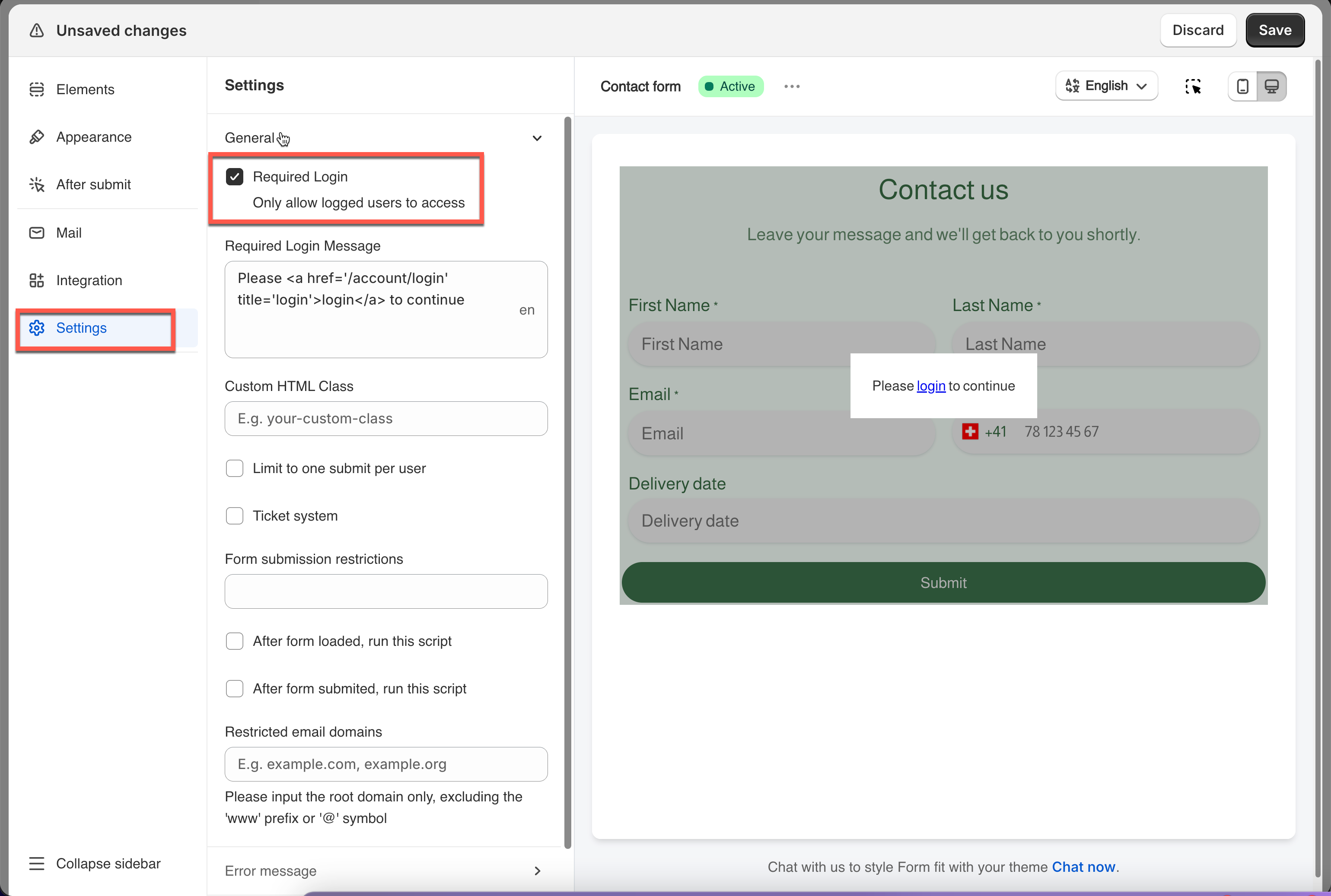
#### Tick "Required login"
{% endstep %}
{% step %}
#### Write the message
Edit the required-login message visitors see in place of the form.
{% endstep %}
{% step %}
#### Save
Click **Save**.
{% endstep %}
{% endstepper %}
## ✅ How it works
**1. A visitor opens the page while signed out.**
The form is locked. Instead of the fields they see your message — for example *"Please login to continue."* — with your store's login link included automatically.
**2. They click the login link.**
It sends them to your store's Shopify login page at `/account/login`. After signing in, Shopify sends them straight back to the form page.
**3. The form unlocks.**
The fields appear, and they can fill in and submit as usual.
## Next steps
* [Edit customer account page](/customers-and-registration/account-page.md) — let signed-in customers update their own details.
* [Display submission list in account page](/customers-and-registration/account-submissions.md) — show them what they have already sent.
* [Customer account approval](/customers-and-registration/approve-or-deny.md) — decide who gets an account in the first place.