> For the complete documentation index, see [llms.txt](https://docs.powerfulform.com/llms.txt). Markdown versions of documentation pages are available by appending `.md` to page URLs; this page is available as [Markdown](https://docs.powerfulform.com/customers-and-registration/account-page.md).
# Edit customer account page
Give logged-in customers a page in their store account where they can update the details your registration form collects.
This lets customers edit their own account information — email, phone and whatever else your form collects — from inside their store account after they log in.
{% hint style="info" %}
Available only when the form is a **Registration form** type.
{% endhint %}
## ⚙️ Turn it on
{% stepper %}
{% step %}
### Open a register form
Open the app, click **Forms**, and open a form whose type is register.
{% endstep %}
{% step %}
### Tick "Edit account page"
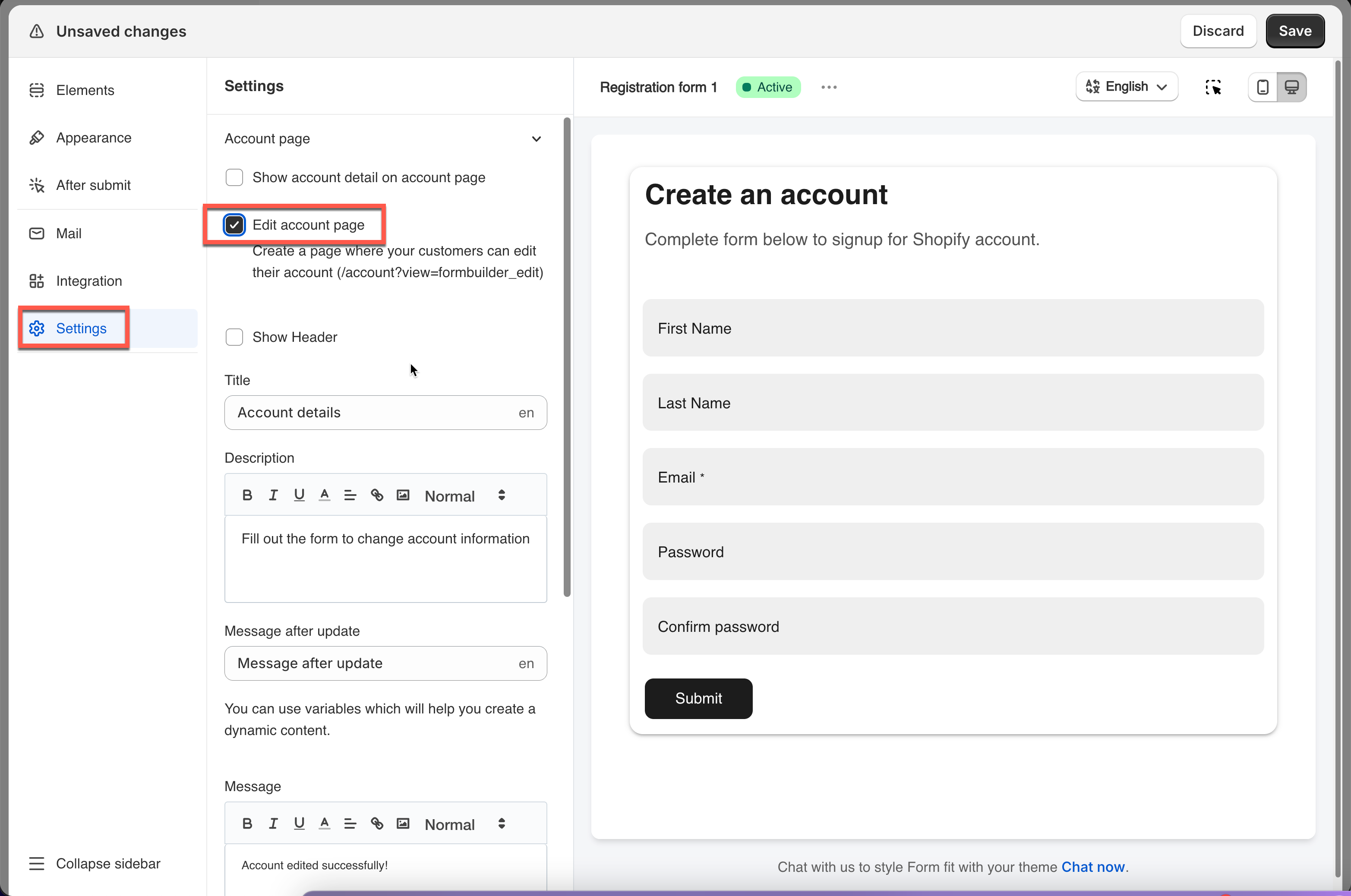
Click the **Settings** icon in the left rail, click **Account page**, and tick **Edit account page**.
That creates the page customers use: `/account?view=formbuilder_edit`.
{% endstep %}
{% step %}
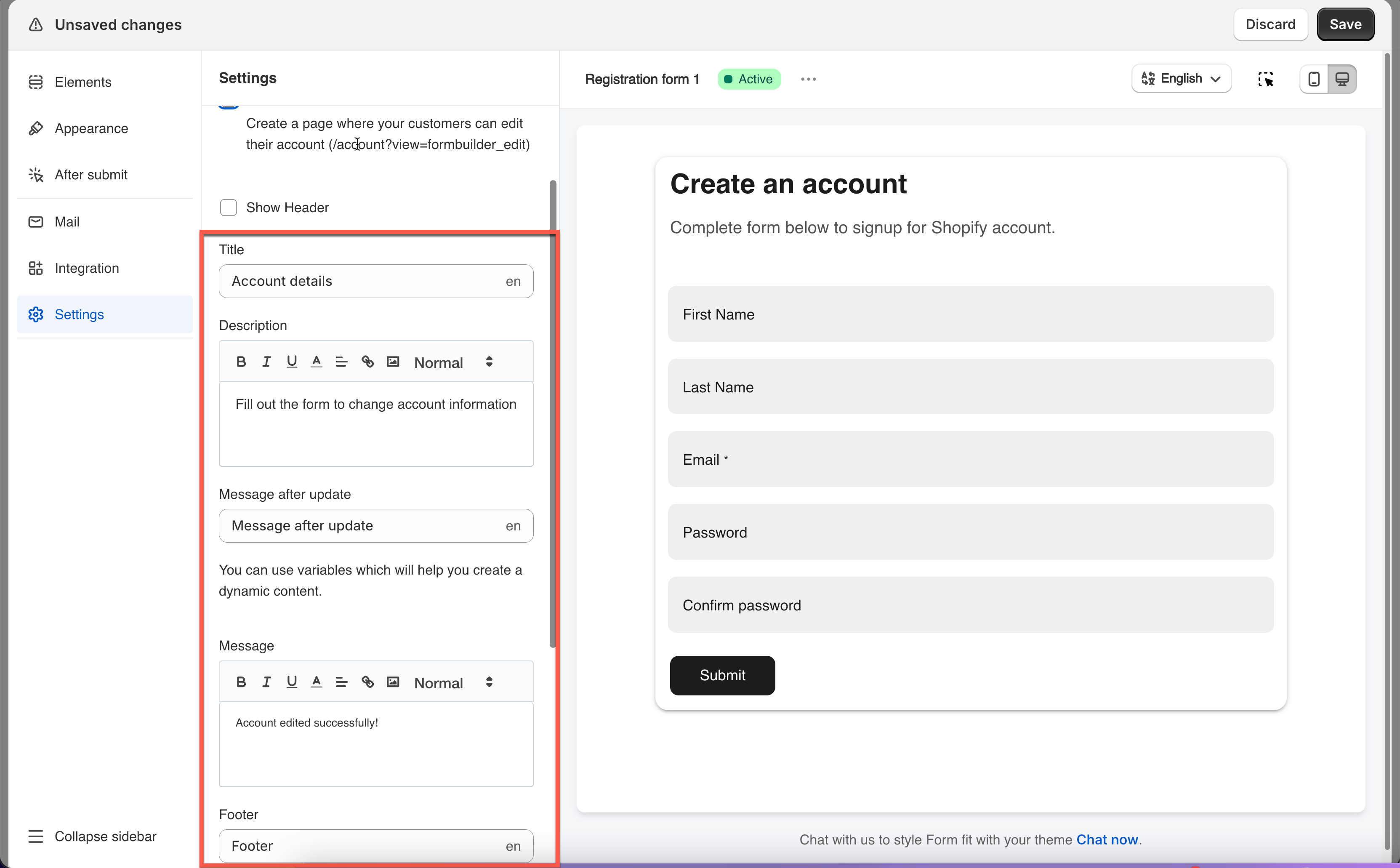
### Write the wording
Change the title, message and description shown on the account page.
{% endstep %}
{% step %}
### Save
Click **Save**.
{% endstep %}
{% endstepper %}
## How it works
Once enabled, logged-in customers find a custom account page in their store account area.
They can read their details there, and to change something they click **Edit account** and submit the form on the next page, which updates the data they originally submitted.
{% hint style="warning" %}
**Limitations**
* The email address cannot be changed from this page — that is Shopify's rule, not the app's.
* Changes customers make update their Shopify customer profile directly.
* It only works when the form is properly mapped to Shopify customer fields. See [Shopify Customers integration](/customers-and-registration/customer-fields.md).
{% endhint %}
## Next steps
* [Display submission list in account page](/customers-and-registration/account-submissions.md) — let them see what they have sent you.
* [Require login to submit](/customers-and-registration/require-login.md) — the setting that protects account-only forms.
* [Customer metafield](/customers-and-registration/customer-metafields.md) — the data this page can expose.
* [Shopify Customers integration](/customers-and-registration/customer-fields.md) — the mapping that decides what is editable.

.png?alt=media)