> For the complete documentation index, see [llms.txt](https://docs.powerfulform.com/llms.txt). Markdown versions of documentation pages are available by appending `.md` to page URLs; this page is available as [Markdown](https://docs.powerfulform.com/build-your-form/special-form-types.md).

# Special Form Types

A regular form just sends you the answers. A special form type also performs an action on your store.

## 🔍 What Makes Them Different

A regular form just sends you the answers. A special form type also **performs an action** on your store:

<table><thead><tr><th width="185.2000732421875">Form Type</th><th>What It Does</th></tr></thead><tbody><tr><td><strong>Cart Form</strong></td><td>Display on cart page, click Checkout button to submit</td></tr><tr><td><strong>Bulk Order Form</strong></td><td>Lets customers select multiple products/variants on the form and submit</td></tr><tr><td><strong>Register Form</strong></td><td>Creates a Shopify customer account from the submission</td></tr><tr><td><strong>Multi-step Form</strong></td><td>Splits the form across several pages instead of one long scroll</td></tr><tr><td></td><td></td></tr></tbody></table>

## ⚙️ How to Use One

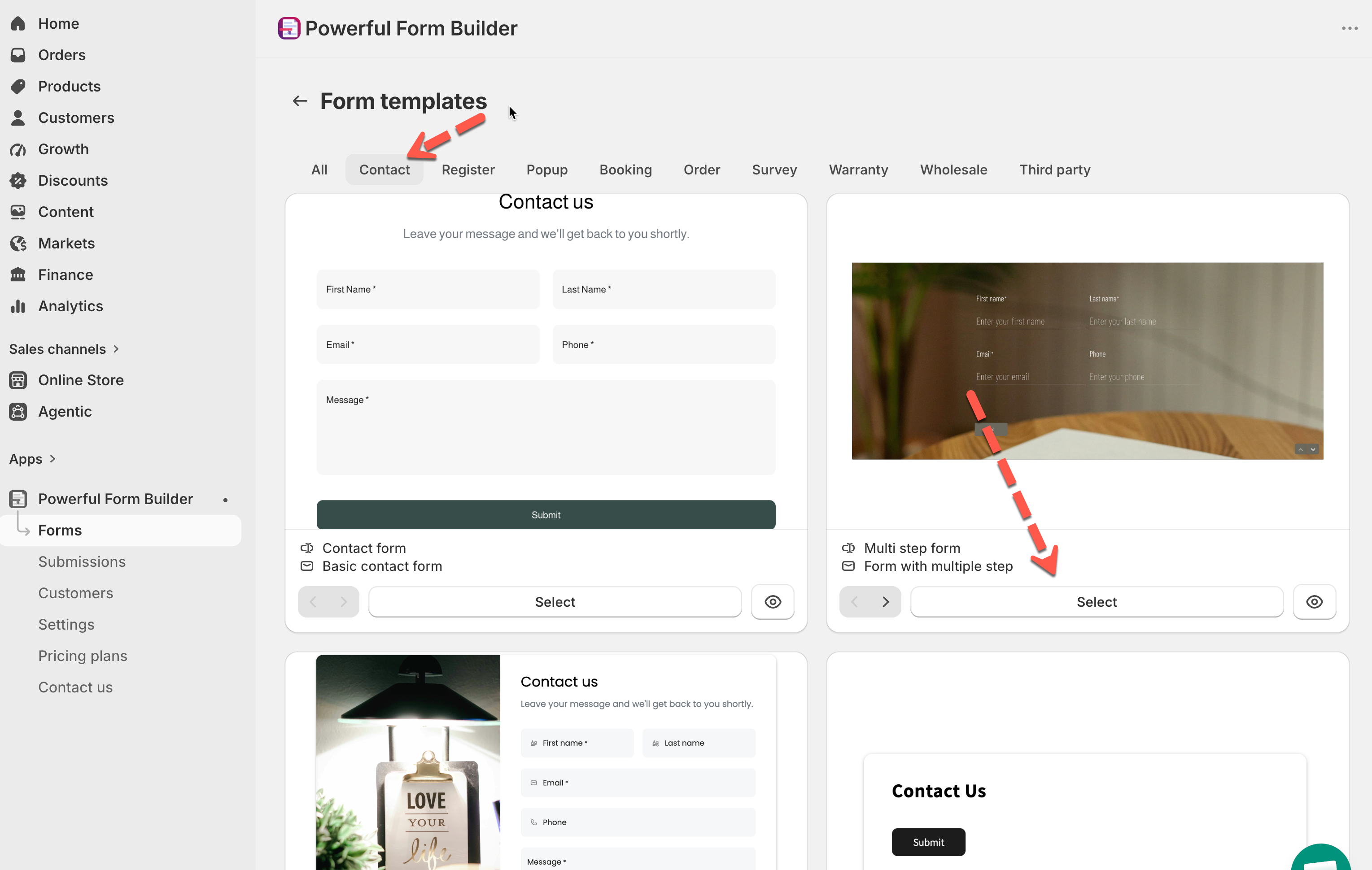
1. Open the app > click **Forms** > **Create new form** > **Browse pre-built forms**
2. Pick the matching category (**Order** for Cart/Bulk Order, **Register** for account sign-up)
3. Select the template — it comes pre-built with the right fields and logic already connected
4. Customize fields, styling, and settings like any other form
5. Publish as usual

<figure><img src="https://2907469752-files.gitbook.io/~/files/v0/b/gitbook-x-prod.appspot.com/o/spaces%2FehM2rz7MmKkWcJmgvJOe%2Fuploads%2Fgit-blob-3b71febeeb6bb1b78c3b3225f0fb09326bc36a96%2F2026-09-25_17-54-55.png?alt=media" alt=""><figcaption></figcaption></figure>

## 📄 In This Section

{% columns %}
{% column %} <i class="fa-forward-step">:forward-step:</i> [Multi-step forms](/build-your-form/special-form-types/multi-step-forms.md)

<i class="fa-cart-shopping">:cart-shopping:</i> [Cart form](/build-your-form/special-form-types/cart-form.md)
{% endcolumn %}

{% column %} <i class="fa-table-list">:table-list:</i> [Bulk Order Form](/build-your-form/special-form-types/bulk-order-form.md)

<i class="fa-user-plus">:user-plus:</i> [Register Form](/build-your-form/special-form-types/register-form.md)
{% endcolumn %}
{% endcolumns %}

<br>

## Next steps

* [Create a new form](/getting-started/new-form.md) — start from one of these templates.
* [Add & configure fields](/build-your-form/add-and-arrange-elements.md) — change the fields a template comes with.
* [Publish the form to a page](/getting-started/quickstart/publish-the-form.md) — put it on your store.
* [Plans and billing](/settings/plans-and-billing.md) — which of these your plan includes.
