> For the complete documentation index, see [llms.txt](https://docs.powerfulform.com/llms.txt). Markdown versions of documentation pages are available by appending `.md` to page URLs; this page is available as [Markdown](https://docs.powerfulform.com/build-your-form/form-schedule.md).
# Schedule form
Open and close a form automatically on the dates and times you choose.
A form schedule makes a form available only between a start and an end date. Use it for a competition that closes on a deadline, a seasonal pre-order, an event signup or a limited application window. This page shows how to set the schedule and what visitors see outside it.
## 📝 Set a schedule
{% stepper %}
{% step %}
#### Go to form Settings
* Open the app > click **Forms** > open the form you want to edit
* Select **Settings** in the left icon rail
{% endstep %}
{% step %}
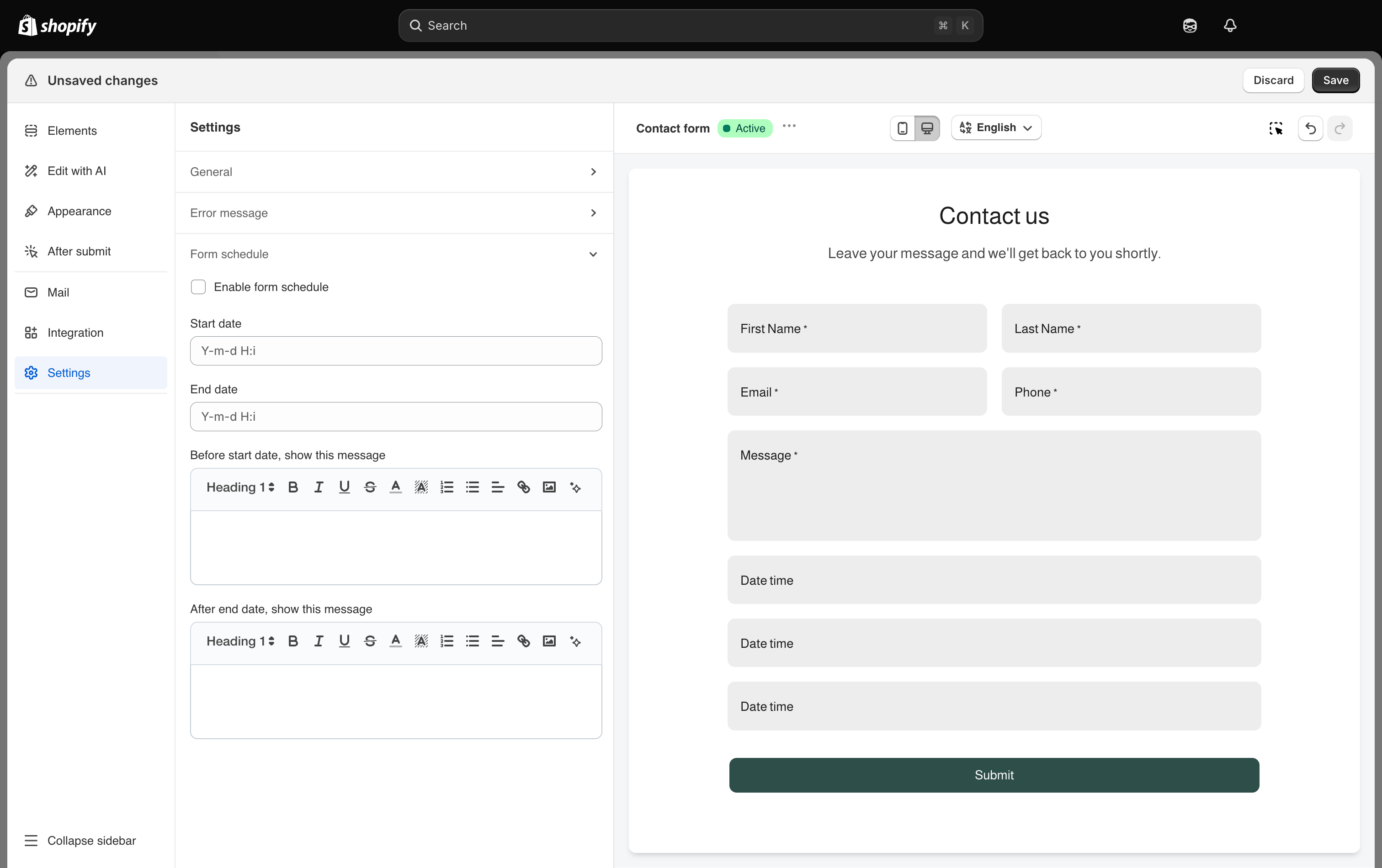
#### Expand Form schedule
Scheduling lets a form open and close on its own.
{% endstep %}
{% step %}
#### Turn on "Enable form schedule"
{% endstep %}
{% step %}
#### Pick the start and end
**Start date** is when the form begins accepting submissions. **End date** is when it stops. Each opens a picker where you choose both a date and a time.
{% endstep %}
{% step %}
#### Write the messages
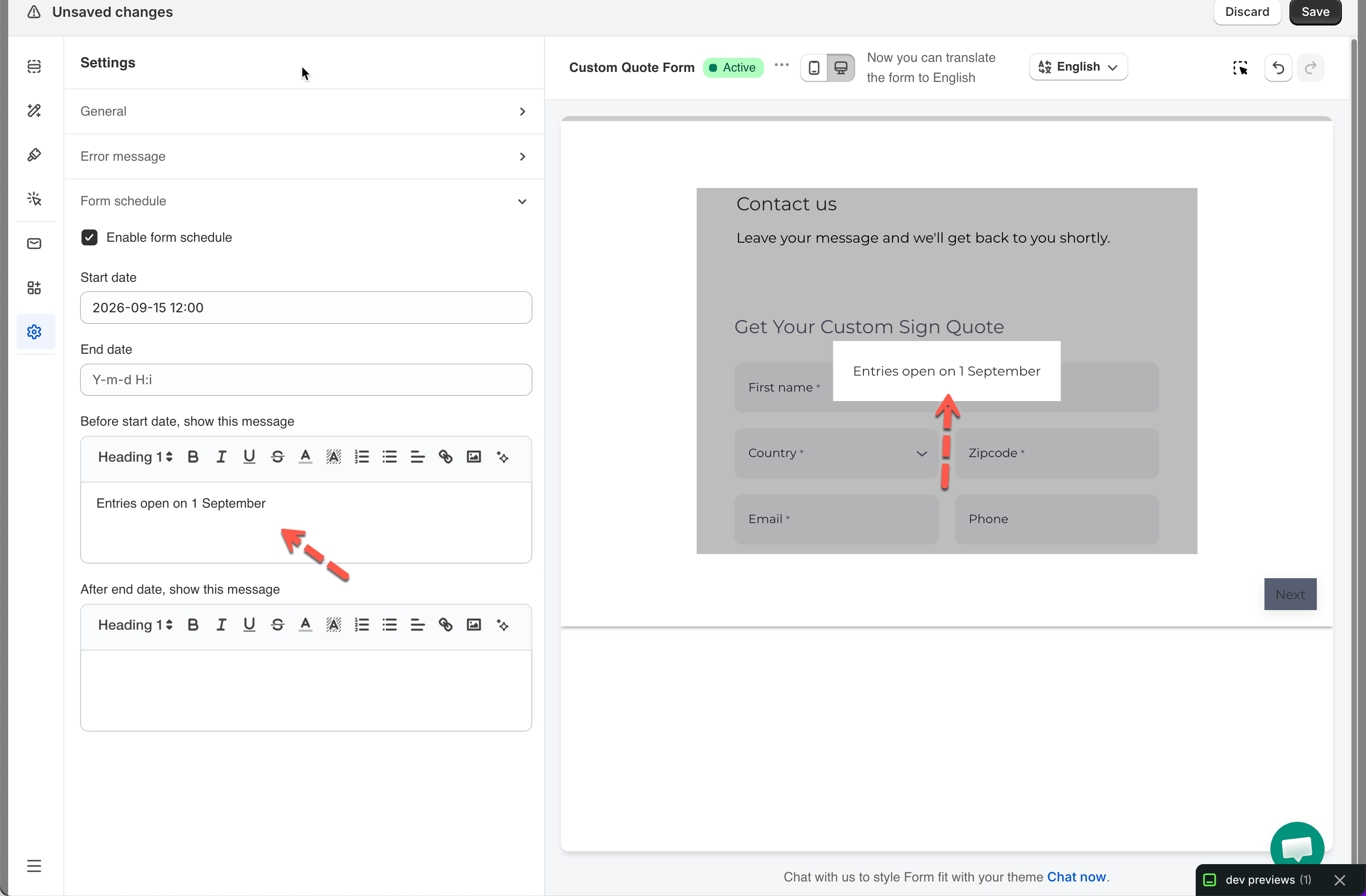
**Before start date, show this message** is shown to anyone who reaches the form early.
**After end date, show this message** is shown once the window has closed. Both are rich-text boxes, so you can add links and formatting.
{% endstep %}
{% step %}
#### Save it
{% endstep %}
{% endstepper %}
{% hint style="info" %}
**Form schedule** is listed in the plan comparison table. Check [Plans and billing](/settings/plans-and-billing.md) to see what your plan includes.
{% endhint %}
## ✅ How it works
Outside the scheduled window the form is still on the page, but it cannot be used:
* the submit area is removed, so there is no way to send it,
* your message is shown over the form.
Useful wording:
* Before the start: *Entries open on 1 September. Follow us for a reminder.*
* After the end: *Entries for this competition closed on 30 September. Winners are announced on 7 October.*
## 📝 Closing a form early
To close a form before its planned end, change **End date** to a moment that has already passed and click **Save**. The form stops accepting submissions immediately and starts showing the after-end message.
## Next steps
* [Edit error messages](/build-your-form/error-messages.md) for the wording used when a submission limit is reached.
* [Publish the form to a page](/getting-started/quickstart/publish-the-form.md) to put the scheduled form on your store.
* [Plans and billing](/settings/plans-and-billing.md) to check what your plan includes.